Achieve INBOX ZERO on Outlook (in 10 minutes)!

About
No channel description available.
Latest Posts


Video Description
Two HUGE benefits to adopting the Inbox Zero workflow: 1️⃣ You will never get distracted by emails you have already dealt 2️⃣ You will never again miss important emails The Inbox Zero workflow was originally designed with Gmail in mind but that’s not going to stop us from applying the same concepts in Microsoft Outlook! *THE NO BS PRODUCTIVITY NEWSLETTER* 📧 https://www.jeffsu.org/productivity-ping/ *TIMESTAMPS* 00:00 Inbox Zero for Outlook 00:18 Benefits of Inbox Zero 00:45 Microsoft Outlook Settings 03:03 Categories for Inbox Zero 04:51 Daily Workflow Example 08:21 How to Apply to Your Own Inbox 08:33 Microsoft Outlook Drawbacks *RESOURCES I MENTION IN THE VIDEO* (note: Inbox Zero for Gmail is outdated, new video in the works) *MY FAVORITE GEAR* 🎬 My YouTube Gear - https://www.jeffsu.org/yt-gear/ 🎒 Everyday Carry - https://www.jeffsu.org/my-edc/ *MY TOP 3 FAVORITE SOFTWARE* ❎ CleanShot X - https://geni.us/cleanshotx ✍️ Skillshare - https://geni.us/skillshare-jeff 📖 Readwise - https://readwise.io/jeffsu/ *BE MY FRIEND:* 📧 Subscribe to my Productivity newsletter - https://www.jeffsu.org/productivity-ping/ 📸 Instagram - https://instagram.com/j.sushie 🤝 LinkedIn - https://www.linkedin.com/in/jsu05/ *👨🏻💻 WHO AM I:* I'm Jeff, a tech professional trying to figure life out. What I do end up figuring out, I share! _PS: Some of the links in this description are affiliate links I get a kickback from and my opinions are my own and may not reflect that of my employer_ 😇 #inboxzero #microsoftoutlook #productivity
You May Also Like
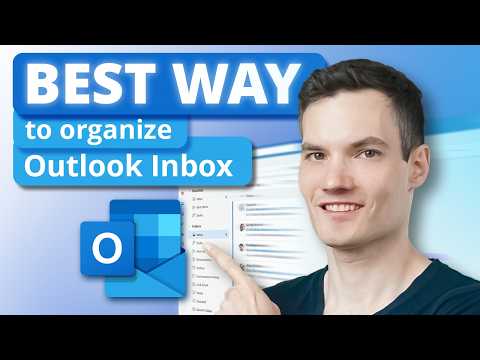










Effortless Outlook Inbox Management
AI-recommended products based on this video

Microsoft Office Home & Student 2019 | One-time purchase, 1 person | PC/Mac Keycard