All Synology Backup Methods Explained and Which One is Right For You?

SpaceRex
@spacerexwillAbout
SpaceRex content is focused on tutorials for networking and data storage for tech users of all skill levels! We offer consulting from Yarborough Technologies: You can setup a 1:1 session here: https://www.yarboroughtechnologies.com/contact/ Have a question? Checkout the forums: https://forums.spacerex.co Have a suggestion for a future video? Submit it here: https://forums.spacerex.co/t/how-to-submit-a-suggestion-for-a-tutorial-video-for-the-channel/194 Want to become a channel member? https://www.youtube.com/c/spacerexwill/join As an Amazon Associate and an eBay Affiliate, I earn from qualifying purchases Sponsorship: If you are interested in sponsoring a video, please get in touch at the email below for more information.
Latest Posts


Video Description
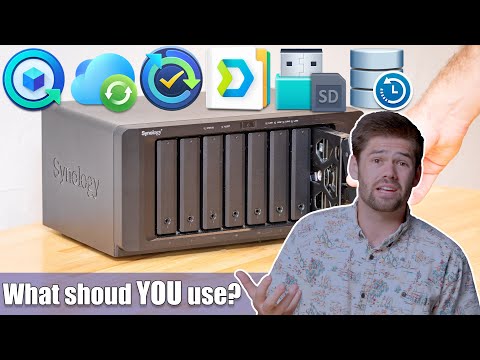
Hyperbackup vs cloud sync vs active backup for business vs usb copy vs snapshot replication vs Synology Drive sync. Which one is right for you? Hire Me! https://www.spacerex.co/hire-me/?utm_source=YouTube&utm_medium=Description&utm_campaign=all-backup-methods-explained Become a channel member!!!! https://www.youtube.com/c/spacerexwill/join #Backup #synology #nas Product Recommendations* Synologys: Cheapest you can buy: https://geni.us/e6LuxG Most powerful 4 Bay: https://geni.us/GjJ0 6 bays, with performance overhead: https://geni.us/wUcKel Insane Performance!: https://geni.us/VWWyPa 12 Bays in a Desktop!: https://geni.us/dYtpGui Drives: Hard drives that I use: https://geni.us/k6GqFW SSD I use with Synology: https://geni.us/AwOU Going 10GbE: Synology 10GbE (RJ45) Card: https://geni.us/d6KK94h Starter 10GbE switch: https://geni.us/dHOpA 10GbE ethernet to Thunderbolt 3 adapter: https://geni.us/F6U92 *These are affiliate links, which means that if you purchase a product through one of them, I will receive a small commission (at no additional cost to you). Thank you for supporting my channel! TOC thanks to Joshka! 0:00 Intro 1:00 Storage Manager (redundancy is not a backup) 1:51 Overview of all the backup options 5:24 USB Copy (External hard drives) 7:38 CloudSync (Cloud drive providers e.g. Google Drive, OneDrive, WebDav etc.) 9:44 HyperBackup (Offsite to another NAS / Synology C2 / S3 storage, Best Disaster recovery options) 12:48 Snapshot replication (best low downtime option) 15:11 Active Backup for Business (DSM 7.1+, bare metal restore of entire NAS, good for business with many NASes) 16:55 Synology Drive ShareSync (Sync to another Synology NAS, good for 2 site access) 18:03 Summary
You May Also Like









Secure Your Data Today
AI-recommended products based on this video

Western Digital 2TB WD Blue SA510 SATA Internal Solid State Drive SSD - SATA III 6 Gb/s, 2.5"/7mm, Up to 560 MB/s - WDS200T3B0A
