Beginner GUIDE to Importing Characters w/ Animation to Unreal Engine 5.5 from CC4 or iClone 8


tiedtke.
@tiedtkeioAbout
Are you ready to become a MASTER of 3D, CGI and filmmaking? Click the link below. 🦖 1. 𝗣𝗶𝘅𝗲𝗹 𝗽𝗲𝗿𝗳𝗲𝗰𝘁 𝗶𝗺𝗮𝗴𝗲𝗿𝘆 - I have a background in live action filmmaking where I've found an incredibly deep love for lighting, camera sensors and lenses. Combined with a new passion for digital imagery which has elevated me into working as a digital compositor, VFX-artist and 3D-generalist that makes me push my boundaries for what images I can output. 2. 𝗖𝗿𝗲𝗮𝘁𝗶𝘃𝗲 𝗽𝗹𝗮𝗻𝗻𝗶𝗻𝗴, 𝗯𝗿𝗮𝗻𝗱𝗶𝗻𝗴 𝗮𝗻𝗱 𝘀𝘁𝗿𝗮𝘁𝗲𝗴𝘆 - Years of analyzing content, doing marketing studies and workshops from the likes of Meta, Snapchat, Google and LinkedIn has made me really learn all the ins and outs of the psychology and tactics behind audience behavior, consumer cycles and distribution. 3. 𝗗𝗶𝘀𝘁𝗿𝗶𝗯𝘂𝘁𝗶𝗼𝗻 - I'm also experienced in distribution of content using paid social on SoMe ad platforms such as Meta, Google Ads and TikTok. 👊🆓🦖 As an Amazon Associate I earn from qualifying purchases.



Video Description
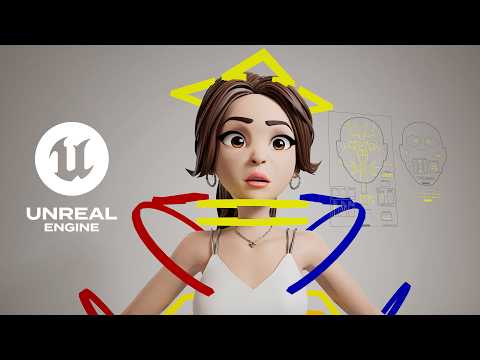
Hey everyone! In this video, I'm walking you through how to export a custom character from @reallusion Character Creator 4 (CC4) into iClone 8 and then bring it all into Unreal Engine 5. If you’ve ever felt stuck with settings or just want to streamline your process, this is for you! Create characters faster and easier with iClone 8 and Character Creator 5! Use my referral links and apply code 𝗥𝗟𝘄𝗲𝗹𝗰𝗼𝗺𝗲𝟰𝟬 to save $40 on iClone 8 at checkout! 🔸 Try Character Creator 5: https://tiedtke.short.gy/cc5 🔸 Try iClone 8: https://tiedtke.short.gy/iclone 👋 If you're working with 3D or even as a hobby; here are some items on Amazon I highly recommend, which I use daily for this and couldn't live without. Things like my NAS, expanded storage, preferred mouse, great phone for Face Tracking etc: https://amzn.to/4djx0vG (affiliate link) Here's What We'll Cover: Export Settings: Keep your character’s world position, set the T-pose as the bind pose, and use high-poly meshes like a pro. Send to iClone 8: I'll show you the best way to send your character over with all the right settings. Correct UE5 Import: We’ll use the free Auto Setup plugin to automatically create high-quality shaders—super easy and efficient! Animation Tip: I’ll also guide you on combining animations and baking them with the awesome CC Control Rig plugin from Reallusion. Grab the Auto Setup Plugin: https://www.reallusion.com/auto-setup/unreal-engine/download.html 00:00 - What you will learn in this video 00:27 - Exporting Character from Character Creator 4 02:11 - Send to iClone feature 02:58 - Download Auto Setup Plugin for UE5 03:20 - Enable Auto Setup for UE5 04:07 - Import Characters to Unreal Engine 5 05:14 - Overview of Lighting Setup 05:21 - Export iClone animation 06:58 - Download CC control rig 07:12 - Enable CC control rig 07:27 - Create CC control rig 07:44 - Create master sequence 08:21 - Import Amber animation 10:29 - Bake animation to CC control rig Join me for this fun and informative session! If you enjoy the video, don’t forget to like, subscribe, and ring the bell for more cool tutorials - it's free but helps my channel grow! 💛 Get the files from my videos on my Gumroad! 🔸 https://app.gumroad.com/tiedtke Other artists assets used in the video: 🔸 https://www.reallusion.com/contentstore/pack/la-familia-vol-2-amber 📸 Follow me on Instagram! 🔸 https://www.instagram.com/tiedtke/ 🤝 Connect with me on LinkedIn! 🔸 https://www.linkedin.com/in/tiedtke/ 🎨 See all my CGI art on ArtStation! 🔸 https://www.artstation.com/tiedtke ✉️ For any business inquiries please email me! 🔸[email protected] My journey into animation began brick by brick. As a child, my brothers and I spent countless hours crafting elaborate LEGO worlds and bringing them to life through stop-motion films captured on our dad's DV camcorder. This wasn't just playtime; it was the spark that ignited my passion for storytelling and the magic of animation. Witnessing my older brother delve into the world of creative arts further fueled my ambitions. Inspired by his path, I took a leap of faith and pursued the same, even in the face of some uncertainty. Today, that childhood fascination has blossomed into a fulfilling career (or ongoing pursuit) in animation, where I continue to bring stories and characters to life, one frame at a time. #CharacterCreator4 #iClone8 #UnrealEngine5 #UE5 #3DAnimation #3DModeling #GameDevelopment #Reallusion #AnimationTutorial #DigitalArt #CGI #CharacterDesign #3DCharacters #AutoSetupPlugin #HighPolyMesh #TPose #BindPose #3DWorkflow #AnimationBaking #CCControlRig #GameDesign #VirtualProduction #3DArt #CharacterExport #IndieGameDev #TechArt #3DRendering #VisualEffects #VFX #RealTimeRendering #AnimationRigging #3DShaders #3DGraphics #CreativeProcess #CharacterAnimation #GameArt #UnrealEngineTutorial #3DSoftware #DigitalSculpting #CGArt #InteractiveMedia #3DAssets #AnimationPipeline #3DTutorial #TechTutorial #ArtisticWorkflow #InnovativeDesign #3DIntegration
You May Also Like
Upgrade Your Gear Today
AI-recommended products based on this video

SmallRig FX3 / FX30 HawkLock Quick Release Camera Cage Kit for Sony with Cable Clamp, Bulit-in QR Cold Shoe NATO Rail/QR Plate for Arca, Modular Design Compatible with Original XLR Handle - 4770

SmallRig ZV-E1 Camera Baseplate for Sony ZV-E1, Built-in Cold Shoe Mount and QR Plate (for Arca) Quick Switch Between Tripod and Stabilizer for DJI RS 2 / RSC 2 / RS 3 / RS 3 Pro - 4314

SmallRig ZV-E10 II Base Plate for Sony Alpha ZV-E10 II, Bottom Mount Plate with Quick-Release Plate for Arca, QD Socket, Hand Strap Hole, 1/4"-20 Threaded Hole - 4950
