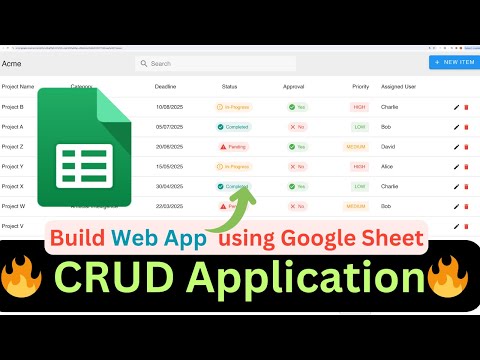
COMPLETE CRUD WEB APPLICATION USING GOOGLE SHEETS #googlesheets

TechLever
View ChannelAbout
👋 At TechLever, we're on a journey to explore the ever-evolving world of Google Sheets, G Suite app development, and web development. Our mission is to provide you with the knowledge and tools you need to excel in these domains. 🔍 What You Can Expect: Google Spreadsheet Mastery: From basic functions to advanced data manipulation, we'll guide you through Google Spreadsheets, making your work smarter and more efficient. G Suite App Development: Dive into the realm of app development within the G Suite ecosystem. Learn to create custom solutions, automate tasks, and enhance your workflow. Web Development Wonders: Stay updated with the latest web development tools and technologies. We'll break down complex concepts and provide practical insights to level up your web development skills.
Latest Posts

Video Description
Join our Whatsapp Channel: https://whatsapp.com/channel/0029VanDeVpDTkK5Kxdh0u1N 🚀 Excited to share a tutorial on creating a robust CRUD application using Google Sheets! 📊 Join me as we explore step-by-step how to leverage project records for a seamless user experience. 🌟 What to Expect: Discover how to effortlessly create, read, update, and delete records with just a few clicks! I'll guide you through each operation, showcasing the power of Google Sheets for building functional applications. 🎨 Customization Galore: Learn the art of customization! Dive into defining the table structure using a schema, tweaking app settings for a personalized touch, and refreshing sheets to keep everything up-to-date. 🔧 Tips and Tricks: Uncover handy tips, such as utilizing reserved field names for automatic formatting – making your application dynamic and user-friendly. 🔄 Real-time Changes: Witness the magic of real-time changes! Alter settings dynamically, choose different schemas, locales, and currencies, and see your application transform before your eyes. 🤓 Quick Recap: In a nutshell, this tutorial offers a comprehensive guide to building a CRUD application in Google Sheets. Save your settings, customize to your heart's content, and happy coding! Link to my other videos from the CRUD Series: https://youtu.be/mfPmi-fRp_0?si=wjFNlaHWPXbvQgR_ 🌐 Demo: https://script.google.com/macros/s/AKfycbx9Ug5SgfzNLYaTUF-JtybnUNDyGd9yJ-o69qQmlpmbNjtp0rOFmT1V90IwwyTwL6ECIw/exec 📊 Spreadsheet Link: https://docs.google.com/spreadsheets/d/1FOpcrG6gmEq6bofVJ34OIU8rmlZDzMkJvycJtM118ks/copy ******** Support me by buying this with Whatsapp Support just for 10 USD ****** https://pritamsharma.gumroad.com/l/wtxnb *********************************************************************************** *************************** ✨ Buy this Advanced version for only $9! ✨ It features: 📄 Multi Page Apps 📁 File Uploads 🔽 Dynamic Dropdown 🔗 Dependent and Computed Fields 🖼️ Formatting support for Image, Avatar ➕ Additional fields like Time, Number/Currency, Image Purchase Link: https://pritamsharma.gumroad.com/l/fzhnkj https://youtu.be/E4UaHrxCmJs *************************** ☕️😊 Buy me a coffee! ☕️💖 https://buymeacoffee.com/pritamsharma https://paypal.me/pritamsharma45 ------------------------------------------------------------------- Contact Me : 919624701102 📘 Vuetify Docs: https://vuetifyjs.com/en/components/tables/#usage 📚 Vue JS Docs: https://vuejs.org/guide/introduction.html 📌 Google Apps Script Reference: https://developers.google.com/apps-script/reference/spreadsheet/range#getdataregion 🚀💻 #GoogleSheets #CRUDApplication #appsscript #webapp #googleappsscript #dataentry #macros
No Recommendations Found
No products were found for the selected channel.