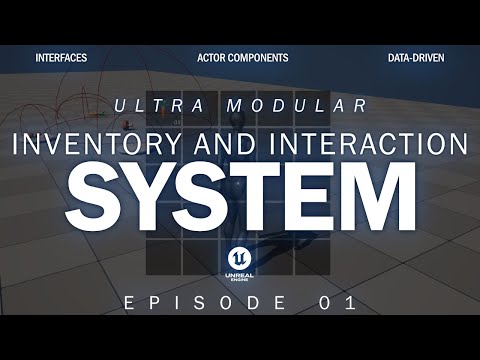
Creating An Inventory System And Interaction System In Unreal Engine 5.4 | Episode 01

Creativekit
View ChannelAbout
Game Development educational content, products, systems and resources mostly intermediate/advanced methods for using Unreal Engine. For project files and other tools/resources check out my Patreon. For trouble shooting or to join our community, check out the CreativeKit Discord. For business inquiries message me on Discord or email me at [email protected]
Latest Posts

Video Description
"Creating an Inventory System and Interaction System in Unreal Engine 5.4 | Episode 01" Today, I wanted to start a new series I've been working on for a while. This marks the first episode in which we go over how to start conceptualizing and building out the framework for an interaction and inventory system that we can use as a starting point in any and all of our projects moving forward. My hope for this series is that it will be the last interaction/inventory system you ever build as the one we put together can just be moved to any project it's needed in. My plan with this series is to ultimately conceptualize and create all the systems necessary for us to make a complete game. We'll do this by keeping modularity and scalability at the forefront of our concepts and planning, starting with the interaction/inventory system. This episode, and series in general, is more suitable for intermediate/advanced Unreal Engine users, but I have no doubt a complete beginner can follow along without any problems. If you are having trouble with getting anything to work feel free to join my discord server and I can help there! Assets Used: https://kenney.nl/assets/food-kit Ultra Modular Inventory and Interaction System Playlist: https://shorturl.at/C6VaU Discord: https://discord.gg/kcCcCYa4Cg Patreon: https://www.patreon.com/c/yourcreativekit Business inquiries for the channel or to hire me personally email me at [email protected] 00:00:00 Introduction and Explanation 00:06:00 Importing Free Test Assets 00:07:50 Gameplay Tags Explanation 00:11:45 Data Assets and Pipeline 00:25:02 Setting up Test Blueprints 00:34:51 Setting Up Interaction Manager 00:40:22 Creating Highlight Overlay Material 00:45:25 Detecting and Highlighting Interactables in Range 01:06:00 Getting Target Interactable 01:21:20 Triggering Interaction Events 01:29:56 Additional Demonstration
Unreal Engine 5.4 Must-Haves
AI-recommended products based on this video

MSI Thin 15 Gaming Laptop, 15.6" 144 Hz IPS Display, AMD Ryzen 9 8945HS, NVIDIA RTX 4060 8GB GDDR6, 32 GB DDR5, 2 TB SSD, with Windows 11 Pro, Office Pro Lifetime License, Mouse, USB C Flash Drive

Skytech Rampage Gaming PC, Intel i7 14700K 3.4 GHz (5.5GHz Turbo Boost), NVIDIA RTX 4070 Super 12GB GDDR6X, 2TB SSD, 32GB DDR5 RAM 5600 RGB, 750W Gold PSU, 360mm AIO, Wi-Fi, Win 11 Home
acer Nitro V 15 Gaming Laptop, 15.6" 144Hz FHD Display, Intel 10-Core i7-13620H, NVIDIA GeForce RTX 4060, 64 GB DDR5 RAM, 4 TB SSD, Backlit Keyboard, Microsoft Office Lifetime License, Windows 11 Pro
acer Nitro V 15 Gaming Laptop, Microsoft Office Lifetime License & Windows 11 Pro, 15.6" 144Hz FHD Display, Intel 10-Core i7-13620H, NVIDIA GeForce RTX 4060, 64GB DDR5 RAM, 4TB SSD, Backlit Keyboard

Lenovo V15 Laptop | 15.6" FHD Anti-Glare Display | AMD Ryzen 7 7730U | 40GB RAM | 1TB PCIe SSD | HDMI | Type-C | Webcam | Wi-Fi | THUNDEROBOT Wireless Ergonomic Mouse | Windows 11 Pro | Black

Xbox Wireless Gaming Controller (2025) – Carbon Black – Play on Xbox, Windows, Android, iOS, FireTV Sticks, Smart TVs, VR Headsets

acer Aspire 3 Laptop | 15.6" FHD (1920 x 1080) Display | 8-Core AMD Ryzen 7-5700U | AMD Radeon | 64GB RAM | 4.5TB SSD (4TB PCIe SSD withHP P500 512GB Portable SSD) | Ethernet Port | Windows 11 Pro

acer Aspire 3 Laptop | 15.6" FHD (1920 x 1080) Display | AMD Radeon | 8-Core AMD Ryzen 7-5700U | 64GB RAM | 4.5TB SSD (4TB PCIe SSD withHP P500 512GB Portable SSD) | Ethernet Port | Windows 11 Pro
