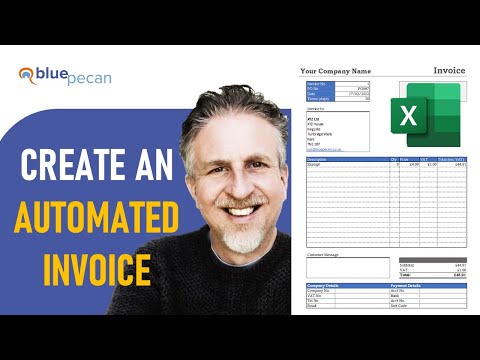
Excel VBA - Clear Invoice and Automate Next Invoice Number


Chester Tugwell
View ChannelAbout
Welcome to Blue Pecan's video channel. Here you will find a collection of useful video tutorials covering Microsoft Office applications including Microsoft Excel. In the description of the videos you will find a link to a supporting page on our website where you will be able to download the files featured in our videos. Blue Pecan Computer Training Ltd offers on-site or online Excel training for businesses. Training can be delivered at your business premises in the south-east of England or via Teams wherever you are in the world. Visit our training page at https://www.bluepecan.co.uk We get many requests for help with Excel spreadsheets every week, but unfortunately we are not in the position to help out - sorry! Hopefully one of our videos will answer any questions you do have.
Latest Posts


Video Description
👍👍This invoice is free for you to use - no strings attached. However, if you have found this content useful and want to show your appreciation, please use this link to buy me a beer 🍺. https://www.paypal.com/donate/?hosted_button_id=CGKRY2BAYEQBQ Thank you! 👍👍 Alternatively buy the Simple Sheets Invoice Template (all purchases help support this channel) https://www.simplesheets.co/a/2147525377/v7Aj9zMx Download the featured invoice template here https://www.bluepecantraining.com/excel-invoice-template/ Full playlist for this video series: https://youtube.com/playlist?list=PLA3JEasWtYad0OeX78k0gFhxm5qnnaD57 This tutorial is part of a series of tutorials that demonstrate how to create an automated invoice system in Microsoft Excel. This video looks writing a VBA macro that clears the current invoice and automatically generates the next invoice number. Other videos in this series show you how to write VBA macros that 1) Create the invoice itself 2) Add the invoice details to a record of invoices 3) Save the invoice as an Excel workbook or as a PDF 4) Automatically email a PDF version of the invoice to the customer Table of Contents: 00:00 - Introduction 02:15 - VBA code to create next invoice number and clear current invoice 06:27 - Use IFNA to hide VLOOKUP #N/A errors 07:32 - Create a button to run the VBA macro ------------------------












Must-Have Camera Accessories
AI-recommended products based on this video

eazpower for Magsafe Power Bank 10000mAh, Magnetic Battery Pack Wireless, 20W PD Fast Charging, Compact Portable Charger with Built-in Cables and Stand for iPhone 16/15/14/13/12/ Apple Watch/Airpods

Lexar 128GB Micro SD Card, microSDXC UHS-I Flash Memory Card with Adapter - Up to 100MB/s, A1, U3, Class10, V30, High Speed TF Card

NEEWER Advanced 18 inch LED Ring Light for Phone, LCD Touch Screen, 2.4G Remote Lights Control, 3200-5600K, Tripod Light for iPhone Action Camera, for Studio Makeup TikTok YouTube Video Salon (Black)

SanDisk Ultra Flair USB 3.0 64GB Flash Drive High Performance up to 150MB/s (SDCZ73-064G-G46)

SanDisk 64GB 2-Pack Ultra USB 3.0 Flash Drive (2x64GB) - SDCZ48-064G-GAM462, Black
