Files and Folders in Power Automate for Desktop (Full Tutorial)

About
No channel description available.
Latest Posts




Video Description
This full tutorial shows how to work with files and folders in Microsoft Power Automate for Desktop. The step-by-step use case teaches you to move files between folders based on advanced conditions and create a log. 📂 Course Materials: https://andersjensen.org/microsoft-power-automate-desktop/file-handling VIDEOS FOR YOU: 🔹 Power Automate for Desktop Course: https://youtube.com/playlist?list=PLXXz88_TPiHpY_5bfeV8RAOHnBKgc-rtw 🔹 My RPA Developer Salary: https://youtu.be/KDaTZDo8LVM 👨👩👧👦 Discord: https://discord.gg/pJEXZNTCzs - Join my network with 2800+ RPA Developers, where we solve RPA problems, network, and help each other upgrade our careers. It's free! FOLLOW ME: 💼 LinkedIn: https://www.linkedin.com/in/andersjensenorg 📸 Instagram: https://www.instagram.com/andersjensenorg 👨 Facebook: https://www.facebook.com/andersjensenorg 🐦 Twitter: https://twitter.com/andersjensenorg 💌 Email Newsletter: https://andersjensen.org/email-newsletter MY MONITOR (Amazon affiliate): 🖥️ Samsung 49-inch CRG9 Curved Monitor = https://geni.us/MDpejc - If you are buying this, I can recommend the Mi Monitor Light Bar = https://geni.us/3Wwad 0:00 Intro Download the course files from the link above. The hands-on Power Automate Desktop use case is about sorting files into their respective folders given their type. But first, we must unzip files. Copy the path to the file and assign it to a variable. 2:00 Unzip Use a Get files in folder, with a filter for zip extensions, action to get all the zip files into a list. We use comments to make our flow easy to understand in the future. Use a For each action to iterate the files (names). When you have unzipped the file(s) you can use a Delete file(s) to delete the zip file. 6:48 Sort files The Get files in folder action get all the files in the target folder. Including subfolders, if you want. The file names are stored in a list, so we can work with them. Again we use a For each action to iterate through the files. We use an If action with a condition, where we look at the end of the file name, the file extension. The Move file(s) action moves the files based on the If condition. 14:08 Create a log We store the sorted and moved files into lists. We use these in the log including a count of each file type. The Create new list action creates the list and an Add item to list action adds to the list. To have multiple lines in the log we use a Set variable and design the log here. We add Total files sorted, Total Notepad files sorted, Total Excel files sorted, Total Word files sorted and each file name sorted and moved. Use a Write text to file and use the variable just created to print out the log. To create unique log names we use the date and time as the file name, so each time the robot runs, there will be a new file name. 25:56 The Switch and case actions in Power Automate for Desktop If we have many else's in our If action, it's great to use a Switch action. Then we'll use the Case action for each branch. #office365 #powerautomate #rpa







![How to Use Projects in ChatGPT [Beginner Tutorial]](https://imgz.pc97.com/?width=500&fit=cover&image=https://i.ytimg.com/vi/b_B9VXJYT3o/hqdefault.jpg)




Instant Home Upgrade Essentials
AI-recommended products based on this video

4-in-1 Wooden Activity Desk & Chair Set – Birch Plywood Table with Reversible Whiteboard & Chalkboard, 3 Storage Areas for Learning, Art, and Organization

ChicZhiNest Queen White Metal Bed Frame with USB Charging Station, LED Ambient Lighting, and Wooden Storage Headboard - Includes Under-Bed Storage, No Box Spring Needed, Noise Free, Easy to Assemble

ChicZhiNest Queen Size Black Metal Bed Frame with USB Charging Station, LED Ambient Lighting, and Wooden Storage Headboard - Includes Under-Bed Storage, No Box Spring Needed, Noise Free, Easy Assembly

Rolanstar Queen Bed Frame with 4 Storage Drawers, Charging Station and LED Lights, Upholstered Platform Bed Storage Headboard, Heavy Duty Wooden Slats, No Box Spring Needed, Noise Free, Easy Assembly

2 Pack Outdoor Solar Firework Lights, 240 LED Solar Powered Hanging Lights Outdoor Waterproof Hanging Fairy Garden Lights Landscape Lights(Warm White)

LaLaGreen Wall Planters - 16 Inch Wall Planters for Indoor Plants, 3 Tier Galvanized Succulent Wall Mounted Planters, Metal Boho Window Herb Garden, Rectangle Hanging Vertical Shelf Shower Plant Pot
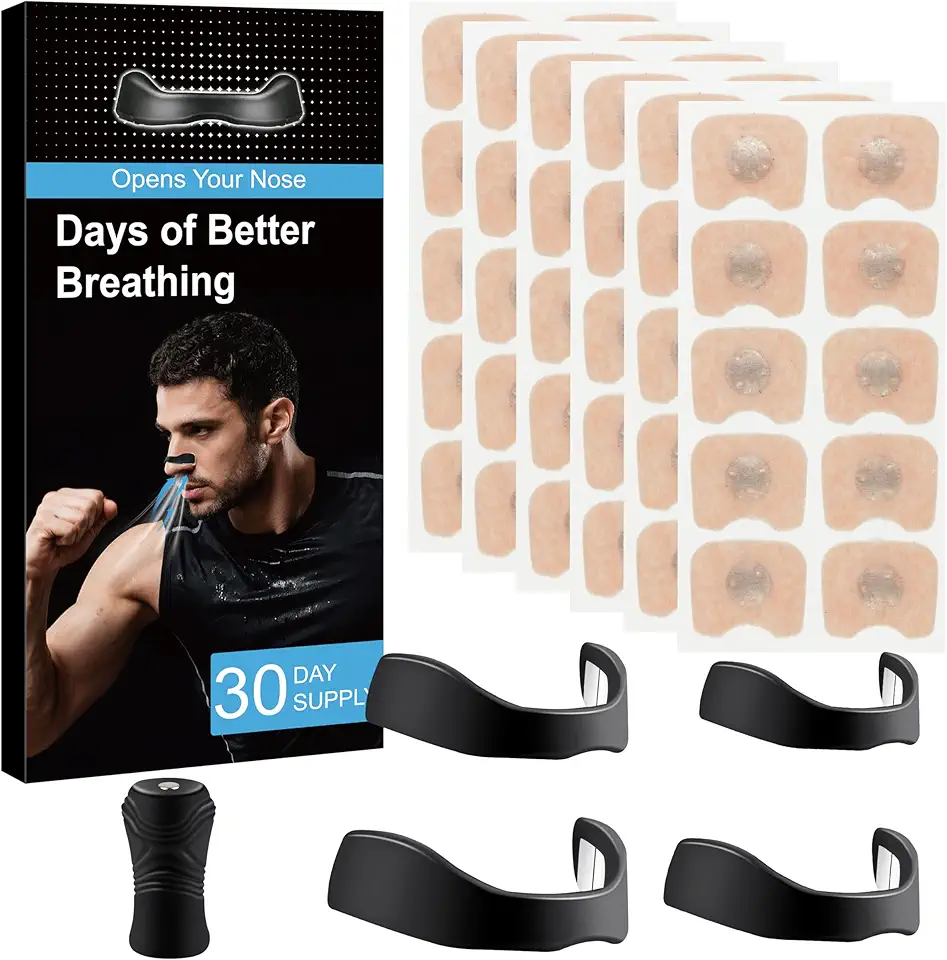
for Snoring - Magnetic Nose Strip (30 Pairs) Innovative Design for Sports and Sleep, Anti-Snoring Equipment Helping You Breathe Better

Nasal Strips for Snoring - Magnetic Nose Strip (30 Count) Innovative Magnetic Design for Sports and Sleep, Helping You Breathe Better
