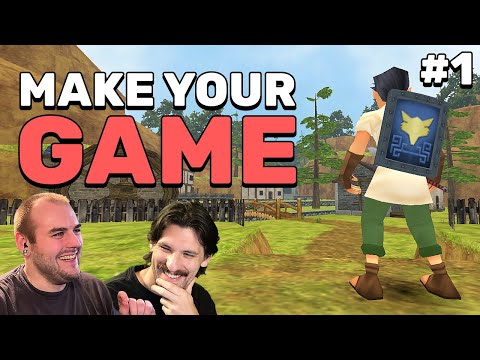
How to make your first Video Game - Getting Started in Godot (Ep. 1)

Playable Workshop
@playable-workshopAbout
We're working to create educational content, tools, and a support network for indie game developers.
Latest Posts
Video Description
Welcome to the first episode of our action/adventure game series! This is a beginner friendly series that will teach you the how to create your very own games by creating a 3D game inspired by The Legend of Zelda: Ocarina of Time! This particular episode is focused on getting you up and running with Godot 4.4 in order to create a very simple environment and start on our player character. Ready to try this for yourself? Check out the companion page on our website: https://playableworkshop.com/action-adventure-series/episode-1 Like what we're doing? Support us! https://www.patreon.com/playableworkshop Godot Engine: https://godotengine.org Join our Discord: https://discord.gg/ZYtU7hhZW9 Support us on Patreon: https://www.patreon.com/playableworkshop Jack's Channel: @JackSather Nick's Website: https://nick-glenn.com 0:00 Intro 1:04 Downloading Godot 2:02 Opening Godot 2:33 Creating our project 3:09 Opening our project for the first time 3:29 Crash Course on Navigating in 3D 4:23 What are these lines in the viewport? 5:22 Let's talk about nodes and the scene tree 6:24 An intro to whiteboxing 7:11 Finding the node to start our level whitebox 8:13 How nodes are categorized by color 8:36 Adding the node to "ground" us 9:28 Transforming objects in the scene 11:09 Turning a box into a floor 11:41 Properties and the inspector panel 12:43 Changing the size of our floor the "right" way 14:09 Running our project for the first time 15:09 Looking into our 3D world 15:53 It's so dark in here 18:28 Starting our player character 21:48 Visualizing our player character 23:06 Sprucing things up with some color 25:01 Getting our player moving with some code 27:58 Jumping between viewport modes 29:02 Testing our first script 29:34 Stopping our player from phasing through the floor 32:30 Alternative to manually creating static bodies for a whitebox environment 32:59 Solving a render bug in Godot 34:00 Customizing our movement inputs 37:23 Attaching the camera to the player 38:30 Closing thoughts
Perfect Pizza at Home Kit
AI-recommended products based on this video

Glass Oil Sprayer for Cooking, 180ml Olive Oil Sprayer Bottle with Brush, Olive Oil Spray Mister, Kitchen Gadgets Accessories for Air Fryer, Canola Oil Spritzer (GREY)
