Integromat Tutorial for Beginners: Build Scenarios EASILY


Layla at ProcessDriven
@laylapomperAbout
Take the FREE operations audit: https://go.processdriven.co/3LH3kRj Subscribe for weekly videos on defining team workflows, business systems, and procedures. FREQUENTLY ASKED QUESTIONS: 🙋♀️ Who is that gal in the videos? That would be me, Layla Pomper. Hi! I founded ProcessDriven back in 2018 and have built a team around a desire to make process-building approachable for teams like yours. We've since trained over 3K clients! 📌 How does this channel make money? Shrewd question! The main way I justify investing dozens of hours in each of these videos is through the products and services my team and I offer on our website. We also generate smaller amounts of revenue from affiliate links. 🤝 How can I work with Team #ProcessDriven? Use the links below!



Video Description
🔗 Want to try Make (formerly Integromat)? Use our affiliate link to receive 1 month of the Pro Plan with 10,000 operations for FREE: https://processdriven.co/make?utm_source=yt&utm_medium=organic&utm_campaign=mg-e199&utm_content=20211126 This beginner Integromat tutorial will show you how to build your first Integromat scenario to automate a simple workflow using Zoom and Gmail. We'll explain key Integromat terms like: Modules (Triggers and Actions), Module Settings, Routers, Filters, and (of course!) how to troubleshoot a beginner Integromat automation. Here are the timestamps so you can jump to a key moment: 00:45 - What is Integromat and why should you use it? 02:32 - What tools can I integrate with Integromat? 03:14 - Creating a (free!) Integromat account 03:42 - Example Integromat scenario: automatically send completed Zoom recordings to attendees 06:28 - Connecting your Zoom account 08:17 - Automatically sending information from Zoom to Gmail 09:53 - Using dynamic data to keep your process simple 13:14 - Setting your automation schedule (or, how often do we want this automation to run?) 13:58 - Testing your new Integromat scenario 16:32 - Formatting date, and other advanced formatting options 19:58 - Congratulations! You now have a completed Integromat scenario! 21:20 - Adding filters in your workflow 21:54 - Quick Recap 🤝 Disclaimer: This video was produced as a part of a paid sponsorship collaboration with Make (formerly, Integromat). [ FREE RESOURCES ] 👉 Grab the Task Plunger to help your delegation process: https://processdriven.co/task-plunger?utm_source=yt&utm_medium=organic&utm_campaign=mg-e199&utm_content=20211126 👉 Get a FREE operations audit to measure how systemized your team is with a Systemization Snapshot™: https://processdriven.co/snapshot?utm_source=yt&utm_medium=organic&utm_campaign=mg-e199&utm_content=20211126 👉 Watch my FREE training here to understand #ProcessDriven framework for systemizing business: https://processdriven.co/blueprint?utm_source=yt&utm_medium=organic&utm_campaign=mg-e199&utm_content=20211126 👉 Subscribe to get new content, freebies, and tips directly in your inbox: https://processdriven.co/email?utm_source=yt&utm_medium=organic&utm_campaign=mg-e199&utm_content=20211126 👉 Want to steal our gear/setup/software stack? https://processdriven.co/gear?utm_source=yt&utm_medium=organic&utm_campaign=mg-e199&utm_content=20211126 [ WORK WITH ME ] 🔥 Want to get your systems & processes in order? Join my signature program, ProcessDriven Foundations™ at: https://processdriven.co/services/pf/info?utm_source=yt&utm_medium=organic&utm_campaign=mg-e199&utm_content=20211126 🔥 Learn SmartSuite basics with my beginner course: https://processdriven.co/services/smartsuite?utm_source=yt&utm_medium=organic&utm_campaign=mg-e199&utm_content=20211126 🔥 Learn ClickUp basics with my beginner course: https://processdriven.co/services/mini?utm_source=yt&utm_medium=organic&utm_campaign=mg-e199&utm_content=20211126 / / / / AFFILIATE DISCLAIMER / / / / Affiliate Disclaimer: This post may contain affiliate links or sponsored content for which we may receive compensation. For details, visit https://processdriven.co/terms?utm_source=yt&utm_medium=organic&utm_campaign=mg-e199&utm_content=20211126






Blaze Through Your Taste Buds
AI-recommended products based on this video
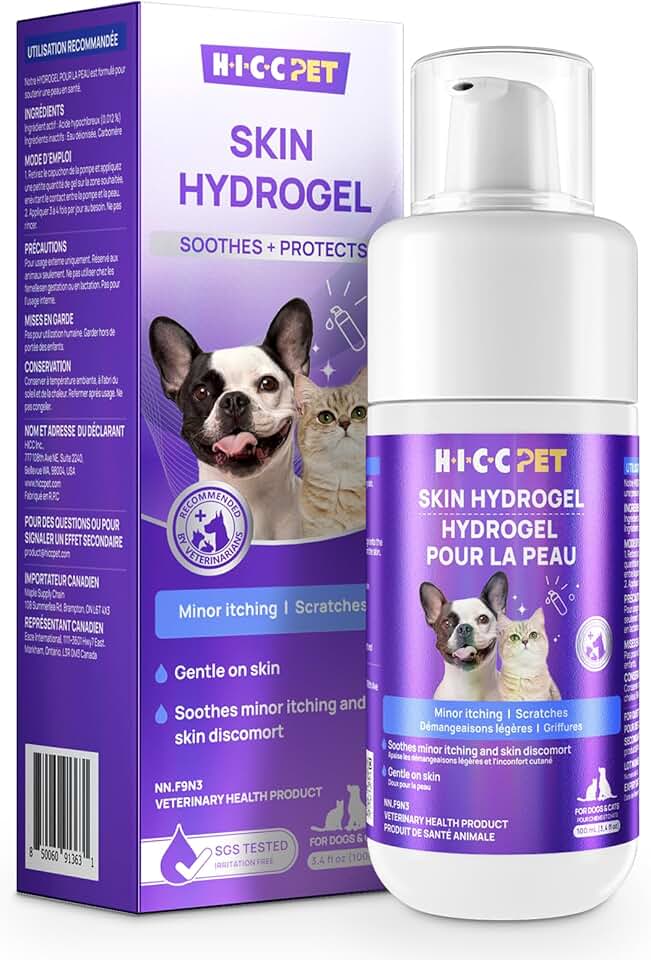
HICC PET Dog Wound Care Hydro Gel, Hot Spot Treatment for Dogs, Soothes Inflammation, Prevents Infection, Treats Bites, Scratches & Skin Ulcers, Cat Wound Care Solution, 100ml

13 Inch Laminator Machine,A-3 9-in-1 Laminating Machine with Laminating Sheets,Thermal Laminator Hot & Cold with Fast Warm Technology for Home,Office or School Supplies,Black

Asus ROG Azoth Wireless Mechanical Gaming Keyboard – 75% TKL, Tri-Mode Connectivity, Hot Swappable Pre-lubed ROG NX Snow Linear Switches, PBT Keycaps, RGB, OLED Display, PC/Mac Support - Black

A3 Laminator Machine,13 Inch 9-in-1 Laminating Machine with Laminating Sheets,Thermal Laminator Hot & Cold with Fast Warm Technology for Home,Office or School Supplies,Black

Liahelianx Mini Citrus Press - Handheld Lemon & Lime Juicer with Screw Top Lid, Compact Manual Juice Extractor for Cocktails, Drinks, Kitchen - Durable, Easy Clean, Portable Fruit Squeezer
