Jupyter Notebook Tutorial for Beginners with Python


Dave Gray
@davegrayteachescodeAbout
Web Development tutorials with full courses on HTML, CSS, JavaScript, React, Node.js and more! My goal is to help you learn how to build the web. Teaching helps me learn, too. I work full-time as a Solutions Architect / Developer and part-time as a university web dev instructor. Thank you for subscribing, supporting my channel and sharing the videos you think may help others. Keep striving for progress over perfection. And a little progress every day goes a very long way. Milestones: July 20, 2020 - 1st video Jan 1, 2021 - 1k subs April 2021 - 4k watch hours Nov 2021 - 10k subs Jan 21, 2022 - Video at 100k views Feb 16, 2022 - 100k watch hours Feb 19, 2022 - 1m views Dec 13, 2022 - 100k subs Dec 2022 - Over 1m views in 1 month April 7, 2023 - 10m views May 26, 2023 - 1m watch hours Sept 22, 2023 - Video at 1m views Dec 25, 2023 - 250k subs
Latest Posts



Video Description
Web Dev Roadmap for Beginners (Free!): https://bit.ly/DaveGrayWebDevRoadmap This Jupyter Notebook Tutorial for Beginners with Python provides a set up, introduction, and quick start for Jupyter Notebooks. We will install Jupyter Notebook with the Anaconda Python distribution and create your first Jupyter Notebook file with Python examples for beginners. ⭐ Become a Complete Python Developer with Zero To Mastery Courses: - The Complete Python Developer: https://bit.ly/CompPythonDev - Complete Machine Learning & Data Science: https://bit.ly/CompMachineLearning - Junior to Senior Dev Roadmap: https://bit.ly/WebDevRoadmap-JrtoSr Subscribe ➜ https://bit.ly/3nGHmNn (0:00) Intro (0:33) Download and Install Anaconda (1:55) Launch Jupyter Notebook (3:11) CLI inside Jupyter Notebook (4:40) Create a new folder in Jupyter Notebook (5:38) Create a new Jupyter Notebook (6:10) How to shutdown and restart Jupyter Notebook processes (6:52) Add content to your Jupyter Notebook (9:00) Add Python Examples for Beginners to your Jupyter Notebook (13:34) How to delete content from your Jupyter Notebook 👀 Anaconda: https://www.anaconda.com/ 📺 Learn Web Dev at these sites: https://www.freecodecamp.org https://www.theodinproject.com ✅ Follow Me: Twitter: https://twitter.com/yesdavidgray LinkedIn: https://www.linkedin.com/in/davidagray/ Hashnode: https://yesdavidgray.hashnode.dev/ Reddit: https://www.reddit.com/user/DaveOnEleven Was this tutorial about Jupyter Notebooks and Python for Beginners helpful? If so, please share. Let me know your thoughts in the comments. #jupyter #notebook #python




Boost Your Python Learning
AI-recommended products based on this video

Freenove Ultimate Starter Kit for BBC micro bit (V2 Included), 316-Page Detailed Tutorial, 225 Items, 44 Projects, Blocks and Python Code

10.1 Inch Touch Portable Monitor IPS Screen 1366x768P 60Hz 400 Brightness 99% sRGB HDMI USB-C Monitors Switch for Xbox PS3/4/5 Laptop Compatible with Raspberry Pi, Mini Touch Screen

ELECROW 8 Inch Portable Monitor, 1280x800 Mini HD Display with Built-in Speakers, USB Powered, Non-Touch LCD Screen for Raspberry Pi, PC, Laptop, Jetson Nano, Game Consoles

7 Inch Portable Monitor Touchscreen HD 1024x600 LED Display Dual HDMI Port Small Monitor for PC Raspberry Pi Laptop Computer Xbox PS4/5 Switch Built-in Speakers

BrosTrend 1800Mbps WiFi 6 Linux WiFi Adapter for PC and Raspberry Pi 2+, Long Range USB WiFi Dongle Linux for Ubuntu, Mint, Debian, Kubuntu, Lubuntu, Zorin, Windows 11/10, Dual Band Wireless Antenna
Freenove Ultimate Starter Kit for BBC micro bit (V2 Included), 316-Page Detailed Tutorial, 225 Items, 44 Projects, Blocks and Python Code

Lenovo USB-C to USB-C Cable 2m

iWALK Magnetic Power Bank for iPhone, 10000mAh Qi2 15W Wireless Power Bank, 30W Powerbank Fast Charging with USB-C Cable, Portable Charger with LED Display for iPhone 16/15/14/13, Android, Black Recycled Claim Standard Blended

for iPhone 16/15 Pro Max Charger, 20W Fast Charging USB C Charger Block Wall Power Adapter + 6FT USB-C Cable for iPhone 16 Pro Max Plus 16e, iPhone 15 Pro Max, iPad Pro 12.9/11/13 inch, Air 4/5

Anker Nano USB C Wall Charger,45W Fast Charging Smart Display Charger,with 180°Foldable Plug,Smart Recognition,Built-in Care Mode,for iPhone17/16/15 (Non-Battery,One USB-C Port,No Cable Included) ClimatePartner certified

Monster N-Lite 211 Wireless Earbuds, Bluetooth 6.0 Stereo Headphones with Noise-Cancelling Mic and LED Display, Built-in Mic for Clear Calls, Waterproof Design for Sports
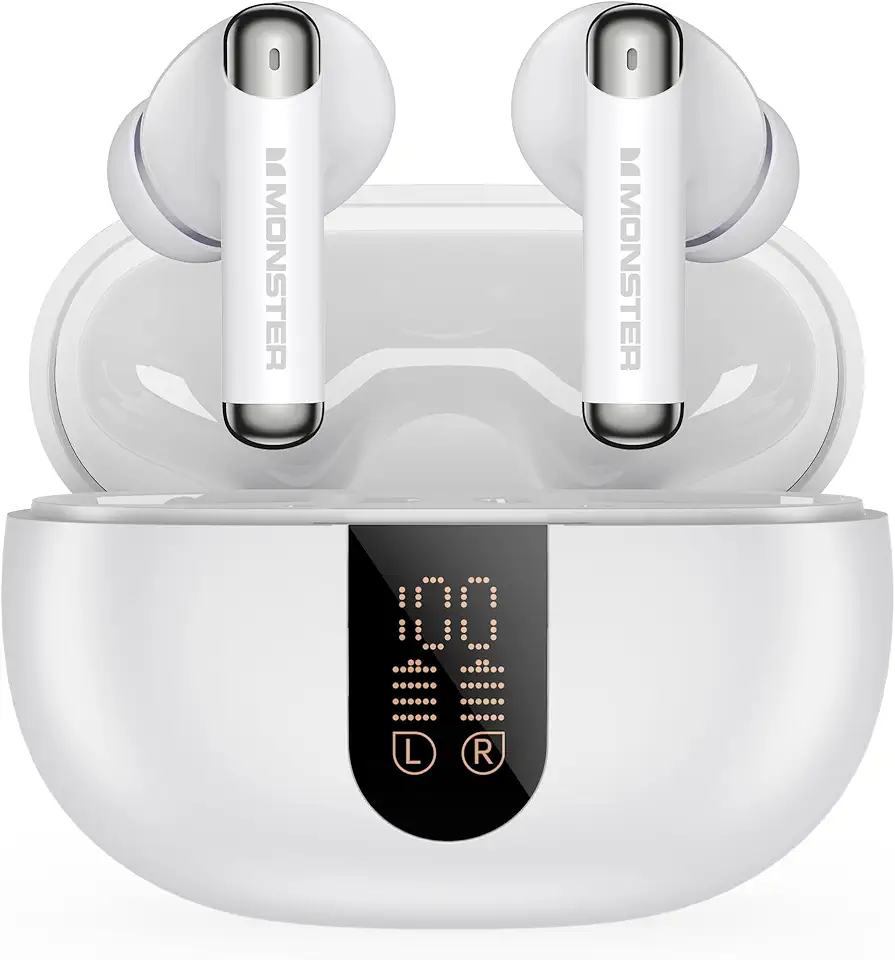
Monster N-Lite 211 Wireless Earbuds, Bluetooth 6.0 Stereo Headphones with Powerful Bass, Built-in Noise-Cancelling Mic for Clear Calls, LED Display, 36H Playtime, IPX5 Waterproof Design for Sports

LODVIE Wireless Mouse for Laptop,2400 DPI Wireless Computer Mouse with 6 Buttons,2.4G Ergonomic USB Cordless Mouse,15 Months Battery Life Mouse for Laptop PC Mac Computer Chromebook MacBook-Black

VersionTECH. Gaming Mouse Ergonomic Wired Computer Mouse with 7 Colors LED Backlight, 4 DPI Settings Up to 3600 DPI Compatible for Chromebook Windows 7/8/10/11 XP/Mac/Linux Gamer/Notebook/MacBook

ODK Gaming Desk with Led Lights & Power Outlet, 48 Inch Gaming Computer Desk with Storage Shelves, PC Desk with Monitor Stand, Gamer Desk Table for Home Office, Black