150+ Mac Tips and Tricks


Snazzy Labs
@snazzyAbout
Snazzy Labs delivers rigorous, no‑BS consumer tech. Expect Apple hardware and OS analysis, smart‑home deep dives (Matter, HomeKit, Home Assistant), and real networking/home‑lab builds—Wi‑Fi, routers, switches, servers, NAS, and self‑hosting. We benchmark, teardown, and explain so you can buy smarter and build better. You’ll find in‑depth reviews, comparisons, buyer’s guides, and step‑by‑step tutorials across Mac and PC, plus practical fixes that make tech actually work at home. New videos most weeks—measured tests, clear results, fewer buzzwords. Subscribe for honest reviews, pro‑level tips, and projects you can replicate. Business inquiries (companies only): [email protected]. Stay snazzy.
Latest Posts

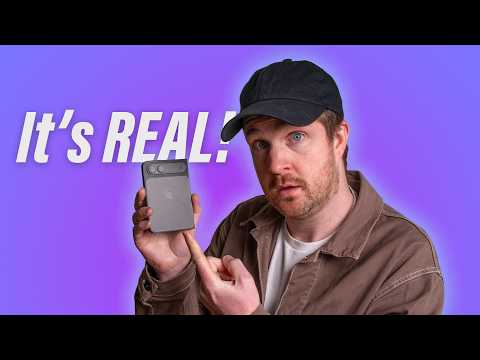


Video Description
You think you know the Mac? Think again. Introducing, the Big List of Mac Tips by Snazzy Labs. Check out my podcast, Flashback - http://relay.fm/flashback Follow Snazzy Labs on Twitter - http://twitter.com/snazzyq Follow me on Instagram - http://instagram.com/snazzyq 0:43 - Quick Look - http://quicklookplugins.com 2:21 - DND toggle 2:34 - Batch file renaming 3:16 - Window management and tiling 3:50 - Finder toolbar customization 4:30 - Common items in Finder toolbar 4:56 - Finder preferences 6:11 - Hidden files toggle 6:30 - Frequent Finder folder hotkeys 6:58 - Show path/status bar in Finder 7:29 - Finder pane view hotkeys 7:43 - Quick Look preview pane toggle 8:13 - Pane view column rescaling 8:47 - List view item scaling 9:02 - Finder advanced search filters 10:24 - Smart Folder setup 12:20 - Move original file in Finder 12:53 - Web browser navigation hotkeys 13:14 - Safari per-site settings 13:38 - Safari master site preferences 14:32 - Web form navigation hotkeys 15:16 - Safari recover browser history 16:00 - Exclude files from Time Machine 16:27 - Rapid-fire Safari tips 17:06 - Safari bookmark applet in Dock 18:27 - PIP in Safari (and other browsers) 19:00 - General keyboard shortcuts for navigation in macOS 19:24 - Paste text without formatting 19:50 - Every macOS screen shot tip you ever wanted 21:12 - Granular volume/brightness control 21:38 - Emoji character palette 22:02 - Application / Window switcher 22:41 - F5 dictionary word auto-complete 23:09 - Three finger tap "Look Up" alternative 23:33 - Spotlight power-user features *** 24:41 - TERMINAL TIPS *** 24:51 - Screenshot format (can change JPG to: PNG, TIFF, PDF) Paste this: defaults write com.apple.screencapture type JPG 25:36 - Mac App Store update check frequency (change 7 to any number of days) defaults write com.apple.SoftwareUpdate ScheduleFrequency -int 7 26:13 - Disable character accent menu (revert by changing 'false' to 'true') defaults write -g ApplePressAndHoldEnabled -bool false 26:44 - Keep Mac running (end by closing Terminal window or pressing Control+C) caffeinate 27:23 - Expand print dialog by default (revert by changing TRUE to FALSE) defaults write -g PMPrintingExpandedStateForPrint -bool TRUE 27:49 - Re-enable classic Mac boot chime (restore default by changing %00 to %01) sudo nvram StartupMute=%00 28:21 - Add dock spaces (remove by dragging space off dock like normal) defaults write com.apple.dock persistent-apps -array-add '{"tile-type"="spacer-tile";}'; killall Dock 28:55 - Dock transition/reveal delay defaults write com.apple.dock autohide-delay -float 0; killall Dock (reduces delay) defaults write com.apple.dock autohide-time-modifier -float 0; killall Dock (removes animation) DOCK SHORTCUT FREEBIES: 1. Opt+Cmd+D - Toggles dock show/hide 2. Add AirDrop to Dock (a) go to Finder, (b) press Shift+Cmd+G, (c) paste this: /System/Library/CoreServices/Finder.app/Contents/Applications/ (d) drag AirDrop icon into Dock 3. Pin Dock elsewhere quickly by holding Shift and dragging by "line" on Dock 29:54 - Set lock message on lock screen 30:27 - Move window in background without disrupting foreground 30:36 - Mac screen sharing / VNC settings 31:40 - Three finger window drag 32:13 - Move items around in menu bar (and remove) 32:30 - Find WiFi network password 33:08 - Modifier keys for hot corners 33:53 - Use Siri to show keychain password 34:09 - Toggle DND on iMessage thread and share screen 34:26 - Quick print from Desktop 34:52 - Print envelope from Contacts app 35:07 - Dialog box cancel hotkey 35:28 - Add items from iOS device with Continuity
You May Also Like









Essential 2022 Camera Upgrades
AI-recommended products based on this video

AC Power Cord Cable Fit for Sony PS5 PS4 PS3 Slim PlayStation 5 4 3, Xbox Series X/S, Xbox One X/S, TV, Printer Universal 2 Prong Supply Replacement - (ETL Listed Cable)

NEEWER Advanced 18 inch LED Ring Light for Phone, LCD Touch Screen, 2.4G Remote Lights Control, 3200-5600K, Tripod Light for iPhone Action Camera, for Studio Makeup TikTok YouTube Video Salon (Black)

Lexar D40E 256GB Dual Drive USB 3.2 Gen 1 Type-C™ Jump Drive, USB-C Flash Drive Metal Housing Swivel Design Thumb Drive

Lexar 128GB Micro SD Card, microSDXC UHS-I Flash Memory Card with Adapter - Up to 100MB/s, A1, U3, Class10, V30, High Speed TF Card
NEEWER Advanced 18 inch LED Ring Light for Phone, LCD Touch Screen, 2.4G Remote Lights Control, 3200-5600K, Tripod Light for iPhone Action Camera, for Studio Makeup TikTok YouTube Video Salon (Black)

SanDisk 64GB Extreme PRO SDXC UHS-I Memory Card - C10, U3, V30, 4K UHD, SD Card - SDSDXXU-064G-GN4IN

SanDisk 128GB Extreme PRO SDXC UHS-I Memory Card - C10, U3, V30, 4K UHD, SD Card - SDSDXXD-128G-GN4IN

NEEWER a6700 L Plate Compatible with Sony Alpha 6700, Quick Switch Aluminum Extendable Side Plate & Anti Twist Baseplate Compatible with Arca Swiss QR System DJI RS 2 RSC 2 RS 3 Pro Gimbals, CA048
