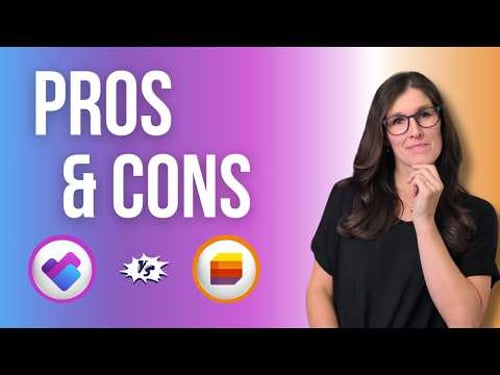
Microsoft Planner vs Microsoft Lists | 23 Features Compared

Office Skills with Amy
@officeskillswithamyAbout
MICROSOFT 365 TRAINING & COACHING Empowering businesses to streamline Microsoft 365 workflows. I simplify learning Microsoft 365 products so that you can: 1️⃣ Navigate 365 apps with confidence, 2️⃣ Increase productivity, 3️⃣ And reclaim your time for meaningful work. 🔮 TECHNOLOGY VIDEOS TO COME Microsoft 365 apps including Microsoft Copilot, Microsoft Loop, Microsoft Teams, Microsoft Excel, Microsoft Word, Microsoft PowerPoint, Microsoft Outlook, Microsoft OneNote and more! ❓WHAT TOPICS ARE YOU MOST INTERESTED IN? Drop me a comment in a video and I will consider it for future content 🩵




Video Description
In this video, we will be comparing 23 features of Microsoft Lists and Microsoft Planner including the NEW Microsoft Planner. We will dive into the pros and cons of each app, including new features, and one overlooked feature that seems to be missed in other videos. This was a deciding factor that I used when choosing between these two apps. By the end of the video, you will have all of the information that you need to determine which app to use. If you are a student, teacher, project manager, business owner or super nerd like me, then we have got you covered! ⭐What you will learn ⭐ - How to use Microsoft Planner - Pros and Cons of Microsoft Planner - How to use Microsoft Lists - Pros and Cons of Microsoft Lists 📽️ Video References 📽️ - How to use the NEW Microsoft Planner - https://youtu.be/W0RxNkBSCzY - Microsoft Lists NEW Forms Feature - https://youtu.be/TMk9bhqlNFk - Microsoft Lists Lookup Column to Link Lists - https://youtu.be/n8hIWlzHRVQ ⏰ CHAPTERS 00:00 Intro 00:21 Creation in Apps 00:58 Planner 02:00 Pros of Planner 05:07 Cons of Planner 07:51 Lists 07:53 Pros of Lists 14:26 Cons of Lists 17:58 Mobile App 19:16 Summary OFFICE SKILLS WITH AMY Welcome to Office Skills with Amy! We create easy-to-follow and engaging how-to-technology videos to help you boost your productivity and save time in the office. DISCOVER YOUR INNER NERD We believe that being a 'nerd' is a term of pride, I personally, have been advertising myself as an Excel Nerd in interviews since 2009. Our goal is to inspire you to unleash the power of technology and Discover Your Inner Nerd along the way. We're here to show you how to make the most out of Microsoft 365 apps and other cutting-edge technology WHAT WILL YOU LEARN Whether you're a beginner or an experienced user, we'll help you become more efficient, automate tasks, and save time. NEW CONTENT WEEKLY With new content every week, we'll keep you up-to-date on the latest technology trends and help you stay ahead of the curve. TECHNOLOGY VIDEOS TO COME Microsoft 365 apps including Microsoft Office, Microsoft Loop, Microsoft Teams, Microsoft Excel, Microsoft Word, Microsoft PowerPoint, Microsoft Outlook, Microsoft OneNote and more! LIKE, COMMENT & SUBSCRIBE Don't forget to like, comment, and subscribe to our channel to show your support and stay tuned for more technology videos to come. Let's Nerd Out together and unleash the power of technology!










Essential Camera Gear Carriers
AI-recommended products based on this video

COTUBLR 31 Inch Computer Desk, Home Office Desk, Simple Modern Small Desk for Bedroom, Writing Desk with Storage Bag, Study Table for Students, Grey Oak

AMVR Lens Protector Set Compatible with Meta/Oculus Quest 3 Accessories,Glasses Spacer for Quest 3 Lenses,Soft Silicone Rings Protect Prescription Glasses
