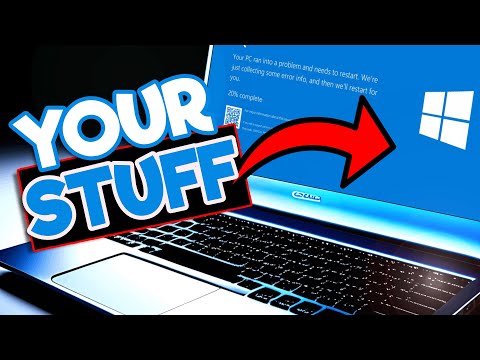
Microsoft's HIDDEN system restore feature that you NEED!


Ask Your Computer Guy
@askyourcomputerguyAbout
Welcome to Ask Your Computer Guy! My name is Scott, and I've got 30+ years experience with computers. On this channel, I make complicated tech solutions easy for the average person. I also offer tutorials, Windows tips & tricks, as well as helpful how-to videos on how to enhance your Windows experience! 💢 Subscribe to my channel to get notified when I release new content for you!: 👉 http://www.youtube.com/AskYourComputerGuy?sub_confirmation=1 For business inquiries, sponsorship/collaboration requests, remote assistance (starting at $89), if you want to share a story, have a suggestion for a video you'd like to see, or just to say hello, please e-mail [email protected] Thank you for visiting! Stay with me, and don't be afraid to "Ask Your Computer Guy" -Scott
Latest Posts


Video Description
Windows system restore is a valuable tool that's included in every modern version of Microsoft Windows - it allows you to safely and securely restore your computer back to a previous-working state. So why do so many people hate it and refuse to use it? Why is this amazing tool disabled by default in Microsoft Windows? We dive into all of this and more in today's video! Hope you guys enjoy this! 👉 If you enjoy this video, please like and share it. 👉 Don't forget to subscribe to this channel for more updates. 👉 Subscribe now: https://cutt.ly/mOW7myv Help support the channel! Scott's Computer Stuff wish list: https://www.amazon.com/hz/wishlist/ls/2CUVNWTUF9J12?ref_=wl_share Scott's YouTubey stuff wish list: https://www.amazon.com/hz/wishlist/ls/POI6B4LK90RH?ref_=wl_share 💢 ALL the tools that I *highly* recommend and use personally every day... Hardware --- ◼ 142-piece magnetic electronics precision screwdriver set with 120 bits 👉 https://amzn.to/3exdNeb\\\\\\\\\\\\\\\\\\\\\\\\\\\\\\\\\\\ ◼ Sabrent USB-C docking station for SATA and m.2 with offline cloning 👉 https://amzn.to/47iK2aI ◼ StarTech 4-bay USB 3.0 hard drive docking station 6Gbps 👉 https://amzn.to/3z6zNpG ◼ StarTech 2-bay USB 3.0 hard drive docking station SATA 6Gbps 👉 https://amzn.to/3sAGZt0 ◼ Netgear A6100 wifi adapter 👉 https://amzn.to/3DWUp5p ◼ Godshark NVME to USB adapter M.2 SSD to Type-A USB 10Gbps 👉 https://amzn.to/3FGw3O8 ◼ Cordless, rechargeable air duster 6000mAh 10w fast-charging 👉 https://amzn.to/3pzJWIa 💢 Helpful/useful everyday software --- ◼ Ninite (used to automatically download and install your favorite software): 👉 http://www.ninite.com ◼ Defraggler (used to defragment and organize HDDs, NOT SSD): 👉 http://www.defraggler.com ◼ Open Office (Microsoft Office FREE replacement) 👉 http://www.openoffice.org 💢 Hey, do you want even MORE in-depth techie stuff? Check out my friend Nico's page, Nico Knows Tech: 👉 https://www.youtube.com/nicoknowstech 💢 FOLLOW ME ON SOCIAL MEDIA: ✔ Twitter: https://www.twitter.com/AskMeComputers ✔ Facebook: https://www.facebook.com/askyourcomputerguy ✔ LinkedIn: https://www.linkedin.com/in/ask-your-computer-guy-953248217/ ✔ Instagram: https://www.instagram.com/askyourcomputerguy/ ✔ Discord: https://discord.gg/jPwMdc3MVW *** Affiliate link notice *** Some links included in this video are affiliate links. The creator may make a small percentage from any products you purchase through one of these links. This comes at ZERO extra cost to you, and greatly helps to support the growth of this channel. Thanks so much for watching!







Upgrade Your Gear Today
AI-recommended products based on this video

koolehaoda L Shape Camera Bracket, Video Vertical Shooting Quick Release Plate L Stand Arca Swiss Compatible for Tripod Head Ballhead DSLR Camera

SmallRig FX3 / FX30 HawkLock Quick Release Camera Cage Kit for Sony with Cable Clamp, Bulit-in QR Cold Shoe NATO Rail/QR Plate for Arca, Modular Design Compatible with Original XLR Handle - 4770

SmallRig ZV-E1 Camera Baseplate for Sony ZV-E1, Built-in Cold Shoe Mount and QR Plate (for Arca) Quick Switch Between Tripod and Stabilizer for DJI RS 2 / RSC 2 / RS 3 / RS 3 Pro - 4314

SmallRig ZV-E10 II Base Plate for Sony Alpha ZV-E10 II, Bottom Mount Plate with Quick-Release Plate for Arca, QD Socket, Hand Strap Hole, 1/4"-20 Threaded Hole - 4950
