My Automated Social Media System - Every Step


Futurepedia
@futurepedia_ioAbout
Learn to leverage AI tools and acquire AI skills to future-proof your life and business.
Latest Posts




Video Description
Get 1 month free of Make's Pro Plan (10,000 operations per month): https://www.make.com/en/register?promo=futurepedia&utm_source=futurepedia&utm_medium=influencer&utm_campaign=futurepedia-social-media-automation-july24 More from Futurepedia: 👉 Join the fastest-growing AI education platform! Try it free and explore 20+ top-rated courses in AI: https://bit.ly/futurepediaSL Summary: I walk through step by step how to create an automated social media system. A full automation tutorial using Make.com that you can follow along to create your own or modify for yourself. The possibilities for automation with Make are endless once you understand the core concepts of an automation system like this. In this automation, the trigger is sending a url in Slack. From there the automation scrapes the url, converts the html code into plain text, sends the text to ChatGPT for a summary, sends that to a custom AI social media assistant to create an engaging posts, creates and image for the post using dalle3, then puts all the information into a google sheet for approval. If approved, the automation posts directly to Twitter, Instagram, and LinkedIn. This should teach many of the ins and outs of Make.com so you can customize the automation for yourself. Chapters 0:00 Intro 0:21 What we're building overview 1:15 Starting the automation 2:18 http request module 3:19 Text parser module 4:00 Router 4:19 Set variables 5:15 Overview so far 5:41 ChatGPT summary 6:57 Social media assistant 8:22 Create image with dalle3 9:09 Google sheet 10:32 Clone to other branches 11:10 New scenario for approval process 11:38 Watch sheet for changes 13:25 Routers 13:45 Yes, Retry, and No process 15:32 Final tests 16:41 Summary / ideas / tips 17:32 Futurepedia
You May Also Like













Streamline Your Social Media
AI-recommended products based on this video
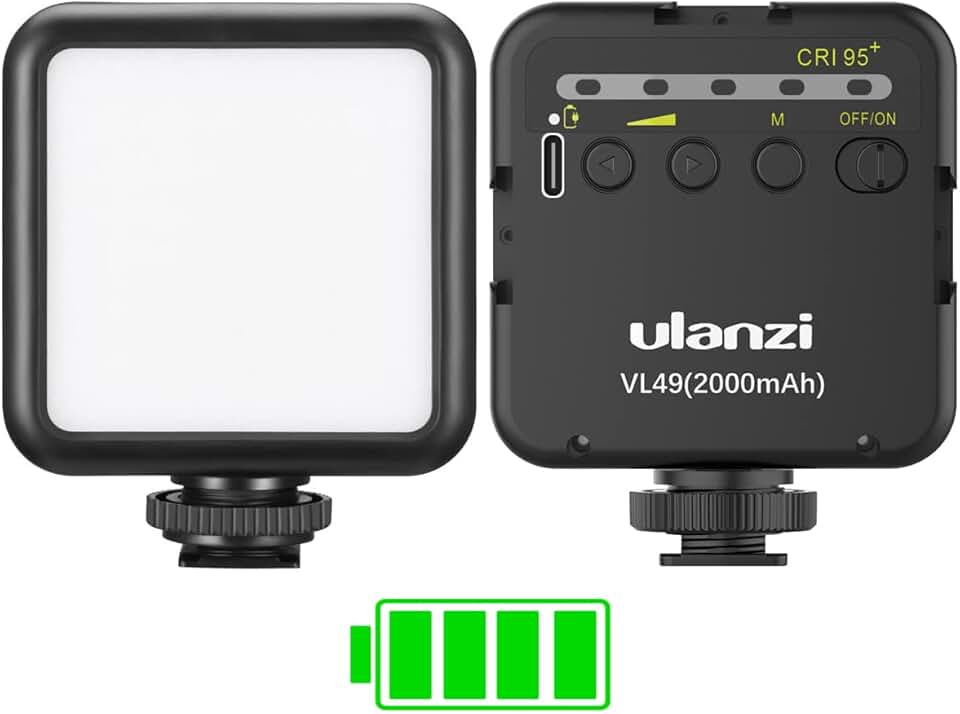
ULANZI VL49 2000mAh LED Video Light w 3 Cold Shoe Mounts Type C Charging Soft Light Panel for DJI OSMO 3 Pocket Xtra Muse Zhiyun Smooth 4 Sony RX100 VII Canon G7X Mark III A6400 6600 for Action ClimatePartner certified

NEEWER a6700 L Plate Compatible with Sony Alpha 6700, Quick Switch Aluminum Extendable Side Plate & Anti Twist Baseplate Compatible with Arca Swiss QR System DJI RS 2 RSC 2 RS 3 Pro Gimbals, CA048

Phone Case for iPhone 12 Pro Max Case Compatible with MagSafe, YUANDMI Case for iPhone 12 Pro Max Magnetic Slim Thin Translucent Matte Back Shockproof Anti-Yellow Protective Cover Case Black
![iPhone Charger Fast Charging [Apple MFi Certified] USB C to Lightning Cable 6FT USBC to Lightning Cable Nylon Braided Type C Cord for iPhone 14 13 12 11 Pro Max XR XS X 8 7 6 Plus SE, iPad](https://m.media-amazon.com/images/I/517jTqwo1nL._AC_UL960_FMwebp_QL65_.jpg)
iPhone Charger Fast Charging [Apple MFi Certified] USB C to Lightning Cable 6FT USBC to Lightning Cable Nylon Braided Type C Cord for iPhone 14 13 12 11 Pro Max XR XS X 8 7 6 Plus SE, iPad
![iPhone Charger [Apple MFi Certified] 3FT, 3Pack USB A to Lightning Cable Braided Fast Charging Apple Cord Compatible with iPhone 14 13 12 11 Pro Max XS XR X 8 7 6 5 Plus iPad/iPod/AirPods](https://m.media-amazon.com/images/I/71xZOlUELbL._AC_UL960_FMwebp_QL65_.jpg)
iPhone Charger [Apple MFi Certified] 3FT, 3Pack USB A to Lightning Cable Braided Fast Charging Apple Cord Compatible with iPhone 14 13 12 11 Pro Max XS XR X 8 7 6 5 Plus iPad/iPod/AirPods
