OpenCV C++ and Microsoft Visual Studio: A Complete Tutorial on Installation and Usage for Beginners


Nicolai Nielsen
@nicolaiaiAbout
Welcome to my AI and Computer Vision Channel! We are going over some cool things on this channel with main focus on hardcore AI, ML, and Computer Vision. I'm doing both theoretical and project based videos. Visit my AI Career Program at: www.nicolai-nielsen.com/aicareer
Latest Posts
No results found. Try different keywords.
Video Description
Inside my school and program, I teach you my system to become an AI engineer or freelancer. Life-time access, personal help by me and I will show you exactly how I went from below average student to making $250/hr. Join the High Earner AI Career Program here 👉 https://www.nicolai-nielsen.com/aicareer (PRICES WILL INCREASE SOON) You will also get access to all the technical courses inside the program, also the ones I plan to make in the future! Check out the technical courses below 👇 In this Video 📝 I'm going to show you How To Install OpenCV and Use It With Microsoft Visual Studio 2019. We will go over the installation and all the steps of setting it up in Microsoft Visual Studio so you can get started with OpenCV and run your programs. If you enjoyed this video, be sure to press the 👍 button so that I know what content you guys like to see. _____________________________________________________________ 🛠️ Freelance Work: https://www.nicolai-nielsen.com/nncode _____________________________________________________________ 💻💰🛠️ High Earner AI Career Program: https://www.nicolai-nielsen.com/aicareer 👨💻 Learn Software Engineering instead with my good friend Tech with Tim: https://coursecareers.com/a/NicolaiAI?course=software-dev-fundamentals ⚙️ Real-world AI Technical Courses: (https://www.nicos-school.com) 📗 OpenCV GPU in Python: https://www.nicos-school.com/p/opencv-gpu-course 📕 YOLOv7 Object Detection: https://www.nicos-school.com/p/yolov7-custom-object-detection-with-deployment 📒 Transformer & Segmentation: https://www.nicos-school.com/p/transformer-and-segmentation-course 📙 YOLOv8 Object Tracking: https://www.nicos-school.com/p/yolov8-object-tracking-course 📘 Research Paper Implementation: https://www.nicos-school.com/p/research-paper-implementation 📔 CustomGPT: https://www.nicos-school.com/p/customgpt-course _____________________________________________________________ 📞 Connect with Me: 🌳 https://linktr.ee/nicolainielsen 🌍 My Website: https://www.nicolai-nielsen.com/ 🤖 GitHub: https://github.com/niconielsen32 👉 LinkedIn: https://www.linkedin.com/in/nicolaiai 🐦 X/Twitter: https://twitter.com/NielsenCV_AI 🌆 Instagram: https://www.instagram.com/nicolaihoeirup/ _____________________________________________________________ 🎮 My Gear (Affiliate links): 💻 Laptop: https://amzn.to/49LJkTW 🖥️ Desktop PC: NVIDIA RTX 4090 24GB: https://amzn.to/3Uc7yAM Intel I9-14900K: https://amzn.to/3W4Z5Cb Motherboard: https://amzn.to/4aR6wBC 32GB RAM: https://amzn.to/3Jt2XVR 🖥️ Monitor: https://amzn.to/4aLP8hh 🖱️ Mouse: https://amzn.to/3W501GH ⌨️ Keyboard: https://amzn.to/3xUGz5b 🎙️ Microphone: https://amzn.to/3w1F1WK 📷 Camera: https://amzn.to/4b4Ryr9 _____________________________________________________________ Step By Step: 1. Edit the environment variables c:\opencv\build\x64\vc15\bin 2. Specify paths for the directories as in the video c:\opencv\build\include c:\opencv\build\x64\vc15\lib 3. Link library as in the video opencv_world420d.lib Tags: #ComputerVision #OpenCV #VisualStudio #OpenCVInstall #OpenCVSetup #OpenCVcpp
You May Also Like

Essential Tools for Your Coding Projects
AI-recommended products based on this video
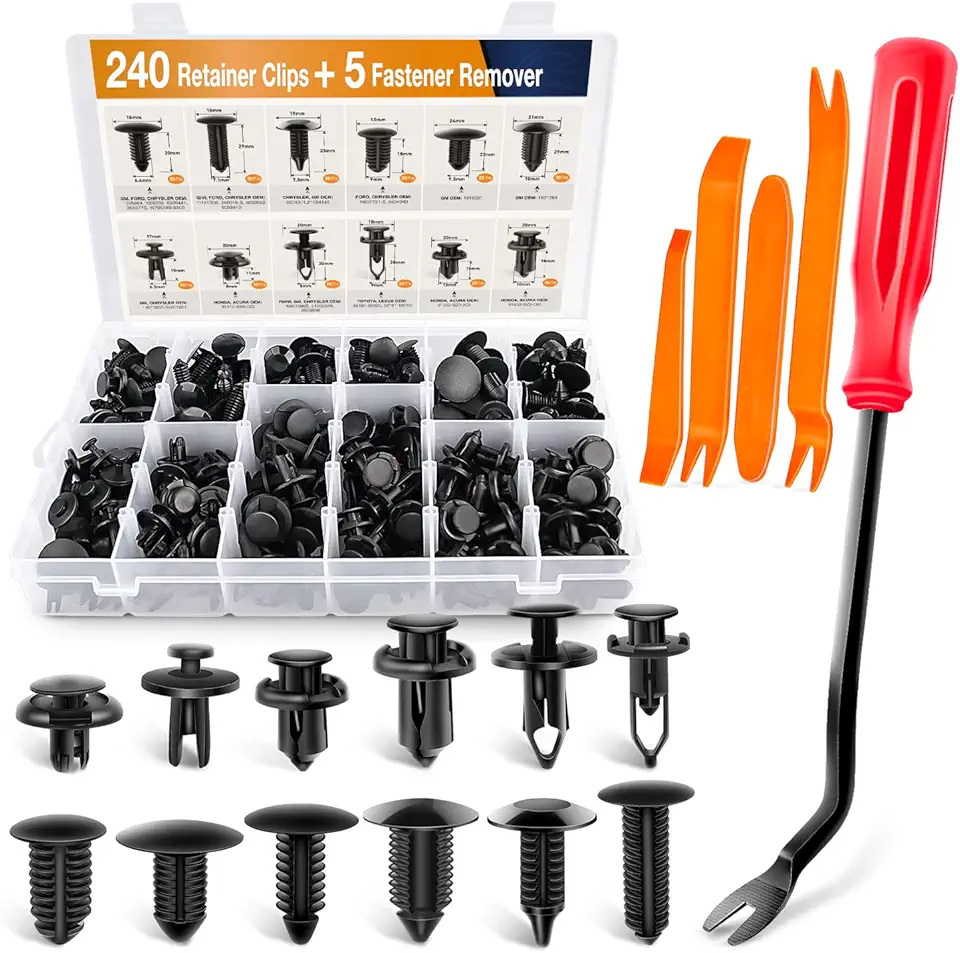
GOOACC - GRC-33 240PCS Bumper Retainer Clips Car Plastic Rivets Fasteners Push Retainer Kit Most Popular Sizes Auto Push Pin Rivets Set -Door Trim Panel Fender Clips for GM Ford Toyota Honda Chrysler

DTECH HDMI to VGA Adapter Cable for Computer Monitor PC TV 1080P HD Video (Male HDMI Input to VGA Output Female Connector)

EMEET 2024 Upgraded C960 Webcam for PC, Autofocus, 1080P HD, 73° View Angle, Computer Camera w/Privacy Cover and Microphone, Plug and Play USB Webcam for Video Calling/Zoom/Teams/Google Meet

Lenovo V15 Laptop | 15.6" FHD Anti-Glare Display | AMD Ryzen 7 7730U | 40GB RAM | 1TB PCIe SSD | HDMI | Type-C | Webcam | Wi-Fi | THUNDEROBOT Wireless Ergonomic Mouse | Windows 11 Pro | Black
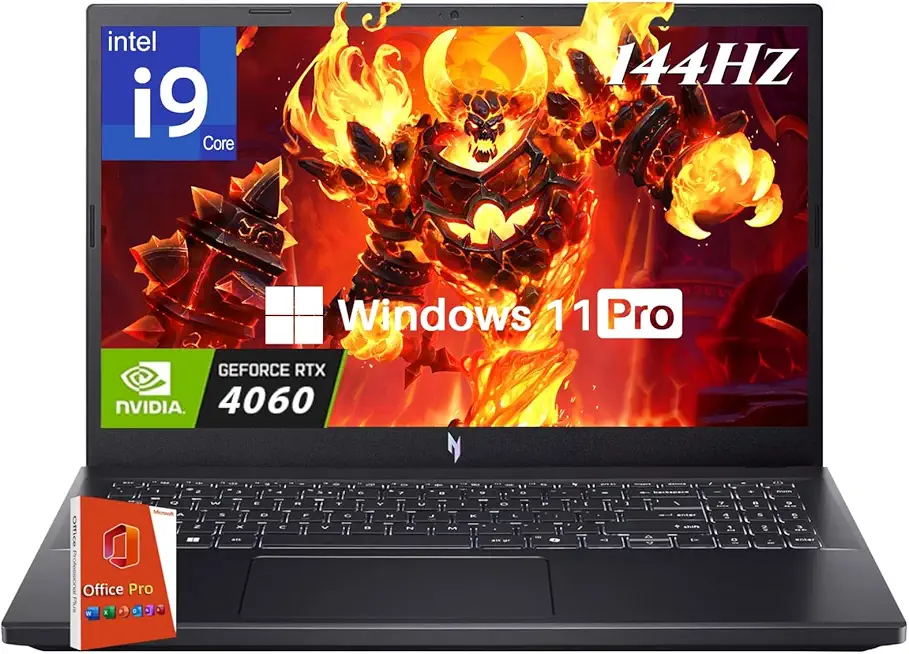
acer Nitro V 15 Gaming Laptop, Intel i9-13900H Up to 5.4GHz, GeForce RTX 4060, 15.6" 144 Hz IPS Display, 64 GB DDR5, 4 TB SSD, Wi-Fi 6, Backlit Keyboard, Windows 11 Pro, Gaming Mouse, 256GB UFD

Anker Power Bank(PowerCore 10K),Compact Travel-Ready 10,000mAh Battery Pack with PowerIQ Charging Technology,5V/3A High-Speed Charging for iPhone,iPad,and More (USB-C Input and Output(Black),1pack) ClimatePartner certified
