Simple Chat Bubble in Unity! (Chat, NPC, Multiplayer)


Code Monkey
View ChannelAbout
Hello and Welcome! I'm your Code Monkey and here you will learn everything about Game Development in Unity using C# taught by a Professional Indie Game Developer. Watch the FREE Video Tutorials or learn from my complete Step-by-step Courses https://unitycodemonkey.com/courses Check out the official website to download the free Project Files for every tutorial https://unitycodemonkey.com/ I've been developing games for over a decade with 9 successful games published on Steam and now I'm sharing my knowledge to help YOU on your own game development journey. If you have any questions post them in the comments and I'll do my best to help. Thanks! My Steam Games - Dinky Guardians - Battle Royale Tycoon - Ninja Tycoon - Hyper Knights - Hyper Knights: Battles - Blueprint Tycoon - Game Corp DX - Survivor Squad: Gauntlets - Survivor Squad
Latest Posts



Video Description
✅ Get the Project files and Utilities at https://unitycodemonkey.com/video.php?v=K13WnNL1OYM Let's create a simple Chat Bubble to showcase some text! 👇 🌍 Get Code Monkey on Steam! 👍 Interactive Tutorials, Complete Games and More! ✅ Add to your Wishlist! 👉 https://store.steampowered.com/app/1294220/ Let's build a simple Chat Bubble to show some Text! This is very easy but very useful, I used Chat Bubbles quite a lot in Battle Royale Tycoon in order to display Guest Thoughts. First we build our game object. Create the Background SpriteRenderer, then the TextMesh Pro Text and a simple Icon. Then we make a class to handle it, we set the Text and then make the Background size match the text as well as set the correct Icon image. Finally we expose a static function from our class in order to make it very easy to use. And lastly we add the Input Window made in a previous video so the player can Input some Text. The end result is a great simple element that can be used to display any text like NPC Dialogue or event a simple Multiplayer Chat System like in World of Warcraft. How to make Text Writing Effect in Unity https://www.youtube.com/watch?v=ZVh4nH8Mayg Simple Text Input Field Window https://www.youtube.com/watch?v=4n6RT805rCc Character Controller in Unity 2D! https://www.youtube.com/watch?v=Bf_5qIt9Gr8 Referencing Assets through Code https://www.youtube.com/watch?v=7GcEW6uwO8E If you have any questions post them in the comments and I'll do my best to answer them. 🔔 Subscribe for more Unity Tutorials https://www.youtube.com/channel/UCFK6NCbuCIVzA6Yj1G_ZqCg?sub_confirmation=1 See you next time! 📍 Support on Patreon https://www.patreon.com/unitycodemonkey 🤖 Join the Community Discord https://discord.gg/eHjUVrm 📦 Grab the Game Bundle at https://unitycodemonkey.com/gameBundle.php 📝 Get the Code Monkey Utilities at https://unitycodemonkey.com/utils.php #unitytutorial #unity3d #unity2d -------------------------------------------------------------------- Hello and welcome, I am your Code Monkey and here you will learn everything about Game Development in Unity 2D using C#. I've been developing games for several years with 7 published games on Steam and now I'm sharing my knowledge to help you on your own game development journey. You can see my games at www.endlessloopstudios.com -------------------------------------------------------------------- - Website: https://unitycodemonkey.com/ - Twitter: https://twitter.com/UnityCodeMonkey - Facebook: https://www.facebook.com/UnityCodeMonkey/
Unlock Your Gaming Potential
AI-recommended products based on this video

Logitech G502 HERO High Performance Wired Gaming Mouse, HERO 25K Sensor, 25,600 DPI, RGB, Adjustable Weights, 11 Programmable Buttons, On-Board Memory, PC / Mac, Black
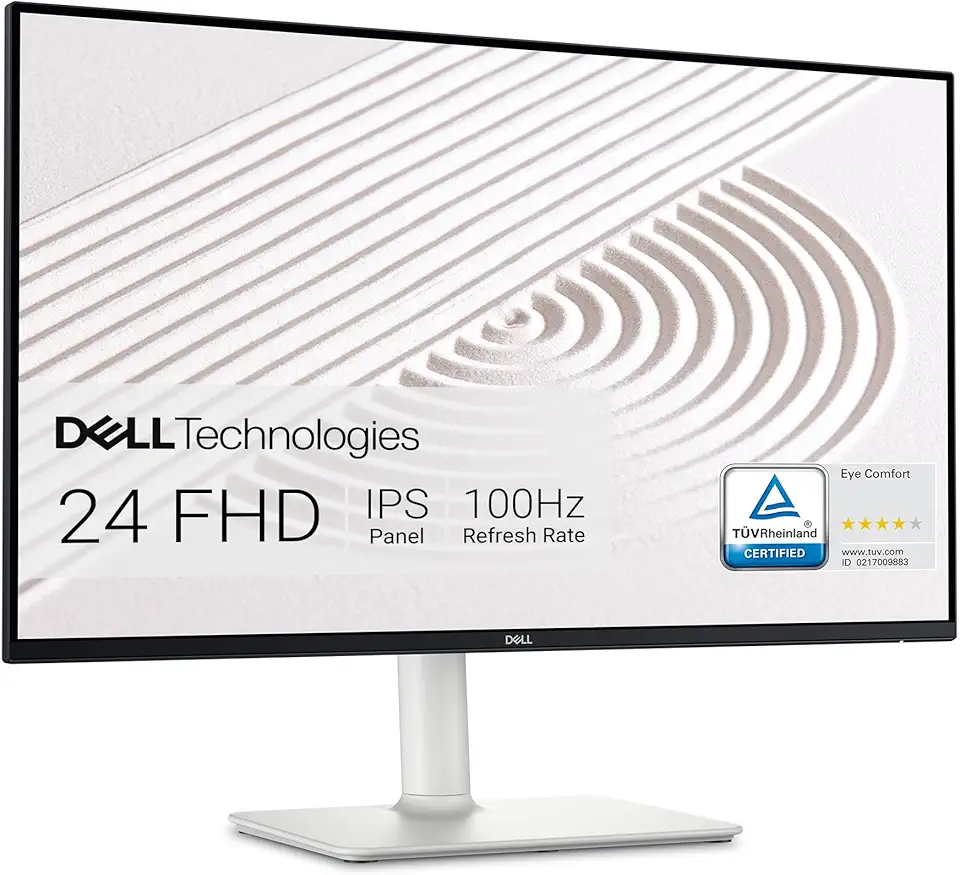
Dell S2425HS Monitor - 23.8 Inch, FHD (1920x1080) Display, 100Hz Refresh Rate 1500:1 Contrast Ratio, TÜV Rheinland Eye Comfort 4 Star, Integrated 2x5W Speaker, Height/Tilt/Swivel/Pivot - Ash White

Razer BlackShark V2 X Gaming Headset: 50mm Drivers - Cardioid Mic - Memory Foam Cushion - Lightweight- Comfortable, Noise Isolating Earcups - for PC, PS4, PS5, Switch - 3.5mm Audio Jack - Black ECOLOGO

Logitech G203 Wired Gaming Mouse, 8,000 DPI, Rainbow Optical Effect LIGHTSYNC RGB, 6 Programmable Buttons, On-Board Memory, Screen Mapping, PC/Mac Computer and Laptop Compatible - Black

Logitech G305 LIGHTSPEED Wireless Gaming Mouse, Hero 12K Sensor, 12,000 DPI, Lightweight, 6 Programmable Buttons, 250h Battery Life, On-Board Memory, PC/Mac - Black

Logitech K400 Plus Wireless Touch TV Keyboard With Easy Media Control and Built-in Touchpad, HTPC Keyboard for PC-connected TV, Windows, Android, Chrome OS, Laptop, Tablet - Black

Logitech M185 Wireless Mouse, 2.4GHz with USB Mini Receiver, 12-Month Battery Life, 1000 DPI Optical Tracking, Ambidextrous, Compatible with PC, Mac, Laptop - Black
