S&P 500 Stock Prediction Data Dashboard GUI App


Python Simplified
@pythonsimplifiedAbout
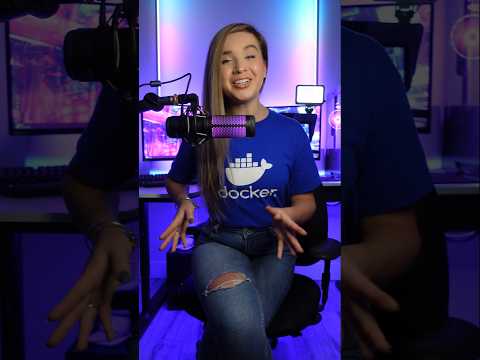
Hi everyone! My name is Mariya and I'm a software developer from Sofia, Bulgaria. I film programming tutorials about Computer Science Concepts, GUI Applications, Machine Learning and Artificial Intelligence, Automation and Web Scraping, Data Science and even Math! 🤓 I'm here to help you with your programming journey (in particular - your Python programming journey 😉) and show you how many beautiful and powerful things we can do with code! 💪💪💪



Video Description
In this video, we will create a beautiful Data Science Dashboard, that predicts the future values of stocks using different algorithms. We will start by designing a dynamic Graphic User Interface with an open source Python library named Taipy. Then, we will download S&P 500 stock exchange data that stores daily information all the way from year 2010. We will then plot the historic values of each stock, and use them to calculate a prediction for the next business day. The best part is, we will perform the predictions in parallel, using Taipy's Scenario Management Backend, and 3 different algorithms: Linear Regression, K Nearest Neighbors, and Recurrent Neural Network. By the end of this video, you will gain the following skills and knowledge: - get comfortable with designing full stack applications with Taipy. - understand how to arrange time series data for training and prediction. - learn how to plot graphs with plotly. - learn how to quickly train and predict with Scikit-learn and Tensorflow. - and of course, learn how to design, build and reason about advanced applications from scratch. If you'd like to learn more or contribute to Taipy, checkout their: ⭐ GitHub: https://links.taipy.io/Mariya ⭐ Website: https://links.taipy.io/Mariya_web 💻 TUTORIAL CODE 💻 ---------------------------------------------------- ⭐ WSL Installation Instructions (run line by line in Command Prompt): wsl --run wget "https://github.com/conda-forge/miniforge/releases/latest/download/Miniforge3-24.9.2-0-Linux-x86_64.sh" bash Miniforge3-24.9.2-0-Linux-x86_64.sh ⭐ Clone project GitHub repo: git clone https://github.com/MariyaSha/data_science_dashboard.git ⭐ Install cuDF Pandas [optional]: https://docs.rapids.ai/install/ ⭐ Import Machine Learning Modules: from sklearn.linear_model import LinearRegression from sklearn.neighbors import KNeighborsRegressor from tensorflow.keras import models from tensorflow.keras import layers ⭐ Copy Build RNN Function: def build_RNN(n_features): model = models.Sequential() model.add(layers.Dense(64, activation = 'relu', input_shape=(n_features, ))) model.add(layers.Dense(64, activation = 'relu')) model.add(layers.Dense(1, activation = 'linear')) model.compile(optimizer = 'rmsprop', loss = 'mse', metrics = ['mae']) return model 🎥 RELATED VIDEOS 🎥 ---------------------------------------------------- ⭐ Anaconda for beginners: https://youtu.be/MUZtVEDKXsk ⭐ Simple Machine Learning GUI App with Taipy and Tensorflow: https://youtu.be/h0dglh9elCw ⭐ Datetime Ultimate Guide: https://youtu.be/-AlFiS74aQg ⭐ If Name Equals Main: https://youtu.be/NB5LGzmSiCs ⭐ List Comprehension: https://youtu.be/SNq4C988FjU ⭐ Basic Guide to Pandas: https://youtu.be/zN2Hua6oII0 ⭐ cuDF Pandas for beginners: https://youtu.be/9KsJRyZJ0vo ⏰ Time Stamps ⏰ ---------------------------------------------------- 00:00 - intro 00:50 - environment setup and wireframe GUI DESIGN - FRONT END 02:37 - images and text 03:57 - vertical group of elements (part block) 05:06 - date range selector 06:57 - horizontal group of elements (layout) 07:29 - dropdown selector DATA LAYER 14:17 - download dataset from Kaggle 15:30 - install cuDF Pandas via GPU [optional] 18:10 - fill GUI placeholders with dataset values TAIPY SCENARIOS - BACK END 21:08 - on change function 22:13 - add icons for dropdown elements 25:02 - basic Taipy scenarios logic (presentation) 25:44 - configure input and output data nodes 26:24 - configure task 27:28 - configure scenario 28:18 - initialize scenario orchestrator 29:12 - define function for scenario task 30:36 - write inputs, submit scenario and read outputs 41:20 - display graph with plotly 45:02 - display multiple functions in one graph 53:08 - on init function MACHINE LEARNING 54:33 - split timeseries data into features and targets 01:00:26 - Linear Regression, KNN, RNN 🤝 Connect with me 🤝 ---------------------------------------------------- 🔗 Github: https://github.com/mariyasha 🔗 X: https://x.com/MariyaSha888 🔗 LinkedIn: https://ca.linkedin.com/in/mariyasha888 🔗 Blog: https://www.pythonsimplified.org 🔗 Discord: https://discord.com/invite/wgTTmsWmXA 💳 Credits 💳 ---------------------------------------------------- ⭐ Beautiful titles, transitions, sound FX: mixkit.co ⭐ Icons and Graphics: flaticon.com #datascience #python #pythonprogramming #pythonprojects #tutorial #machinelearning #artificialintelligence #ml #ai #financial #stockmarket #stockexchange #stockprediction #predictions #prediction #dsa #software #softwareengineer #softwaredevelopment #programming #coding #application #codingproject #programmer #programmingtutorial #pandas #fullstack #backend #frontend #sp500 #trading #stocktrading








Enhance Your Python GUI
AI-recommended products based on this video

msi Crosshair 16 Gaming Laptop - with 2024 Office Lifetime License, GeForce RTX 4070, 16" FHD+ 144 Hz Display, 14th Gen Intel 16-Core i7 14650HX, Backlit KB, Windows 11 Pro (32GB DDR5 RAM | 1TB SSD)

Freenove Ultimate Starter Kit for BBC micro bit (V2 Included), 316-Page Detailed Tutorial, 225 Items, 44 Projects, Blocks and Python Code