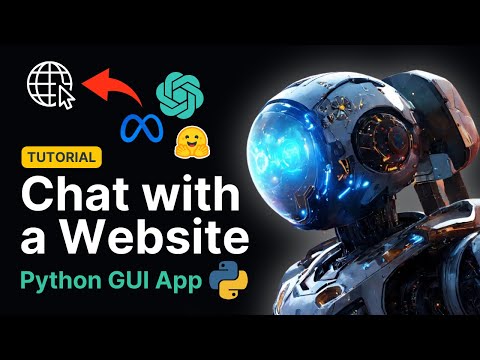
Tutorial | Chat with any Website using Python and Langchain (LATEST VERSION)
About
No channel description available.
Latest Posts



Video Description
Build a Website-Interacting Chatbot with LangChain, GPT-4 and Streamlit | Python Tutorial -------------------- LINKS 🐱 GitHub repository: https://github.com/alejandro-ao/chat-with-websites 🔥 Learn to deploy these apps for your team: https://link.alejandro-ao.com/deployment-course 💬 Join the Discord Help Server: https://link.alejandro-ao.com/HrFKZn ❤️ Buy me a coffee... or a beer (thanks): https://link.alejandro-ao.com/l83gNq ✉️ Join the mail list: https://link.alejandro-ao.com/AIIguB -------------------- 🔥 In this video, we're embarking on a project-driven journey to create a chatbot that can interact with any website, extracting information with a RAG algorithm. This RAG chatbot leverages the power of large language models like GPT-4, Mistral, Llama2, and ollama, making it a cutting-edge tool. Perfect for both beginners and experienced programmers, this tutorial is packed with practical insights and step-by-step guidance. 🚀 👨💻 What You'll Learn: How to integrate LangChain with GPT-4 and other large language models (LLMs) for dynamic website interaction. Building a sleek GUI using Streamlit, making your chatbot user-friendly and visually appealing. Implementing Python coding techniques to enhance the functionality of your LangChain chatbot. Utilizing the latest features of LangChain 0.1.0 and understanding the advancements in LangChain 2024. Integrating AI technologies like Pinecone, Hugging Face models, and ChromaDB for advanced data handling and processing. 🌟 What Makes This Tutorial Special: Real-World Application: Learn to create a chatbot that's not just theoretical but has practical use in interacting with websites. Latest Tech Stack: Explore the newest advancements in AI, including the latest LangChain 0.1 library, and Chroma database technologies for embeddings and vector storage. Hands-On Experience: This project-driven approach ensures you get hands-on experience, making the learning process interactive and engaging. User-Friendly Design: Understand the importance of GUI in AI applications and learn to build one with Streamlit. Comprehensive Explanation: Every step is explained in detail, making it easy to follow along, regardless of your skill level. ✅ Who Should Watch: Aspiring and experienced AI enthusiasts. Python developers looking to expand into AI and chatbot development. Anyone interested in understanding how to integrate LLMs like GPT-4 with web technologies. 💡 Don't forget to like, share, and subscribe for more content on AI, Python programming, and cutting-edge technological tutorials. Drop your questions and feedback in the comments below. Stay tuned for more innovative projects and tutorials! -------------------------------- CHAPTERS 0:00 Intro 1:41 Create a Virtual Environment 3:24 Install Required Packages 4:33 Create Graphical User Interface 8:17 Create Chat Component 11:36 Make Chat Interactive 13:13 Add Mock get_response() Function 15:30 Add Chat History 19:57 Make Chat History Persistent 23:02 Display Message History 25:58 Test for URL 27:47 Explanation of RAG Algorithms 33:47 Scrap HTML Page with LangChain 38:20 Split Text into Chunks 41:51 Create Vector Store 45:01 Get OpenAI API Keys 48:40 Create Retriever Chain 57:32 Test Retriever Chain 1:00:54 Create Conversational RAG Chain 1:08:52 Refactor Session State 1:11:14 Test Conversational RAG 1:14:20 Update get_response() Function 1:18:30 Final Tests --------------------------------






![Advanced RAG with LlamaIndex - Metadata Extraction [2025]](https://imgz.pc97.com/?width=500&fit=cover&image=https://i.ytimg.com/vi/yzPQaNhuVGU/hqdefault.jpg)

No Recommendations Found
No products were found for the selected channel.