ULTIMATE NANO BANANA TUTORIAL: 15 PROMPT TECHNIQUES


AI Master
@iamaimasterAbout
👇 Become an AI Master – All-in-one AI
Latest Posts


Video Description
#sponsored The first 50 people get 30% off on VEED with my code AIMASTER30 off https://bit.ly/aimasterxveed 🚀 Become an AI Master – All-in-one AI Learning https://aimaster.me/ 📹Get a Custom Promo Video From AI Master https://collab.aimaster.me/ Master Nano Banana with 15 game-changing prompt techniques that will transform your AI workflow forever! This ultimate tutorial reveals the exact strategies used by top AI creators. In this comprehensive guide, you'll discover the most powerful Nano Banana techniques that 99% of users don't know about. I'll walk you through 15 proven prompt methods that will dramatically improve your AI outputs and save you hours of work. What you'll learn: • 15 advanced prompt techniques for maximum results • Step-by-step implementation guide • Real examples with before/after comparisons • Pro tips for optimizing every prompt • Common mistakes that kill your results • Advanced strategies for complex tasks Whether you're a beginner just starting with AI or an advanced user looking to level up, this tutorial has something for everyone. I've tested these techniques across thousands of prompts to bring you only what actually works. By the end of this video, you'll have a complete arsenal of Nano Banana techniques that will make your AI work faster, smarter, and more effective than ever before. Subscribe for more AI tutorials and hit the bell for notifications! CHAPTERS: 00:00 - Stop using it wrong! 00:33 - Getting Started 01:03 - The Ultimate Formula 03:09 - Perfect Portrait Photography 04:21 - Product Photography Magic 05:20 - Architectural Visualization 07:43 - Landscape Photography Mastery 08:33 - Street Photography Authenticity 09:39 - Abstract Art Creation 10:25 - Portrait Enhancement 11:25 - Background Replacement 12:10 - Color Grading Magic 13:05 - Clothing Replacement 13:53 - Artistic Style Transfer 14:47 - Lighting Modification 15:35 - Object Removal 16:30 - Atmospheric Effects 17:25 - Professional Retouching 18:24 - Conclusion and Action Steps


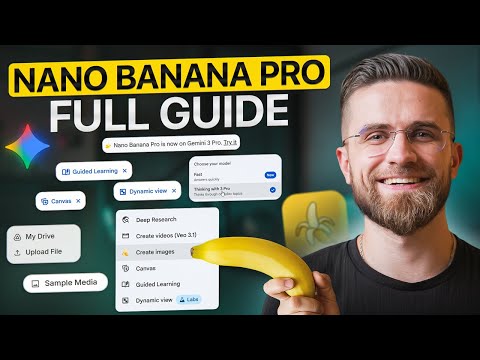









Master NANO Banana Prompts Today
AI-recommended products based on this video

Seasonic Focus V4 GX-1000 (ATX3) - 1000W - 80+ Gold - ATX 3.0 & PCIe 5.1 Ready -Full-Modular -ATX Form Factor -Premium Japanese Capacitor -10 Year Warranty -Nvidia RTX 30/40 Super & AMD GPU Compatible
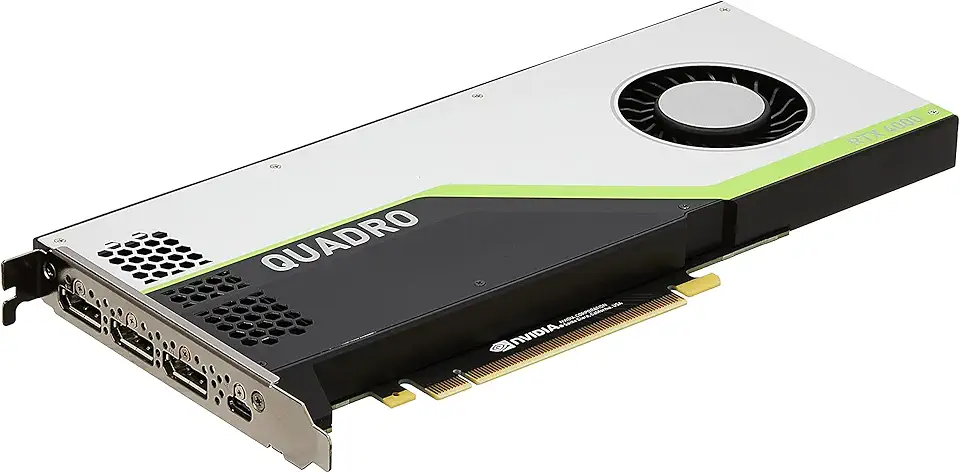
PNY NVIDIA Quadro RTX 4000 - The World’S First Ray Tracing GPU

Gigabyte GeForce RTX 3090 Gaming OC 24G Graphics Card, 3X WINDFORCE Fans, 24GB 384-Bit GDDR6X, GV-N3090GAMING OC-24GD Video Card

95MM T129215SU Cooling Fan for ASUS ROG Strix for GeForce RTX 3060 3070 3080 3090 Ti Graphics Card CF1010U12S/D T129215BU(Black A-Fan T12)

8000mAh Hand Warmers Rechargeable 2 Pack, AI Smart Chip Long Safe Heat, Quick Charge Electric Portable Pocket Heater, Warm Gifts for Christmas, Outdoor, Golf, Hunting, Camping Accessories
