WordPress Multisite Explained | Step-by-Step Setup Guide

About
No channel description available.
Latest Posts


Video Description
Learn all about WordPress Multisite, from what it is to how to set it up. Start your WordPress Multisite journey with Hostinger web hosting 👉https://bit.ly/3Rc7kHR 💥Use the discount code WP10 to get 10% OFF! WordPress Multisite lets you run multiple websites from one dashboard. This feature is popular among multinational companies that run several websites under the same brand. This video explains all you need to know about WordPress Multisite. ____________________________________________ ____________________________________________ 📌 Handy Links WordPress Multisite: What It Is, How to Activate and Manage It – Hostinger Tutorial: https://www.hostinger.com/tutorials/activate-wordpress-multisite ____________________________________________ ⭐ Follow Us ⭐ Instagram: https://www.instagram.com/hostingeracademy/ Twitter: https://twitter.com/Hostinger Facebook: https://www.facebook.com/Hostinger/ WordPress Explained Group: https://www.facebook.com/groups/wpexplained Hostinger Tutorials: https://www.hostinger.com/tutorials Subscribe to our channel: https://www.youtube.com/c/HostingerAcademy?sub_confirmation=1 ____________________________________________ 🕒 Timestamps 00:00 - Intro 01:33 - Types of WordPress Multisite 02:51 - How to Set Up WordPress Multisite 08:15 - Outro ____________________________________________ 🟣 What Is WordPress Multisite? WordPress Multisite is a feature in WordPress that lets users run multiple websites under one installation and dashboard. The main benefit of this multisite feature is that administrators can easily manage multiple websites, even using the same themes and plugins. 🟣 WordPress Multisite vs Multiple Websites WordPress Multisite is excellent for websites that have similar content and functionality. On the other hand, installing multiple WordPress websites is better for freelancers and agencies that create sites for different clients. 🟣 Types of WordPress Multisite 👉 Subdirectories 👉 Subdomains 🟣 Prerequisites Before Setting Up WordPress Multisite 👉 Purchase a web hosting plan (Use WP10 to get a 10% discount on Hostinger web hosting plans) 👉 Install the newest version of WordPress 👉 Have access to your WordPress files 🟣 How to Set Up WordPress Multisite? Add the following code above the line “that’s all stop editing” in your wp-config.php file: /* Multisite */ define( 'WP_ALLOW_MULTISITE', true ); This code will activate the configuration process for WordPress Multisite. Watch this video to learn step-by-step how to set up WordPress Multisite. 👉 Set Up WordPress Multisite for Subdomains 1️⃣ Add the following line of code to your .htaccess file: RewriteRule .* - [E=HTTP_AUTHORIZATION:%{HTTP:Authorization}] 3️⃣ Configuring Domain Name System (DNS) Insert an asterisk in the Name field and your hosting account’s IP address in the Points to field. 4️⃣ Adding Websites to the Network Head to your WordPress dashboard → Sites → Add New and enter the new site’s information. That’s it! Share with us in the comment section below what types of websites you are making using WordPress Multisite. ____________________________________________ ▶ Want to see more awesome tutorials like this one in the future? Consider subscribing 😁 https://www.youtube.com/c/HostingerAcademy?sub_confirmation=1 ▶ If you have questions, don’t hesitate and join our Facebook group for more help: https://www.facebook.com/groups/wpexplained ____________________________________________ Thank you for watching! Let us know in the comments below if you have any questions. Good luck on your online journey. 🚀 #WordPressMultisite #HostingerAcademy
You May Also Like



![Are Import Tariffs Tanking Your Merch Sales? [What to Do Now]](https://imgz.pc97.com/?width=500&fit=cover&image=https://i.ytimg.com/vi/W6JmbnEOfDo/hqdefault.jpg)











Upgrade Your Steak Night
AI-recommended products based on this video

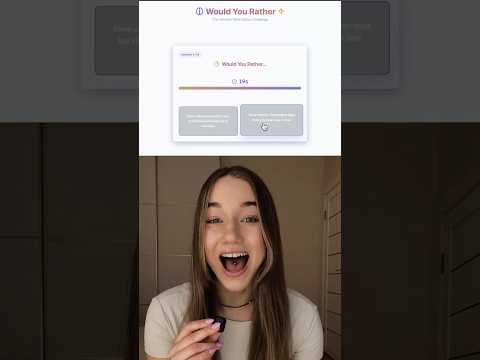
ThermoMaven Professional Meat Thermometer Digital, 1-Second Truly Instant Read, NIST Certified Accurate to ±0.5℉, Ultra Bright LED Screen, 100% Waterproof, Motion-Sensing Wake/Sleep, Black