CompTIA A+ Core 1 Last-Minute Exam Prep


Techvault Academy
View ChannelAbout
Helping IT career changers and busy professionals pass their CompTIA exams on the first try—without wasting months on ineffective study methods. Our proven study frameworks have helped thousands of students transition into well-paying tech careers, even those with zero prior experience. From practice questions to domain mastery guides, we break down complex technical concepts into easy-to-understand lessons that stick. 👉 Get our FREE A+ Core 1 Study Plan at techvaultacademy.com and discover why our students pass in half the industry-average study time. Join 12.8K+ future IT professionals who are transforming their careers one certification at a time!
Latest Posts


Video Description
👇 **Get Your FREE A+ Success Toolkit (Study Plan, Quiz & More) in the PINNED COMMENT below!** 👇 🚀 **A+ STUDY RESOURCES** 🚀 ► Full Study Packs & Bundles: https://techvaultacademy.com/#product-bundles ► Join our FREE Community Hub: https://techvaultacademy.com/community/ Are you ready to conquer the CompTIA A+ 220-1101 Core 1 certification exam? This condensed summary video covers all the essential topics across mobile devices, networking, hardware, cloud computing/virtualization, and troubleshooting in one powerful study guide. We'll review key terms, models, protocols, and processes you cannot miss for each domain. From wireless standards to RAID configurations, this is your last study stop before exam day to solidify your knowledge. Jam-packed with critical info but designed for efficient reviewing. Take notes, test yourself, and walk into that exam with confidence! Pitfalls To Avoid: 1. Overlooking Exam Objectives * Tips: Use the official CompTIA exam objectives document as a study guide. Make sure to cover each point thoroughly and seek additional resources if needed. 2. Neglecting Hands-On Practice * Tips: Set up a home lab with old hardware or virtual machines. Follow along with practical tutorials and labs available online. Join study groups or forums to exchange practical tips and experiences. 3. Misunderstanding Key Concepts * Tips: Break down complex concepts into simpler parts. Use visual aids, such as charts and diagrams, to help understand and remember the material. Regularly test yourself to ensure retention. 4. Ignoring Troubleshooting Methodologies * Tips: Memorize the CompTIA troubleshooting model: identify the problem, establish a theory, test the theory, establish a plan of action, implement the solution, and verify full system functionality. Practice with real or simulated troubleshooting scenarios. 5. Underestimating the Importance of Time Management * Tips: Familiarize yourself with the exam format and question types. Develop a strategy for pacing yourself during the exam, such as allocating specific amounts of time to different sections. Practice with mock exams under timed conditions. These pitfalls and their solutions will help candidates prepare more effectively for the CompTIA A+ Core 1 exam and increase their chances of success. #comptia 0:00:00 Introduction 0:00:40 1.1Install and configure laptop hardware components. 0:03:39 1.2 Compare display components of mobile devices 0:06:06 1.3 Set up and configure mobile device accessories and ports 0:09:36 1.4 Configure basic mobile device network connectivity and application support. 0:13:41 2.1 Compare TCP and UDP ports, protocols, and purposes. 0:17:16 2.2 Compare common networking hardware. 0:21:27 2.3 Compare protocols for wireless networking. 0:25:17 2.4 Summarize services provided by networked hosts. 0:29:21 2.5 Install and configure basic SOHO wired/wireless networks. 0:33:16 2.6 Compare common network configuration concepts. 0:37:59 2.7 Compare Internet connection types and network types. 0:42:39 2.8 Use networking tools. 0:46:54 3.1 Explain cable types, connectors, features, and purposes. 0:52:24 3.2 Install appropriate RAM. 0:57:24 3.3 Select and install storage devices. 1:02:09 3.4 Install and configure motherboards, CPUs, and add-on cards. 1:11:18 3.5 Install or replace the appropriate power supply. 1:15:33 3.6 Deploy and configure multifunction devices/printers. 1:19:33 3.7 Install and replace printer consumables. 1:00:00 4.1 Summarize cloud-computing concepts. 1:26:18 4.2 Summarize client-side virtualization aspects. 1:31:10 5.1 Apply best practice methodology to resolve problems. 1:34:35 5.2 Troubleshoot motherboards, RAM, CPU, and power issues. 1:40:20 5.3 Troubleshoot storage drives and RAID arrays. 1:45:30 5.4 Troubleshoot video, projector, and display issues. 1:52:41 5.5 Troubleshoot mobile device issues. 1:58:40 5.6 Troubleshoot and resolve printer issues. 2:05:16 5.7 Troubleshoot wired and wireless network problems. 2:13:16 Closing Remarks & Study Advice
![CompTIA A+ 220-1101: 25 Practice Questions on Mobile Device Networking [2023]](https://imgz.pc97.com/?width=500&fit=cover&image=https://i.ytimg.com/vi/zRDr8xhlOG4/hqdefault.jpg)

Essential A+ Exam Tools
AI-recommended products based on this video

Glad ForceFlex Tall Kitchen Trash Bags, 13 Gallon, Fresh Clean, 140 Count (Package May Vary) GreenCircle Certified: Certified Environmental Facts Label

Anker iPhone 16 Charger, 2-Pack 20W Fast USB C Charger Block, for iPhone 16/16 Pro Max/15 Series/iPad Pro and More (White, 2 Pack & 2 Cable)
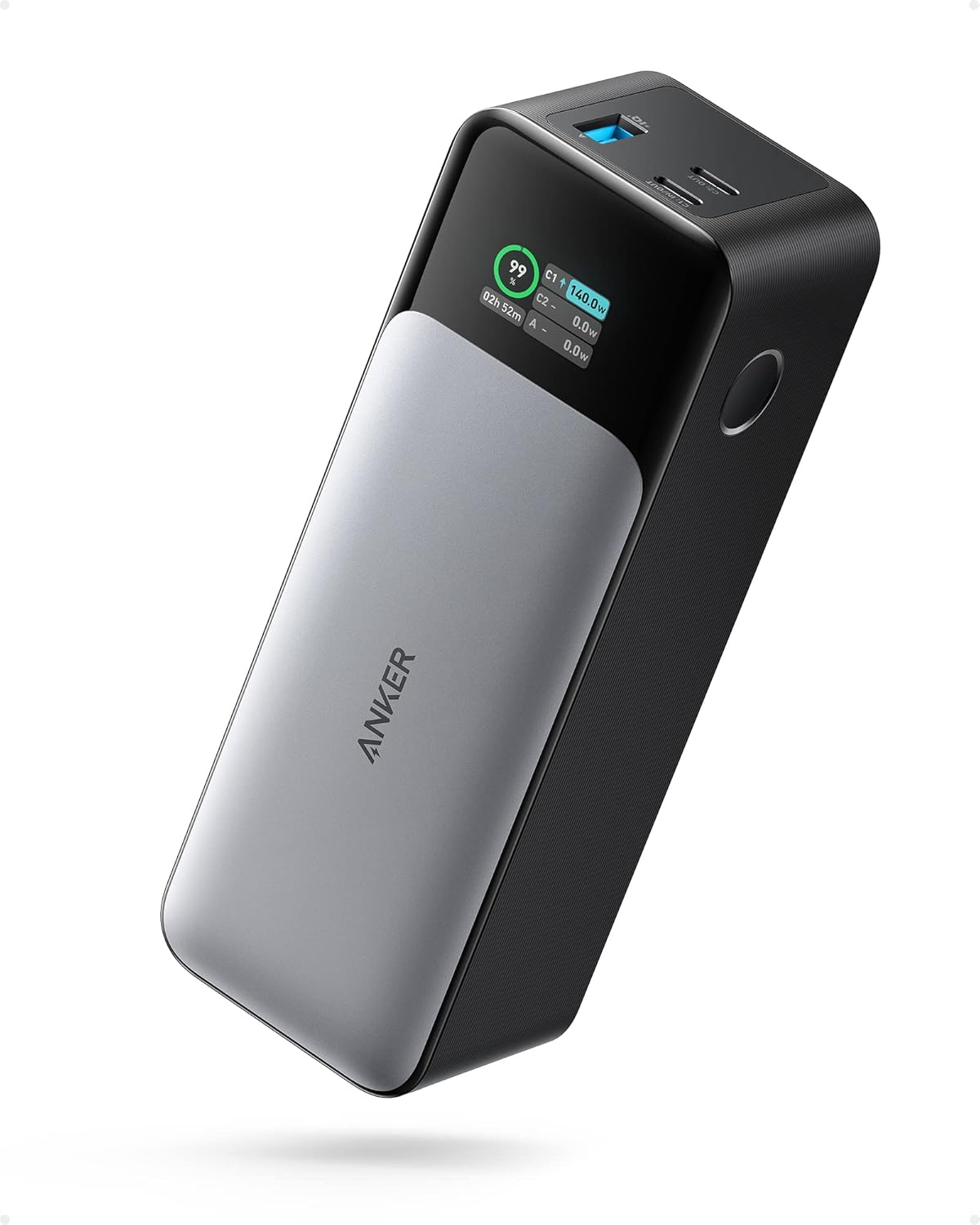
ANKER 737 Power Bank, 24,000mAh 3-Port Laptop Portable Charger with 140W Fast Charging, Smart Display, for Outdoor Work, Compatible with iPhone 16/15/14 Series, Vision Pro, Samsung, MacBook, and More

Anker Power Bank(PowerCore 10K),Compact Travel-Ready 10,000mAh Battery Pack with PowerIQ Charging Technology,5V/3A High-Speed Charging for iPhone,iPad,and More (USB-C Input and Output(Black),1pack) ClimatePartner certified

Anker USB C to USB C Cable, Type-C 60W Fast Charging Cable (6FT, 2Pack) for iPhone 16 Series, iPad mini 6 and More (Black) ClimatePartner certified

TP-Link Tapo 1080P Indoor Security Camera for Baby Monitor, Dog Camera w/Motion Detection, 2-Way Audio Siren, Night Vision, Cloud & SD Card Storage, Works w/Alexa & Google Home (Tapo C100)

The Official We Do Not Care Club Handbook: A Guide for Women in Perimenopause and Menopause Who Are Over It