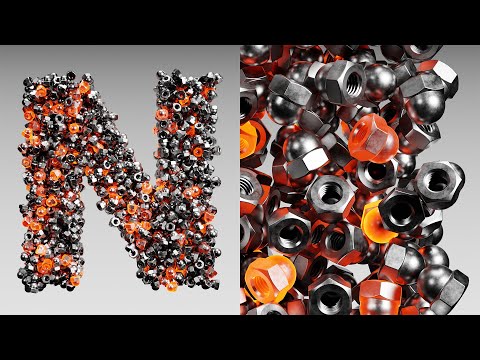
Filling Objects is Easy Now (Blender Tutorial)

Ducky 3D
@theducky3dAbout
Creating tools and tutorials for the 3D Blender world
Latest Posts



Video Description
In this Blender tutorial we will be learning how to use Geometry Nodes to fill the volume of an object, and to make it better, the objects wont collide! We will be making a very simple node tree that will allow us to use any object we wont in out object and use a very useful node to make sure do avoid collisions. #blender #tutorial #geometrynodes ------------------------------------ Patreon - https://patreon.com/user?u=9011118&utm_medium=clipboard_copy&utm_source=copyLink&utm_campaign=creatorshare_creator&utm_content=join_link ------------------------------------ 🌐 Connect with me: - Instagram: https://www.instagram.com/ducky3d/ - Twitter: https://twitter.com/Ducky3d - Website: https://www.ducky3d.com/ ------------------------------------
You May Also Like







Master Blender Modeling
AI-recommended products based on this video

Asus ROG Delta II Wireless Gaming Headset with Detachable Mic – Tri-Mode (BT, 2.4GHz, 3.5mm), 50mm Titanium-Plated Drivers, 110Hr Battery, Lightweight, for PC, PS5, PS4, Xbox, Switch, Mobile - Black

Monster Mission 300 Wireless Gaming Headset, 2.4GHz/Bluetooth Gaming Headphones,Low Latency, Stereo, Audio Location Recognition, 48H Battery Life, Suitable for PS5, PC, PS4 and Other Gaming Devices

Logitech G435 Lightspeed and Bluetooth Wireless Gaming Headset - Lightweight Over-Ear Headphones, Built-in mics, 18h Battery, Compatible with Dolby Atmos, PC, Mobile - Black
