Getting Started with SketchUp Pro 2025! (BEGINNERS START HERE!)


TheSketchUpEssentials
View ChannelAbout
This channel is dedicated to bringing valuable SketchUp lessons and tutorials to help people have fun with 3D modeling! I started using SketchUp a few years ago while working at a general contracting company. I had used other 3d modeling programs in the past, and SketchUp immediately made an impact on me with its ease of use and its “fun factor.” While using other programs was a bit of a drag, everything I made in SketchUp was a lot more fun. I started modeling things just for fun in my free time. I’d see a building that I liked and try to draw it in 3d, or I’d create a model of my living room so my wife could see what it would look like in different colors. Whenever I’m modeling in SketchUp, the possibilities just feel endless! Interested in Becoming a Sponsor and Sharing Your Brand With My Viewers? Reach out to me here or via email!
Latest Posts
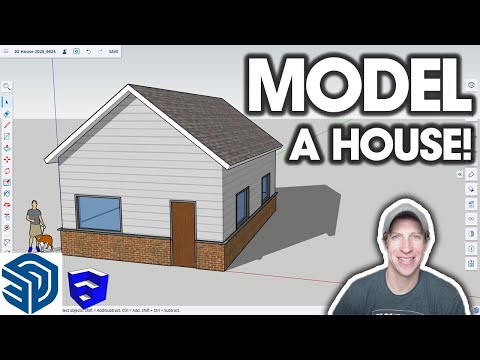


Video Description
FREE Keyboard Shortcuts Guide https://www.theSketchUpEssentials.com/Beginner Need more help? Get training and support in THE SKETCHUP ESSENTIALS COURSE http://www.thesketchupessentials.com/course SKETCHUP FREE vs. GO vs. PRO vs. STUDIO Video https://youtu.be/BS7biv6lvNk FULL GETTING STARTED IN SKETCHUP PLAYLIST https://www.youtube.com/watch?v=AB6UN-DrR1c&list=PLEQT0qjXe6zgmMMP6ZzoUDG_fdjcRmCQE TIMESTAMPS 0:00 - Introduction 0:15 - Which version of SketchUp to Use 0:45 - Picking a template 1:21 - SketchUp Workspace Overview 1:55 - Toolbars in SketchUp 3:31 - Trays (or windows on Mac) 4:33 - The Status Bar and Value Control Bar 5:22 - Navigation and the kind of mouse you need 5:50 - Zooming in and out 7:30 - How to deactivate tools 7:51 - Panning 8:20 - What to do if you get lost in the viewport 9:09 - Drawing in SketchUp and Keyboard shortcuts 10:13 - Drawing in SketchUp - Lines 11:00 - Drawing lines with specific lengths 12:45 - Using inferencing and locking inferences 14:15 - Locking inferences with the shift key 14:55 - How to create faces and shapes in SketchUp 16:02 - When faces form and when they don't 16:39 - How to heal faces back into your model 17:20 - Example model - simple house 18:13 - Erasing edges to merge faces 18:33 - Extruding a shape to 3D 19:00 - Adding a wing to the house

Upgrade Your Gaming Setup Now
AI-recommended products based on this video

acer Aspire 3 Laptop | 15.6" FHD (1920 x 1080) Display | 8-Core AMD Ryzen 7-5700U | AMD Radeon | 64GB RAM | 4.5TB SSD (4TB PCIe SSD withHP P500 512GB Portable SSD) | Ethernet Port | Windows 11 Pro
