HDMI, DisplayPort, DVI, VGA: Which cable should I use?
About
No channel description available.




Video Description
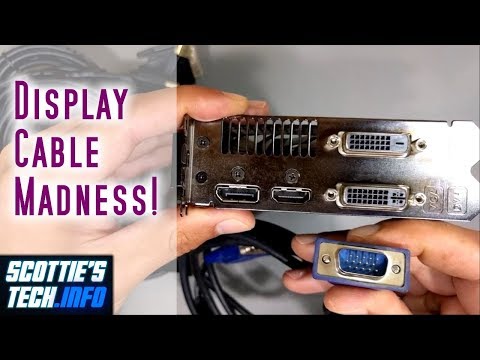
You'd think that connecting an LCD screen to your puter would be straight forward. You'd be wrong! It all gets pretty confusing. There are several types of connectors and cables, and it's difficult to know which one to use. Often, you can even use an adapter cable to connect one type of connector to another, like HDMI → DVI. This video is a summary of the various details of the most popular current cable types. In short: 1. Go for HDMI if at all possible, especially for newer hi-res screens (2K+) 2. If you have DVI, then use a DVI-D digital cable 3. If you have a FullHD screen and puter with DVI on one and HDMI on the other, use a DVI → HDMI cable 3. If you have a VGA connector on your screen only, and a DVI-I port on your puter, use a VGA cable with VGA → DVI adapter 4. DisplayPort is fine, but far less popular even though it's as good (and even better in some ways) than HDMI Buy cables on Amazon (affiliate links): - HDMI to HDMI cable: https://amzn.to/3X2FmBG - DVI to DVI: https://amzn.to/3X1DJ6V - HDMI to DVI: https://amzn.to/42yVFqE - VGA to VGA: http://amzn.to/2uEmj4L - DVI to VGA adapter: http://amzn.to/2u4bR3h - DisplayPort to HDMI: http://amzn.to/2v3Q2Fq - Mini DisplayPort to HDMI: http://amzn.to/2uEJ9sY - DisplayPort to DisplayPort: https://amzn.to/3qFiiMS More techie tips: https://scottiestech.info






Craft Essentials You Can't Miss
AI-recommended products based on this video

Koolmox Koolmox Canvas Grocery Bag, 6-Pack 22'' Large Bags with Reinforced Handles, 12 Oz Heavy Duty Reusable Washable Grocery Shopping Bags Plain Bags for Teacher Paint Embroidery Draw DIY Art Craft Totes

Handmade 3pcs in Set Cowboy Boots and Hat Clip on Charm for Diy Necklace Bracelet Bags, Enamel Charm Western Style Jewelry Accessories
