How to Automate ANYTHING with AI (N8N Tutorial)


Varun Mayya
@varunmayyaAbout
Science and business follow the same principles and are practically the same thing - you experiment, you observe, you make conclusions, and you repeat. I help entrepreneurs build software, content, small companies, and freelancing careers with actionable advice. I try my best to distill new developments in technology for the masses. Most importantly, I practice what I preach. I failed countless times on countless projects with a few small wins, and I have come to realise that this is the norm :) Collabs: [email protected]
Latest Posts




Video Description
Head over to https://hostinger.com/in/varun and use the promo code VARUN to get 10% off on 12 months and above plans and use VARUN15 to save 15% for 24 months and above plans at checkout! In this video, we show you how to use n8n, an open-source visual workflow automation tool that’s quickly becoming the go-to alternative to Zapier in the AI era. Because instead of writing code, n8n lets you drag and drop nodes to connect apps, services, and APIs, making it easy to automate complex workflows across marketing, tech, or personal use cases. We’ll start with the basics… what n8n is, how workflows work, and how you can set up your own automation server on Hostinger for unlimited workflows at a fraction of the cost of cloud solutions. From there, you’ll learn step by step how to build a simple workflow, followed by a more advanced one that integrates Telegram, Google Calendar, and AI agents to automatically schedule meetings. Then, we’ll also go beyond just theory. Debugging errors, working with JSON templates, setting up APIs, and showing you exactly how automation plays out in real time. You’ll also see how to bring in AI decision-making with models like Google Gemini, and how to handle both text and voice inputs in your automations. Finally, we’ll explore a second, more creative workflow: using n8n to turn Reddit posts into fully automated AI-generated videos with avatars, voiceovers, and auto-publishing pipelines. Watch the video till the end to understand everything you need to start building your own workflows and running parts of your life or business on autopilot. Links to the workflows: https://drive.google.com/drive/folders/17x8MESQyQCuxrPnZN_-2hrWBwY4NVcl_?usp=sharing 00:00 - Introduction 00:50 - What is n8n and core concepts (JSON, workflows, nodes) 02:46 - Setting up n8n with Hostinger 03:58 - Creating the first workflow 05:56 - Understanding workflow and debugging errors 17:11 - Setting up API credentials 21:03 - Exploring existing n8n workflow templates 22:48 - Advanced workflow: Reddit to AI video automation 27:04 - Best practices and knowing when to use automation vs humans 28:09 - Final thoughts






AI Automation Starter Kit
AI-recommended products based on this video

10.1 Inch Touch Portable Monitor IPS Screen 1366x768P 60Hz 400 Brightness 99% sRGB HDMI USB-C Monitors Switch for Xbox PS3/4/5 Laptop Compatible with Raspberry Pi, Mini Touch Screen

ELECROW 8 Inch Portable Monitor, 1280x800 Mini HD Display with Built-in Speakers, USB Powered, Non-Touch LCD Screen for Raspberry Pi, PC, Laptop, Jetson Nano, Game Consoles

7 Inch Portable Monitor Touchscreen HD 1024x600 LED Display Dual HDMI Port Small Monitor for PC Raspberry Pi Laptop Computer Xbox PS4/5 Switch Built-in Speakers

BrosTrend 1800Mbps WiFi 6 Linux WiFi Adapter for PC and Raspberry Pi 2+, Long Range USB WiFi Dongle Linux for Ubuntu, Mint, Debian, Kubuntu, Lubuntu, Zorin, Windows 11/10, Dual Band Wireless Antenna

Kasa Smart Outdoor Smart Plug by TP-Link (KP400) - Smart WiFi Outlet with 2 Sockets, IP64 Waterproof, Works with Alexa and Google Home, 2.4GHz WiFi Required, No Hub Required, Sunset & Sunrise Offset
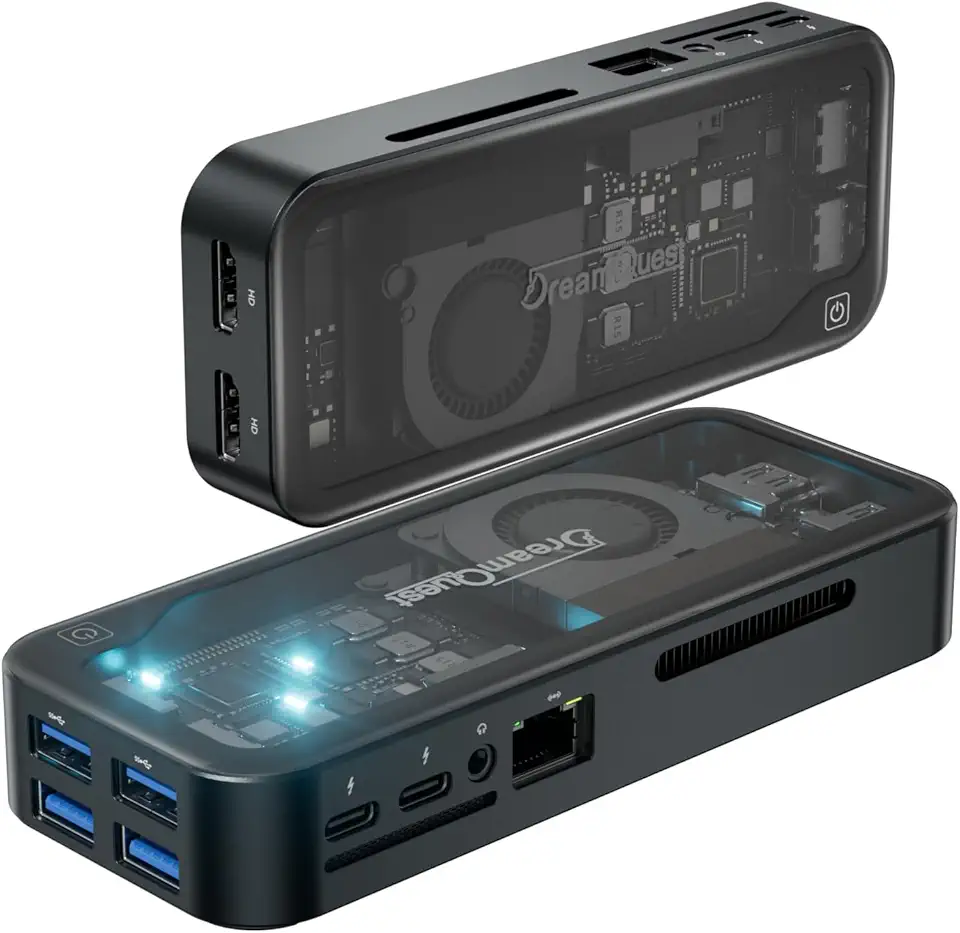
DreamQuest Mini PC Win-11 Pro,Intel N95(Up to 3.4GHz)12GB DDR5 RAM 512GB M.2 SSD,Mini Desktop Computers Stick with 4xUSB 3.2,Dual HDMI 4K UHD,2xType C(Max 10 Gbit/s),WiFi 6+BT5.3 Office Home Smart Fan