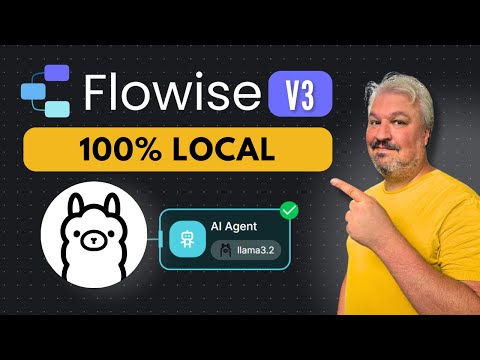
How to Build a Local AI Agent With Flowise (Ollama, Postgres)

Leon van Zyl
@leonvanzylAbout
Welcome to my YouTube channel! Here, you'll find step-by-step tutorials on building real-world solutions with AI. From AI agents and automation workflows to vibe coding and agentic coding, I cover it all - using both code and no-code tools like n8n, Claude Code, Codex, Cursor, and more. Whether you're a vibe coder building your first app with AI, or a developer integrating agents into your workflow, there's something here for you. I focus on practical, hands-on tutorials that you can follow along with and implement right away. New videos every week - thanks for stopping by, and I hope you enjoy the content! Let’s work together! - For brand, sponsorship, and business inquiries: [email protected]
Latest Posts



Video Description
🚀 Access ALL video resources & get personalized help in my community: https://www.skool.com/agentic-labs/about?ref=3fd61190e13d426dbf4f3b38adc7de69 In this easy Flowise tutorial, you’ll learn how to build powerful AI agents that run completely on your own computer — no cloud, no coding needed. We’ll show you how to set up Flowise, connect it to a local knowledge base using a vector database, and start chatting with your custom data in minutes. Whether you’re using local models or just want full control and privacy, this video will guide you through everything step-by-step. Perfect for creators, educators, and entrepreneurs using no-code tools to build AI workflows with Flowise. 🙏 Support My Channel: Buy me a coffee ☕ : https://www.buymeacoffee.com/leonvanzyl PayPal Donation: https://www.paypal.com/ncp/payment/EKRQ8QSGV6CWW 📑 Useful Links: Sign up for Flowise Cloud: https://cloud.flowiseai.com/register?via=leonvanzyl Flowise v3 Playlist: https://www.youtube.com/playlist?list=PL4HikwTaYE0FFKifDJcgnP23LjGAZjzL8 Docker command: docker run -d --name pgvector-db -e POSTGRES_USER=postgres -e POSTGRES_PASSWORD=postgres -e POSTGRES_DB=vector_test -p 5432:5432 ankane/pgvector 🕒 TIMESTAMPS: 00:00 - Intro 00:10 - Why Run Locally 00:30 - Flowise Local Setup 00:40 - Vector Database Setup 00:45 - Record Manager 01:01 - Running Local Models 02:01 - Knowledge Base Upload 02:30 - Testing Agent 10:17 - Final Thoughts #flowise #aiagents
You May Also Like






AI Agent Build Essentials
AI-recommended products based on this video

Denn-Tek Advanced Tooth Repair Kit- 13+ repairs

Windshield Repair kit, Quick and Efficiency Glass Repair Fluid, Car Windshield Crack Repair Resin Kit for Fixing Chips, Bulls-Eye, Cracks and Star-Shape Cack-2 Pack

Windshield Repair kit, DIY Glass Cracked Repair Kits, Easy to Use Automotive Glass Nano Repair Fluid, Scratch Chip Cracks Repair Kit (2 Pack) (Black)

Corsair MP600 PRO LPX 4TB M.2 NVMe PCIe x4 Gen4 SSD - Optimized for PS5 (Up to 7,100MB/sec Sequential Read & 6,800MB/sec Sequential Write Speeds, High-Speed Interface, Compact Form Factor) Black

GMKtec EVO-X2 AI Mini PC Ryzen Al Max+ 395 (up to 5.1GHz) Mini Gaming Computers, 96GB LPDDR5X 8000MHz (12GB*8) 1TB PCIe 4.0 SSD, Quad Screen 8K Display, WiFi 7 & USB4, SD Card Reader 4.0 Global Recycled Standard
