How to organize your notes in Obsidian // The LATCH method

Nicole van der Hoeven
@nicolevdhAbout
I'm a Senior Developer Advocate at Grafana Labs and I talk about learning in public, taking notes, and making cool stuff.
Latest Posts



Video Description
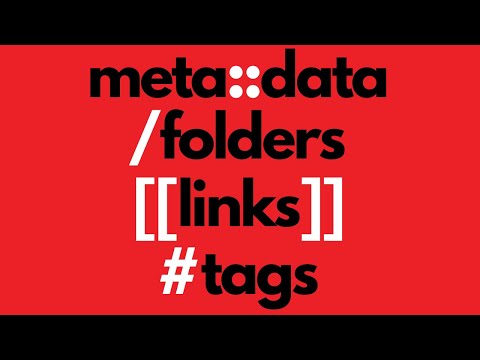
Wondering how to organize your notes in Obsidian? In this video, I talk about some methods in Obsidian for imposing structure and organization, the LATCH method for adding data to your data, and which methods I would use in Obsidian for each part of LATCH (Location, Alphabet, Time, Category, and Hierarchy). This is not meant to be a definitive or prescriptive guide for how YOU should organize your notes. Instead, take this as a look into how *I* prefer to do it, in the hopes that you may find inspiration for how you'd like to do it as well. // RESOURCES MENTIONED Richard Saul Wurman, Information Anxiety: https://amzn.to/3DG9iew Zsolt Viczián's introduction of the LATCH method: https://www.youtube.com/watch?v=g9QOHaAqhXc // TIMESTAMPS 0:00 Intro 0:30 Methods in Obsidian for organizing your notes 04:08 The LATCH system 05:03 Locations: links, metadata 07:08 Alphabet: folders 09:09 Time: links, metadata 11:19 Category: links, metadata, tags 13:14 Hierarchy: metadata, links If you want to learn more about Obsidian, check out my course for beginners, Obsidian for Everyone: https://courses.nicolevanderhoeven.com/o4e --- // ABOUT ME Site: https://nicolevanderhoeven.com Mastodon: https://pkm.social/@nicole My work at Grafana Labs: https://www.youtube.com/playlist?list=PL-1Nqb2waX4WfNnD52U1Spo2z47yrIjwo // APPS I USE - Obsidian: https://obsidian.md - Readwise: https://readwise.io/nicole - Shortform: https://shortform.com/nicole - Reclaim: https://go.reclaim.ai/eg0tgbamp7cb - Snipd: https://link.snipd.com/Cx7S/nicole Napkin: https://napkin.one/?via=nicole // GEAR https://nicolevanderhoeven.com/gear/ // WANT TO SUPPORT ME? ❤️ Join my Patreon and get my sample vault with templates: https://patreon.com/nicolevdh ☕ Buy me a coffee: https://ko-fi.com/nicolevdh ⭐ Buy Obsidian for Everyone, my beginner course on Obsidian: https://courses.nicolevanderhoeven.com/o4e Note: Some of the links above are affiliate links, which means I may get a small percentage when you sign up using those links. To see how I decide what to promote in this way, check out my Ethics Statement: https://nicolevanderhoeven.com/ethics/






Boost Your Note-Taking with These Obsidian Essentials
AI-recommended products based on this video

FANGOR 10.1 Inch WiFi Digital Picture Frame 1280x800 HD IPS Touch Screen, Electronic Smart Photo Frame with 32GB Storage, Auto-Rotate, Instantly Share Photos/Videos via Uhale App from Anywhere

Aura Carver WiFi Digital Picture Frame | The Best Digital Frame for Gifting | Send Photos from Your Phone | Quick, Easy Setup in Aura App | Free Unlimited Storage | Gravel with White Mat
