How To Reset BIOS For Dell - Replace CMOS Battery
About
No channel description available.
Latest Posts



Video Description
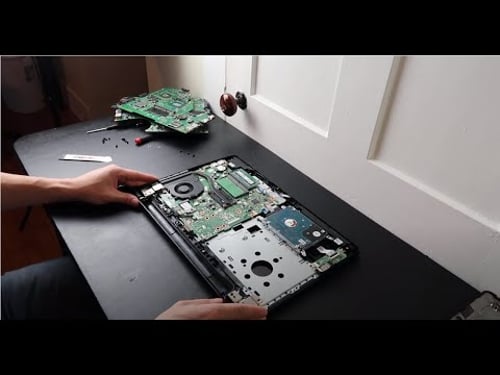
This video shows you how to access your CMOS Battery if you need to replace it or if you simply need to perform a BIOS Reset. This operation will reset all of your BIOS System Settings but in most cases, will not reset the BIOS password. If your computer is not turning on, this can be one of the troubleshooting steps, but make sure your starting your troubleshooting process here: https://youtu.be/kOBY4k2Mn_k Check out the FAQ's and the Related Links below for more helpful info !! Please remember to Like, Share and Subscribe if this was helpful !! Please subscribe to https://www.youtube.com/@JamTechs where I give you 5 minute or less videos about cool tech! Related Links: Computer Wont Turn On Fix: https://youtu.be/kOBY4k2Mn_k Laptop Repair Tools & Supplies: https://amzn.to/3XpHdlw HDD & SSD Replacement / Upgrades: https://amzn.to/430vkEz Hard Drives vs Different Kinds of Solid State Drives Explained: https://youtu.be/KgDucEw7drA FAQ's: Q: Will this reset my BIOS Password? A: Some motherboards have a jump point where you can reset the BIOS password if you short out those two points. However, that is a risky operation and you run the risk of destroying the motherboard if done incorrectly. For that reason I choose not to have those DIY videos on my channel. Sorry :( Q: My CMOS Battery is wrapped in electrical tape. How do I remove it? A: If your CMOS battery is wrapped in electrical tape, then there should be a couple wires coming from the battery that plug into the motherboard. You would simply have to unplug it and don't have to physically remove the battery in that case :) (edited 7/25)












Satisfying Slime Essentials
AI-recommended products based on this video

AQUA CREST UKF8001 Replacement for EveryDrop® Filter 4, Whirlpool® EDR4RXD1, 4396395, Maytag UKF8001P, UKF8001AXX-750, Puriclean II, 46-9006, 6 Month 300 Gallon Refrigerator Water Filter (Pack of 3)

Pink Unicorn Carrying Case Compatible with Nintendo Switch Lite with Crystal Glitter Soft Protective Case Cover+Screen Protector+Stickers, Hard Storage Case Accessories Kit for Girls Birthday Gift
