Learn tmux (Part 2) - How to use Splits and Panes for the Ultimate Linux Workflow!


Learn Linux TV
@learnlinuxtvAbout
Learn Linux TV is your ultimate resource for mastering Linux and open-source technology. From step-by-step Linux tutorials and distro reviews to server automation, cloud deployments, security, and DevOps workflows, this channel gives you the skills to thrive in today’s Linux Community. With over 20 years of Linux and System Administration experience, Jay (your host) shares practical insights to help you succeed with Linux — whether at home, in the data center, or in the cloud. Whether it’s Debian, Ubuntu, Fedora, Arch, or Proxmox, you’ll learn how to build, secure, and manage systems with confidence! • Linux made simple: tutorials, reviews, and sysadmin tips you can actually use. • Your go-to channel for Linux tutorials, distro reviews, and real-world sysadmin skills. • Where beginners become power users, and pros sharpen their Linux skills. Subscribe and join a community of hundreds of thousands of Linux enthusiasts who are learning, building, and growing with open source.
Latest Posts




Video Description
If you want to increase your productivity with the Linux command line, tmux is definitely a great way to do just that! With tmux, you can manage your workflow with sessions, multitask with panes, and it also allows you to easily regain access to existing sessions when your SSH connection drops. In this five part series, you'll learn everything you need to know in order to use tmux daily! In this episode, we'll take a look at splits/panes. *tmux Cheatsheet Mouse Pad Available!* Check out this mouse pad that doubles as a cheat sheet for tmux! There's other Linux-themed products in the shop too, so you can get yourself something nice and support Linux Learning at the same time! ➜ https://learnlinux.link/mpad *Other tmux Episodes* Here's a list of all the episodes in the series: • Episode 1: https://linux.video/tmux-1 • Episode 2: This video • Episode 3: https://linux.video/tmux-3 • Episode 4: https://linux.video/tmux-4 • Episode 5: https://linux.video/tmux-5 *🐧 Donate to Learn Linux TV and Receive a PDF with tips for switching to Linux* Contains over 40 pages of tips and recommendations to help make your transition easier! Check it out here ➜ https://learnlinux.link/linux-desktop-tips *💧 Spin up some Linux Servers with Digital Ocean* Digital Ocean is a great way to quickly spin up some Linux machines! • Check it out here ➜ https://learnlinux.link/digitalocean (Affiliate Link) *📄 Check out this awesome Linux commands cheatsheet!* Support Learn Linux TV and grab yourself this super-handy cheatsheet, featuring all the important Linux commands and their most useful options. Grab yours here ➜ https://learnlinux.link/linux-commands *❤️ Consider becoming a Channel Member* Support Linux Learning and gain acess to exclusive perks, such as ad-free content and early access to select videos. Your support really helps!!! Join here ➜ https://learnlinux.link/member *🛍️ Support The Channel and Get Awesome Linux Swag!* Head on over to the Learn Linux TV Merch Shop and check out some great Linux-themed gear, including (but not limited to) T-shirts, drinkware, buttons, stickers and more! • "apt install coffee" T-Shirt ➜ https://learnlinux.link/apt-install-coffee • "sudo" T-Shirt ➜ https://learnlinux.link/sudo-shirt • Linux Commands Cheat Sheet ➜ https://learnlinux.link/linux-commands • "May Spontaneously Talk About Linux" T-Shirt ➜ https://learnlinux.link/talk-about-linux-shirt • "Dark Side of the Terminal" T-Shirt ➜ https://learnlinux.link/dark-side-shirt • Lots more ➜ https://merch.learnlinux.tv _Use coupon code "LINUXFAN" to get 10% off your entire order ➜ https://merch.learnlinux.tv_ *🐧 Other Ways to Support Learn Linux TV* • Patreon ➜ https://learnlinux.link/patron • Spin up your very own Linux server ➜ https://learnlinux.link/digitalocean • Linux swag ➜ https://merch.learnlinux.tv • Check out Netdata ➜ https://learnlinux.link/netdata • Jay's Gear ➜ https://learnlinux.link/amazon _Note: Royalties and/or commission is earned from each of the above links_ *🕐 Time Codes* 00:00 - Intro 00:44 - Recap/overview from previous episode 02:10 - Creating Vertical Splits 02:42 - Finger gymnastics 03:39 - Creating Horizontal Splits 04:24 - Moving between panes within a tmux window 04:56 - Check out the updated merch shop! 05:48 - Follow along with this hands-on tmux workflow example *🎓 Full Linux Courses* • Linux Crash Course ➜ https://linux.video/cc • Netdata ➜ https://linux.video/netdata • tmux ➜ https://linux.video/tmux • vim ➜ https://linux.video/vim • Bash Scripting ➜ https://linux.video/bash • Proxmox VE ➜ https://linux.video/pve • Ansible (Paid) ➜ https://learnlinux.link/ansible • LPI Linux Essentials (Paid) ➜ https://learnlinux.link/linux-essentials *🎓 More About Learn Linux TV* • Main site ➜ https://www.learnlinux.tv • Community Forums ➜ https://community.learnlinux.tv • Github Account ➜ https://github.com/LearnLinuxTV • Content Ethics ➜ https://www.learnlinux.tv/content-ethics • Request Paid Assistance ➜ https://www.learnlinux.tv/request-assistance *⚠️ Disclaimer* LearnLinuxTV produces technical content that will hopefully be helpful to you and teach you something new. However, this content is provided without any warranty (expressed or implied). LearnLinuxTV is not responsible for any damages that may arise from any use of the content and information that's being provided. The viewer is expected to follow best judgement and to make his/her/their best decisions while working with production or non-production software, systems and hardware. #tmux #devops #cloudcomputing















Boost Your Linux Workflow Today
AI-recommended products based on this video

GMKtec Mini PC NAS, G9 N150 Dual Boot Win Linux Desktop Computer 12GB DDR5 64GB EMMC + 1TB M.2 SSD, 4*M.2 NVMe Slots, Dual NIC 2.5GbE, USB-C/USB 3.2 10Gbps, Network Attached Storage

MeLE Quieter DL Mini PC Windows 11 Home, N100 4GB 128GB, 2.5G Dual LAN,IoT Industrial Desktop Computer Support Windows 10 11 Linux Ubuntu Debian 4K Triple Display, Dual HDMI, All-in-One USB-C

BrosTrend 1800Mbps WiFi 6 Linux WiFi Adapter for PC and Raspberry Pi 2+, Long Range USB WiFi Dongle Linux for Ubuntu, Mint, Debian, Kubuntu, Lubuntu, Zorin, Windows 11/10, Dual Band Wireless Antenna

BrosTrend Linux USB WiFi Adapter 1200Mbps Supports Ubuntu, Mint, Debian, Kubuntu, Mate, Zorin, PureOS, Raspberry Pi 2+, Windows 11/10, USB3.0 Wireless Dual Band Wi-Fi 5GHz/867Mbps + 2.4GHz/300Mbps

KOORUI 27 Inch 4K Monitor, UHD(3840 x 2160) IPS Computer Monitors, HDR10, 90% DCI-P3, Frameless, 2X HDMI 2.0 & DisplayPort 1.4, VESA Mountable, Eye Care, N07

Dell UltraSharp 24 Monitor - U2424H

Dell UltraSharp U2723QE 27" 4K UHD WLED LCD Monitor - 16:9 - Black, Silver EPEAT

MSI MAG MT201D - Premium Heavy Duty Dual Monitor Stand Arms, 17-45" Support, VESA Compatible, Adjustable Spring Mount, 44 lbs per Screen, Clamp & Grommet, Quick Release Plate - Black

Mind Reader Monitor Stand, Height Adjustable, Ventilated Laptop Riser, Office, Metal, 36.8L x 23.5W x 14H cm, Black

Seventable L Shaped Computer Desk with Drawers 47.2 inch,Gaming Desk with Power Outlets & LED Lights,Reversible Office Desk with Storage Shelves,Corner Desk with Monitor Stand for Home Office White

Seventable L Shaped Computer Desk with Power Outlets & LED Lights, 44.6"Small Home Office Desk with 3 Fabric Drawers, Reversible Gaming Desk with Storage Shelves, Corner Desk with Monitor Stand, White

Logitech M185 Wireless Mouse, 2.4GHz with USB Mini Receiver, 12-Month Battery Life, 1000 DPI Optical Tracking, Ambidextrous, Compatible with PC, Mac, Laptop - Black

Logitech G203 Wired Gaming Mouse, 8,000 DPI, Rainbow Optical Effect LIGHTSYNC RGB, 6 Programmable Buttons, On-Board Memory, Screen Mapping, PC/Mac Computer and Laptop Compatible - Black

Logitech G305 Lightspeed Wireless Gaming Mouse, Hero 12K Sensor, 12,000 DPI, Lightweight, 6 Programmable Buttons, 250h Battery Life, On-Board Memory, PC/Mac - Black

Logitech G502 Hero High Performance Wired Gaming Mouse, Hero 25K Sensor, 25,600 DPI, RGB, Adjustable Weights, 11 Programmable Buttons, On-Board Memory, PC/Mac, Black

Logitech K250 Bluetooth Keyboard with Numpad, Easy Connectivity, Compact Wireless Keyboard Made with Recycled Plastic, Spill-Resistant, Comfortable Keys - Windows/MacOS - Graphite

Logitech K400 Plus Wireless Touch TV Keyboard With Easy Media Control and Built-in Touchpad, HTPC Keyboard for PC-connected TV, Windows, Android, Chrome OS, Laptop, Tablet - Black
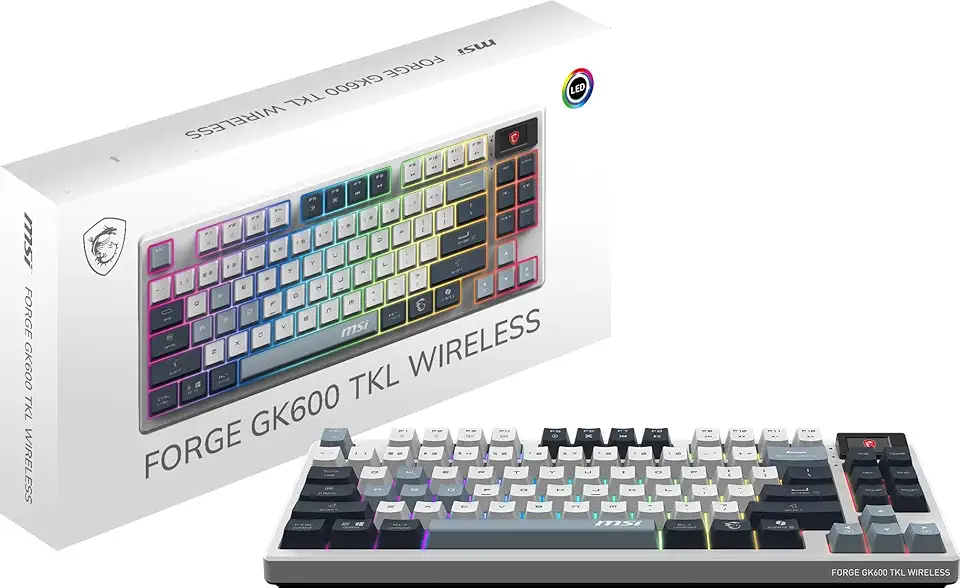
MSI Forge GK600 TKL W Sky US 2.4GHz Wireless (MS-8ZA9 and WD02), Bluetooth RGB Lighting Gaming Keyboard with 1.06-inch Display, 4000mAh

Arteck 2.4G Wireless Keyboard Stainless Steel Ultra Slim Full Size Keyboard with Numeric Keypad for Computer/Desktop/PC/Laptop/Surface/Smart TV and Windows 10/8/ 7 Built in Rechargeable Battery

Anker 332 USB-C Hub (5-in-1) with 4K HDMI Display, 5Gbps - and 2 5Gbps USB-A Data Ports and for MacBook Pro, MacBook Air, Dell XPS, Lenovo Thinkpad, HP Laptops and More

BOSGAME Linux Mini PC, Intel 12th N100 16GB DDR4 RAM 512GB SSD Linux Server Computers Preinstalled Ubuntu 22.04,Support 4K Triple Display/USB3.2/WiFi 5/2.5GbE

Wireless Print Server for USB Printer (NOT Plug&Play), 2 Port USB Print Server, Convert Wired Printer to Wireless WiFi Ethernet Networking - Windows Mac Linux Compliant - CR202

OWC 64GB DDR5 4800 PC5-38400 CL40 2Rx4 288-pin 1.1V ECC Registered RDIMM Memory RAM Module Upgrade Compatible with Dell PowerEdge R660XS R760XS
OWC 64GB DDR5 4800 PC5-38400 CL40 2Rx4 288-pin 1.1V ECC Registered RDIMM Memory RAM Module Upgrade Compatible with Dell PowerEdge XE9680
OWC 64GB DDR5 4800 PC5-38400 CL40 2Rx4 288-pin 1.1V ECC Registered RDIMM Memory RAM Module Upgrade Compatible with Dell PowerEdge R6625 R760 R7615 R7625
OWC 64GB DDR5 4800 PC5-38400 CL40 2Rx4 288-pin 1.1V ECC Registered RDIMM Memory RAM Module Upgrade Compatible with Dell PowerEdge HS5610 HS5620