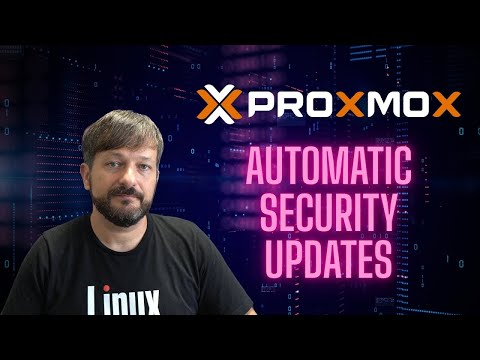
Proxmox Security Updates Made Easy - Unattended Upgrades Tutorial

Learn Linux TV
@learnlinuxtvAbout
Learn Linux TV is your ultimate resource for mastering Linux and open-source technology. From step-by-step Linux tutorials and distro reviews to server automation, cloud deployments, security, and DevOps workflows, this channel gives you the skills to thrive in today’s Linux Community. With over 20 years of Linux and System Administration experience, Jay (your host) shares practical insights to help you succeed with Linux — whether at home, in the data center, or in the cloud. Whether it’s Debian, Ubuntu, Fedora, Arch, or Proxmox, you’ll learn how to build, secure, and manage systems with confidence! • Linux made simple: tutorials, reviews, and sysadmin tips you can actually use. • Your go-to channel for Linux tutorials, distro reviews, and real-world sysadmin skills. • Where beginners become power users, and pros sharpen their Linux skills. Subscribe and join a community of hundreds of thousands of Linux enthusiasts who are learning, building, and growing with open source.
Latest Posts

Video Description
Learn how to set up Proxmox unattended upgrades to automatically install security updates and patches on your Proxmox VE server. This complete tutorial covers everything from installation to configuration, ensuring your virtualization environment stays secure without manual intervention. *📄 Check out this awesome Linux commands cheatsheet!* Support Learn Linux TV and grab yourself this super-handy cheatsheet, featuring all the important Linux commands and their most useful options. Grab yours here ➜ https://learnlinux.link/linux-commands *❤️ Consider becoming a Channel Member* Support Linux Learning and gain acess to exclusive perks, such as ad-free content and early access to select videos. Your support really helps!!! Join here ➜ https://learnlinux.link/member *🛍️ Support The Channel and Get Awesome Linux Swag!* Head on over to the Learn Linux TV Merch Shop and check out some great Linux-themed gear, including (but not limited to) T-shirts, drinkware, buttons, stickers and more! • "apt install coffee" T-Shirt ➜ https://learnlinux.link/apt-install-coffee • "sudo" T-Shirt ➜ https://learnlinux.link/sudo-shirt • Linux Commands Cheat Sheet ➜ https://learnlinux.link/linux-commands • "May Spontaneously Talk About Linux" T-Shirt ➜ https://learnlinux.link/talk-about-linux-shirt • "Dark Side of the Terminal" T-Shirt ➜ https://learnlinux.link/dark-side-shirt • Lots more ➜ https://merch.learnlinux.tv _Use coupon code "LINUXFAN" to get 10% off your entire order ➜ https://merch.learnlinux.tv_ *🐧 Other Ways to Support Learn Linux TV* • Patreon ➜ https://learnlinux.link/patron • Spin up your very own Linux server ➜ https://learnlinux.link/digitalocean • Linux swag ➜ https://merch.learnlinux.tv • Check out Netdata ➜ https://learnlinux.link/netdata • Jay's Gear ➜ https://learnlinux.link/amazon _Note: Royalties and/or commission is earned from each of the above links_ *🕐 Time Codes* 00:00 - Intro 01:03 - Important considerations before setting up Unattended Upgrades 04:08 - Accessing a Shell for Proxmox administration 05:18 - Installing unattended-upgrades 08:03 - Configuring the unattended-upgrades service 12:59 - Shop mention 13:55 - More unattended-upgrades tweaks 18:37 - Setting a time for unattended-upgrades 22:23 - Wrapping up our configuration 23:56 - Testing unattended-upgrades in "dry run" mode *🔗 Video-specific Links* • Official blog post for this video ➜ https://learnlinux.link/pve-auto-updates • Check out Proxmox VE ➜ https://learnlinux.link/pve-site *🎓 Full Linux Courses* • Linux Crash Course ➜ https://linux.video/cc • tmux ➜ https://linux.video/tmux • vim ➜ https://linux.video/vim • Bash Scripting ➜ https://linux.video/bash • Proxmox VE ➜ https://linux.video/pve • Ansible (Paid) ➜ https://learnlinux.link/ansible • LPI Linux Essentials (Paid) ➜ https://learnlinux.link/linux-essentials *🎓 More About Learn Linux TV* • Main site ➜ https://www.learnlinux.tv • Community Forums ➜ https://community.learnlinux.tv • Github Account ➜ https://github.com/LearnLinuxTV • Content Ethics ➜ https://www.learnlinux.tv/content-ethics • Request Paid Assistance ➜ https://www.learnlinux.tv/request-assistance ⚠️ Use Content Responsibly Learn Linux TV shares technical content intended to teach and help you, but it comes with no warranty. The channel is not liable for any damages from its use. Always ensure you have proper permissions, follow company policies, and comply with all applicable laws while working with infrastructure. #Proxmox #Virtualization #DevOps #CloudComputing #Hypervisor #Linux








No Recommendations Found
No products were found for the selected channel.