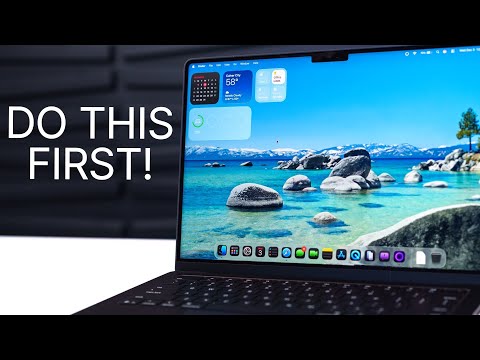
M5 MacBook Pro - First 23 Things To Do! (Tips & Tricks)

Brandon Butch
@brandonbutchAbout
Subscribe for iOS 26 coverage, iPhone 18 news, tips & tricks, comparisons & more! The premier source for Apple + Tech reviews, tutorials, software update videos & news, since 2008! My goal? To provide the most in-depth, accurate, and fun videos on the latest iOS updates, the latest Apple products, and whatever else the future holds for this channel. Business inquiries: links.brandonbutch.com
Latest Posts

Video Description
2025 MacBook Pro M5 - First 23 Things To Do! | M5 MacBook Pro Tips & Tricks ➥ Check out TP-Link's BE5000 WiFi 7 Mesh Wi-Fi System: https://amzn.to/4rDqRTB ➥ TP-Link Deco BE63 Tri-Band WiFi 7 BE10000 Whole Home Mesh System: https://amzn.to/3XCceSH Apple just launched the 2025 M5 MacBook Pro and if you want to get the most out of your machine, this video will help you get off to a strong start! We'll cover more than 23 tips, tricks, and just things you need to know about your brand new M5 MacBook Pro (and eventually M5 Pro/M5 Max MacBook Pro). Enjoy! My newsletter: https://theappleden.com/subscribe Discord community: https://discord.gg/appleden *Social Media:* Twitter: https://twitter.com/brandonbutch Instagram: https://instagram.com/brandonbutch Threads: https://www.threads.net/@brandonbutch TikTok: https://tiktok.com/@brandon.butch Facebook: https://www.facebook.com/brandonbutchyt Apple Music: https://apple.co/2VF3KZj *Chapters:* 0:00 M5 MacBook Pro tips! 0:16 Check for this asap 0:48 Change Liquid Glass 1:13 This might drive you crazy 2:23 Hidden useful gesture 3:18 Organize your windows 4:09 Make the shortcuts simpler 5:12 Add some space 5:46 Brand new feature you NEED to enable 7:20 Get faster WiFi speeds 8:45 See your iPhone on Mac 9:45 Change this with mirroring 10:27 You can transfer easier 11:11 Clean up that desktop! 12:04 Improve resolution 13:27 Customize the colors and scroll bars 14:06 Lock Screen 15:49 Menu bar magic 17:01 Battery 17:17 Widgets 19:06 Think about the Dock 20:38 Hot Corners trick 22:01 Quick Keys (you need to use these) 23:45 Tweak the Clipboard history 24:50 Shortcut Automations 25:54 Finder needs some work 29:16 Battery tweaks 30:55 Save some storage 31:17 Know this secret key 32:20 Center Stage & Mic Modes 33:18 First things to do on MacBook! *Gear used to make this video:* 📷 Camera: https://amzn.to/3Fn6f8R 📷 Lens: https://amzn.to/31VXuVC 🎙️ Mic: https://amzn.to/2HLUVZp 🎤 Other Mic: https://amzn.to/2jP0HLl 🎛️ Audio Interface: https://amzn.to/2kNwwnU 📱 Best tech deals (updated daily): http://amzn.to/2qcK0QT Disclosure: This video might contain affiliate links, which help fund the channel if you make a purchase. Have a fantastic day & I'll see you soon!
You May Also Like




No Recommendations Found
No products were found for the selected channel.