Microsoft Power Automate Desktop - Beginners Course

About
No channel description available.
Latest Posts



Video Description
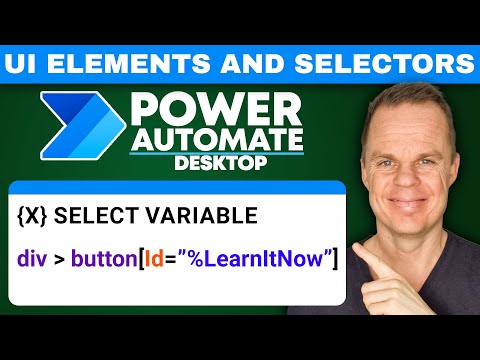
Learn Power Automate Desktop in less than two hours on this 2023 beginners course. In the real-time tutorial, you and I will build a complete web scraping project with advanced features. Very easy to understand, yet you'll learn the Power Automate Desktop practices. Power Automate Desktop is the Microsoft RPA software and free from Windows 11. 📂 Course page including VBScript and Best Power Automate Desktop Resources: https://andersjensen.org/microsoft-power-automate-desktop/beginners-course-2023/ POWER AUTOMATE DESKTOP GROUPS: 👨👩👧👦 Discord: https://discord.gg/iloveautomation - Join my network with 5600+ Automation/RPA developers, where we solve Automation/RPA problems, and network, and help each other upgrade our careers. It's free! 👩🏻🎓 LinkedIn: https://www.linkedin.com/groups/12566435 👨🏻💻 Facebook: https://www.facebook.com/groups/754059285247921 FOLLOW ME: 💼 LinkedIn: https://www.linkedin.com/in/andersjensenorg 📸 Instagram: https://www.instagram.com/andersjensenorg 👨 Facebook: https://www.facebook.com/andersjensenorg 🐦 Twitter: https://twitter.com/andersjensenorg 💌 Email Newsletter: https://andersjensen.org/email-newsletter 0:00:00 Intro and Overview Learn to open Power Automate Desktop, pin it to the tray, and create a flow. 0:01:25 Applications and Basic Power Automate Desktop With the Run Application, we specify an application path, and then Power Automate Desktop will open any application. We can click any UI element with the Click UI Element in window action. The address of the UI element is called a selector. In the UI elements, we can edit the selector. You'll learn how to create a dynamic selector - a selector with a variable in. To save the data from the application, we use the Extract data from window action. Using the Get subtext, we can extract the text we need from a series of characters. Next, we create a log with a date and time and look at error handling (On error and Label). 0:34:07 Open Browser and Do a Search The Launch new Chrome/Edge/Firefox actions, with a URL in the parameters, will open a website of your choice. The populate text field on web page action lets you type into web page fields. To perform the search, we send an enter click with the Send keys action. 0:38:17 Web Scraping to Excel With the Extract data from web page action, we can extract any structured web data with Microsoft Power Automate Desktop. The scraped data is stored in a DataTable variable, and we write it in Excel. 56:16 Extract Multiple Pages With a Next Button We inspect the CSS code for the Next button. Power Automate Desktop uses CSS selectors, so little knowledge about that is preferred. When we have it, we use a Loop condition action, and in the loop, an If web page contains action to keep clicking the Next button and extract the next page. Unfortunately, there is no direct way to join two DataTables in Power Automate Desktop, so we create a workaround. 1:10:27 Error-Handling With the On error property and the Label action, we handle errors in our Power Automate Desktop flow. 1:12:44 For Each Excel Row do Web Searches We use a For each action to loop an Excel sheet and then perform web searches. 1:22:00 Advanced CSS Selector Work We need to know about CSS selectors to customize our scraped data from an Extract data from a web page. 1:34:18 VBScript in Power Automate Desktop Scripting knowledge is beneficial as a Power Automate Desktop developer. However, I recommend VBScript over Python and JavaScript because it integrates well with Microsoft. Use the VBScript action and copy the script from the course page (link above). 1:38:37 Create an Advanced Log Finally, we create an advanced log with runtime date and time and a detailed log that displays the transactions that are successful and with errors. Finally, we can email the complete log with the Send email message through Outlook. #powerautomate #powerplatform #microsoft365





![How to Use Projects in ChatGPT [Beginner Tutorial]](https://imgz.pc97.com/?width=500&fit=cover&image=https://i.ytimg.com/vi/b_B9VXJYT3o/hqdefault.jpg)



Automate Faster with These Essentials
AI-recommended products based on this video

Laptop Sleeve Case 11–14 Inch MacBook Air MacBook Pro Surface Laptop Dell XPS 13 HP Envy Pavilion Lenovo Yoga Slim IdeaPad Acer Swift Chromebook Samsung Galaxy Book Shockproof Leather Bag Colour Blue

UGREEN Revodok USB C Hub, 5-in-1 USB C Adapter with 4K HDMI, 100W Power Delivery, 3 USB A Data Ports, Multiport USB Hub for MacBook Pro/Air, iPad Pro, Surface, XPS, Thinkpad, Galaxy and More, Gray

Logitech M185 Wireless Mouse, 2.4GHz with USB Mini Receiver, 12-Month Battery Life, 1000 DPI Optical Tracking, Ambidextrous, Compatible with PC, Mac, Laptop - Black

Logitech G203 Wired Gaming Mouse, 8,000 DPI, Rainbow Optical Effect LIGHTSYNC RGB, 6 Programmable Buttons, On-Board Memory, Screen Mapping, PC/Mac Computer and Laptop Compatible - Black

Logitech G305 Lightspeed Wireless Gaming Mouse, Hero 12K Sensor, 12,000 DPI, Lightweight, 6 Programmable Buttons, 250h Battery Life, On-Board Memory, PC/Mac - Black

Logitech G502 Hero High Performance Wired Gaming Mouse, Hero 25K Sensor, 25,600 DPI, RGB, Adjustable Weights, 11 Programmable Buttons, On-Board Memory, PC/Mac, Black

Anker 332 USB-C Hub (5-in-1) with 4K HDMI Display, 5Gbps - and 2 5Gbps USB-A Data Ports and for MacBook Pro, MacBook Air, Dell XPS, Lenovo Thinkpad, HP Laptops and More

Dell UltraSharp U2723QE 27" 4K UHD WLED LCD Monitor - 16:9 - Black, Silver EPEAT

ASUS Vivobook Go 12 L210 11.6” Ultra-Thin Laptop, Intel Celeron N4500, 4GB RAM, 64GB eMMC, Windows 11 Home in S Mode Includes 1 Year of Office 365 Personal, L210KA-AS01-CA
