My Obsidian Setup: The King of Note Taking Apps


Christopher Lawley
@chrislawleyAbout
This channel is all about doing more with the devices you already have. Whether it's taking better photos with your iPhone, using your iPad for productivity, getting more out of your Mac, or building custom automations to help with your tasks. I cover everything from apps to interesting gadgets, new tech, and more. I started this channel in 2016 with a series called App Walkthrough. The channel grew from that, and I have covered topics like making the iPad my main computer, building custom Shortcuts automations, and weird and interesting tech gadgets. There is so much to explore, so be sure to subscribe.
Latest Posts


Video Description
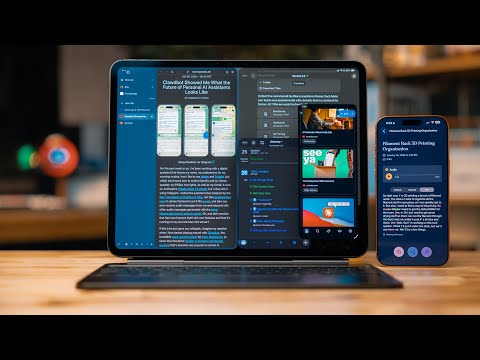
Sponsorship: Secure your privacy with Surfshark! Enter coupon code LAWLEY for an extra 4 months free at https://surfshark.com/lawley Let's talk about Obsidian and how I’ve been using it! ## Links Check out my new podcast Comfort Zone: https://www.macstories.net/comfort-zone As an Amazon Associate Christopher Lawley earns revenue from using Amazon links on this channel. Other links maybe affiliate links as well. ### Wallpaper Pack: * [My NEW Wallpaper Pack](https://chrislawley.gumroad.com/l/202WallpaperPack) * [Previous Wallpaper Packs](https://chrislawley.gumroad.com/) ### Apps: - [Obsidian](https://apps.apple.com/us/app/obsidian-connected-notes/id1557175442?uo=4) - [Fontcase - Manage Your Type](https://apps.apple.com/us/app/fontcase-manage-your-type/id1205074470?uo=4) ### Plugins: - Obsidian Sync: https://obsidian.md/sync - Iconize: obsidian://show-plugin?id=obsidian-icon-folder - Border: https://github.com/Akifyss/obsidian-border - Style Settings: obsidian://show-plugin?id=obsidian-style-settings - My Obsidian Theme Configuration: http://theuntitled.site/images/ObsidianThemeStyleSetting.txt - JetBrains Mono: https://www.jetbrains.com/lp/mono/ - Omnisearch: obsidian://show-plugin?id=omnisearch - Home Tab: obsidian://show-plugin?id=home-tab - Auto Card Link: obsidian://show-plugin?id=auto-card-link - Paste Link: obsidian://show-plugin?id=paste-link - Dataview: obsidian://show-plugin?id=dataview - Recent Files: obsidian://show-plugin?id=recent-files-obsidian - Trash Explorer: obsidian://show-plugin?id=obsidian-trash-explorer ### Other Links: - [Markdown Guide](https://commonmark.org/help/) ### Shortcuts: - [CaptureCut](https://www.icloud.com/shortcuts/e1a1b86e47fa4b1f9d12a20b116de70f) ### Video Recommendations: - [How I’m Productive on iPadOS](https://youtu.be/aLVnPVtK-3c) - [iPad Multitasking Explained: Stage Manager Guide!](https://youtu.be/oth722tzWXw) - [iOS and iPadOS 18 First Look](https://youtu.be/KU7eStRXXdI) - [2024 iPad Pro Review: My Computer](https://youtu.be/k4VG-XktLBY) ### Affiliate Hardware I Use: * [Paperlike](https://paperlike.com/lawley) * [Paperlike Bundle](https://paperlike.com/discount/lawley/?redirect=/products/pro-bundle) ### More Links: * [My Podcast Comfort Zone](https://www.macstories.net/comfort-zone) * [My Wallpaper Pack](https://chrislawley.gumroad.com/) * [My Gear](https://www.amazon.com/shop/christopherlawley) * [My Shortcuts Gallery](https://theuntitled.site/shortcuts) * [Mastodon](https://mastodon.social/@ChrisLawley) * [Threads](https://www.threads.net/@chrislawley_) * [Instagram](https://Instagram.com/chrislawley_) * [Website](https://theuntitled.site) * Sponsorship and Review Contact Info: [email protected] Intro 00:00 But, what is a note? 00:19 Setting up your vault 2:10 Sponsor Surfshark 4:16 Folder Structure 5:37 My Theme 8:04 Note Taking 8:54 Quick Note Folder 11:06 Linking Notes 12:21 Split View and Tabs 13:15 Search 14:44 Custom Keyboard Shortcuts 16:21 Command Palette 17:13 Auto Card Link 18:11 Paste Link 18:43 Launchpad 19:27 Recent Files 20:19 Trash Explore 20:51 Templates 21:32 Daily Note 22:18 Wrap Up 23:28
You May Also Like




No Recommendations Found
No products were found for the selected channel.