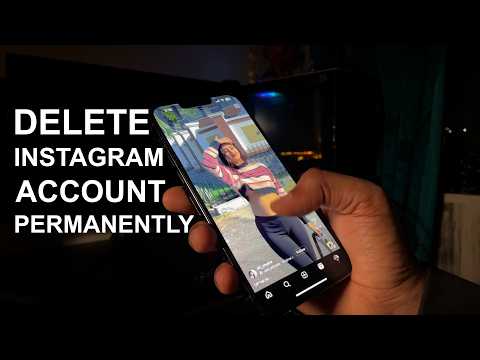
PERMANENTLY Delete Instagram Account in 2025 | 2 Quick Ways to Get Rid of Instagram

Sandeep Singh
@sandeepsingh18About
iTechFever is a tech blog by Sandeep Singh to make tech easier. On this channel, you will get Various tech tips, tricks, reviews, and troubleshooting videos to resolve various computer, OS, and networking problems. I mostly cover Windows, Mac, and Android along with awesome and cool tech tips. I simply find the problem with computers, mobile phones, and other tech issues and create a video solution. All tips and troubleshooting are tested and implemented by myself and verified techniques to troubleshoot the problems, some tips may not work on your system due to different computer configurations. Disclaimers:- 1. Always create a system restore point and full backup before following any Computer tutorials. 2. Any data including names, emails, etc shown in any videos are for demonstration purposes only and do not belong to any third person or entity. 3. Some videos may contain affiliate links, I may get some commission for your purchase without any extra cost to you.
Latest Posts
Video Description
If you want to delete Instagram account permanently in 2025 then there are new updates. To permanently delete Instagram account you need to follow new methods. Meta keeps changing the interface, and it becomes hard to find the account deletion or deactivation option on Instagram. However, in this video, you will see an easy way to delete your Instagram account permanently on iPhone, Android, or Web. Steps to delete Instagram account:- 1. Go to your profile and tap on the profile icon at the bottom. 2. Tap on the hamburger menu at the top. 3. Go to the Account Center and then Personal details. 4. Tap on Account ownership and control. 5. Select deactivation or deletion. 6. Choose your account and then select the delete option and continue. 7. Choose a reason why you want to delete the account and tap continue. 8. Provide your password and confirm the deletion. Your account will be deleted in 28 days. If you log in between, you will have the option to keep the account. Link to permanently delete your account on any device: - https://www.instagram.com/accounts/remove/request/permanent/ Don't miss these videos - Clean C drive to unlock more speed: https://youtu.be/X2-KNOkcF_c Make Windows 11 200% Faster: https://youtu.be/8am0IB13Udg Make Windows 11 Start Menu Look Great: https://youtu.be/KIgc_ZiYffI Password Protect Folders in Windows 11/10: https://youtu.be/MuB5keJcw_M Boost CPU Speed: https://youtu.be/ea89hdRpsKs Make WiFi Run Much Faster: https://youtu.be/eHcZ_kzhgMw Stay Private on the Internet: https://youtu.be/TPsQYi8PhJE Join this channel to get access to perks: https://www.youtube.com/channel/UCMdElTwiU4JrDUkuI_eqPJg/join Disclaimer:- Some links might be affiliate links, and I may earn some commissions on your purchase without any extra cost to you. Any data, IP, emails, and files shown in videos are for demonstration purposes only and do not belong to any third person or entity. Follow on Social Media Facebook - https://fb.com/iTechFever Twitter - https://twitter.com/itechfever Instagram - https://instagram.com/itechfever My IG - https://instagram.com/sparnidya Visit - https://www.itechfever.com
You May Also Like


Secure Your Online Privacy
AI-recommended products based on this video
