Photoshop 2026: 12 New Features, One Big Catch!

About
No channel description available.
Latest Posts
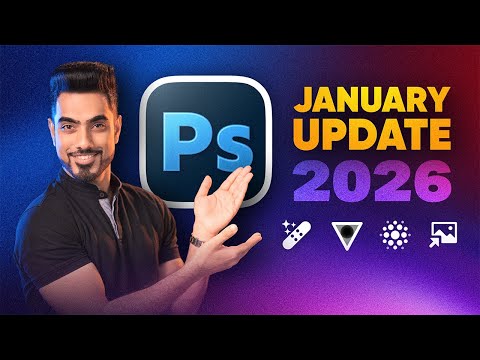


Video Description
Discover everything new in Photoshop 2026 and Beta as we explore smarter AI tools and a whole new credit-based system that's changing how we edit! 🚀 Join PiXimperfect Pro - The Ultimate Photoshop Training Course: https://pix.live/pro In this video, you'll learn about 12 brand-new features and updates, including the long-awaited arrival of Nano Banana and Flux in the main version of Photoshop (version 27.0.0), Generative Upscale powered by Firefly and Topaz, a new Temperature and Tint adjustment, improved on-device Select Subject and Remove Background, plus major updates to Harmonize, AI Denoise, AI Sharpen, and more. We'll also look ahead to the future of Photoshop, with upcoming AI Assistants and new generative models already in the works, and discuss how Adobe's evolving credit system may shape the way we create. Whether you're here for the breakthroughs or the fine print, this video gives you the complete picture of everything new and what's next in Photoshop 2026. I hope this video helps you. Thank you so much for watching :) ► Try the Latest Photoshop for Free: https://pix.live/adobe ► Timestamps: 00:00 What's New in Photoshop 2026? 00:25 Standard vs Premium Features 00:56 1. Nano Banana and Flux 02:06 2. Temperature and Tint Adjustment 03:00 3. Select Subject On-Device Improvements 04:10 4. Generative Upscale 04:51 Topaz Gigapixel 05:33 Topaz Gigapixel vs Firefly Upscale 05:52 Topaz Bloom 07:33 5. Harmonize 08:49 6. AI Denoise 10:08 7. AI Sharpen 10:58 8. Free Stock Photos 12:00 Photoshop Beta and Install 12:14 9. New Generative Fill (Beta) 13:07 10. New Generative Expand (Beta) 13:54 11. Improved Reference Image 15:30 12. Amazing Remove Tool 17:28 Future Feature 1 - AI Editing 18:25 Future Feature 2 - AI Assistant 18:43 The Problem with Adobe's Credit System 20:32 Verdict ► Recommended Software and Creative Resources: ✅ Official PiXimperfect Compositing Plugin: https://pix.live/pixcomposite ✅ The Best A.I. Powered High-End Portrait Retouching Plugins: https://pix.live/retouch4me ✅ Unlimited Photoshop Actions, Plugins, Brushes, Assets, etc: https://pix.live/envato ✅ The Best Professional Plugin for Color Grading: https://pix.live/infinitecolor ✅ Try Photoshop for Free: https://pix.live/photoshop ✅ Music Used in PiXimperfect Videos: https://pix.live/music ► The Gear I Use: ✅ My Graphic Tablet: https://pix.live/wacompro ✅ Recommended Budget Tablet: https://pix.live/wacomlite ✅ Primary Microphone: https://pix.live/mic1 ✅ Budget Microphone: https://pix.live/mic2 ✅ Audio Interface: https://pix.live/audiointerface ✅ Camera: https://pix.live/camera ✅ Lens: https://pix.live/lens ► Downloads: 1. Sample Images: https://pix.live/ps26sample 2. Finished PSDs: https://pix.live/ps26pro (Only for PiXimperfect Pro Members) ► Let's Connect: Instagram: https://www.instagram.com/piximperfect Facebook: http://facebook.com/piximperfect Twitter: https://twitter.com/piximperfect
You May Also Like



![Is Selecting Hair STILL a Pain in Photoshop? [SOLUTION]](https://imgz.pc97.com/?width=500&fit=cover&image=https://i.ytimg.com/vi/WSfSs9wmbO8/hqdefault.jpg)






Upgrade Your Editing Today
AI-recommended products based on this video

Ram Mount Pod HD Vehicle Mount with 18" Aluminum Rod and Round Plate RAM-316-HD-18-202U for Tablets and Small Laptops

SanDisk 128GB Extreme PRO SDXC UHS-I Memory Card - C10, U3, V30, 4K UHD, SD Card - SDSDXXD-128G-GN4IN

NEEWER Advanced 18 inch LED Ring Light for Phone, LCD Touch Screen, 2.4G Remote Lights Control, 3200-5600K, Tripod Light for iPhone Action Camera, for Studio Makeup TikTok YouTube Video Salon (Black)

Crucial T705 4TB PCIe Gen5 NVMe M.2 SSD - Up to 14,100 MB/s - Game Ready - Internal Solid State Drive (PC) - +1mo Adobe CC - CT4000T705SSD3
