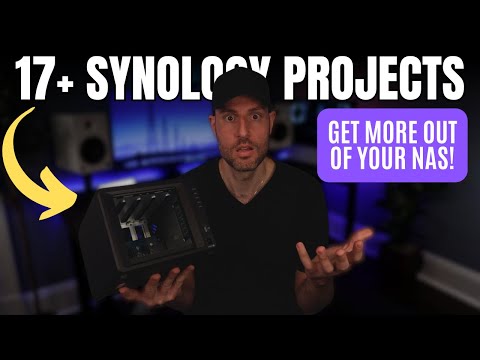
The BEST ways to use a Synology NAS (17+ Projects)

WunderTech
@wundertechtutorialsAbout
Hi! I'm Frank Joseph, the creator of WunderTech. This channel is focused on creating educational tutorials and informational videos on data storage devices (NAS), networking, servers, infrastructure, applications, and home lab equipment. The video content is designed to be as user-friendly as possible, so viewers of all levels can easily understand it and implement the solutions in their own environment. ❗ Hire me: https://www.wundertech.net/wundertech-consulting/ Certain links on this YouTube channel are affiliate links, which means that I earn a percentage of each sale at no cost to you. Thank you for your support. WunderTech is a trade name of WunderTech, LLC. If you're interested in sponsoring a video, please contact me at the email address below.
Latest Posts


Video Description
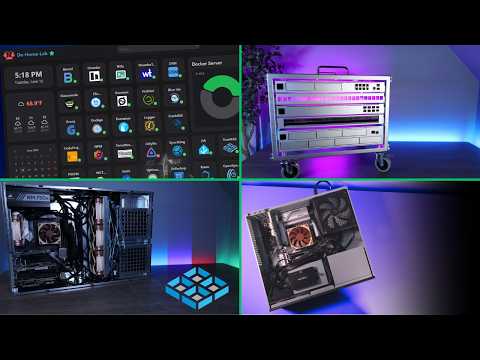
Synology NAS devices are mainly used for data storage, but what are some other projects you can use them for? 🎯 Tutorials, comparisons, reviews: https://www.wundertech.net ✅✅ TUTORIALS IN THIS VIDEO ✅✅ 📌 1. Active Backup for Business: https://www.wundertech.net/backup-a-windows-pc-to-a-synology-nas-with-active-backup-for-business/ 📌 2. Synology Drive (Private Cloud): https://www.wundertech.net/synology-drive-server-tutorial-sync-local-files-to-your-nas/ 📌 3. Pi-Hole on a Synology NAS: https://www.wundertech.net/how-to-setup-pi-hole-on-a-synology-nas-two-methods/ 📌 4. Cloud Sync: https://www.wundertech.net/how-to-set-up-synology-cloud-sync/ 📌5. Share Files (File Station): https://www.wundertech.net/how-to-externally-share-files-on-your-synology-nas/ 📌 6. NUT Server: https://www.wundertech.net/best-synology-nas-ups-devices/ 📌 7. OpenVPN on a Synology NAS: https://www.wundertech.net/synology-nas-openvpn-server-setup-configuration/ 📌7. Tailscale on a Synology NAS: https://www.wundertech.net/how-to-set-up-tailscale-on-a-synology-nas/ 📌8. Plex Setup: https://www.wundertech.net/how-to-install-plex-on-a-synology-nas/ 📌8. Emby Setup: https://www.wundertech.net/how-to-set-up-emby-on-a-synology-nas/ 📌8. Jellyfin Setup: https://www.wundertech.net/how-to-set-up-jellyfin-on-a-synology-nas/ 📌10. Virtual Machine (DSM): https://www.wundertech.net/how-to-setup-a-synology-dsm-virtual-machine-vdsm/ 📌11. Home Assitant on Synology: https://www.wundertech.net/how-to-set-up-home-assistant-supervised-on-a-synology-nas/ 📌12. Back up Proxmox VMs to Synology: https://www.wundertech.net/how-to-backup-proxmox-to-a-synology-nas/ 📌 13. Synology Photos: https://www.wundertech.net/synology-photos-overview-review/ 📌14. https://www.wundertech.net/how-to-backup-to-a-synology-nas-with-time-machine/ 📌15. UniFi Controller Synology: https://www.wundertech.net/self-host-the-unifi-controller-on-a-synology-nas/ 📌16. Reverse Proxy: https://www.wundertech.net/synology-reverse-proxy-setup-config/ 📌17. Container Manager (Docker): https://www.wundertech.net/container-manager-on-a-synology-nas/ 🚀 Hire Me: https://www.wundertech.net/wundertech-consulting/ ⚡Best Synology NAS Devices: https://www.wundertech.net/which-synology-nas-should-i-buy/ ⚡Product Recommendations: https://link.wundertech.net/rmYt 🔔 Subscribe for more tech-related tutorials and overviews: https://link.wundertech.net/ssYt DISCLAIMER: The information in this video has been self-taught through years of technical tinkering. While we do our best to provide accurate, useful information, we make no guarantee that our viewers will achieve the same level of success. WunderTech does not assume liability nor responsibility to any person or entity with respect to damage caused directly or indirectly from its content or associated media. Use at your own risk. WunderTech is a trade name of WunderTech, LLC. 0:00 Intro 0:23 1. Backing Up Devices 0:46 2. Creating Private Cloud 1:10 3. Ad-Blocker 1:36 4. Cloud Sync Server 2:03 5. Sharing Files 2:27 6. NUT Server 2:56 7. VPN Server 3:31 8. Media Server 4:06 9. Host a Website 4:26 10. Virtual Machines 4:56 11. Smart Home 5:21 12. Hypervisor Backups 5:44 13. Photo/Video Management 6:25 14. Time Machine Backup Server 6:42 15. Network Management 6:57 16. Reverse Proxy Server 7:25 17. Container Manager (Docker) 7:51 Final Thoughts






Upgrade Your Gear Today
AI-recommended products based on this video

SmallRig Z 8 L-Bracket for Nikon Z8 Z 8 Camera, Quick Release L Plate for Arca-Type for Nikon Z 8, Quick Switch Between Horizontal and Vertical Shooting, for Landscape, Animal Photography - 3942

NEEWER Zf Handgrip L Shape Grip for Nikon Z f, Ultra Thin Retro Formfitting Camera Mounting Baseplate with Handle & Aluminum Shutter Button Cap, Compatible with Arca Swiss Tripod Fluid Head, CA073

NEEWER CA076 Zfc Handgrip L Shape Grip for Nikon Z fc, Ultra Thin Retro Formfitting Camera Mounting Baseplate with Handle/Brass Shutter Button, Compatible with Arca Swiss Tripod Fluid Head, Black

NEEWER Advanced 18 inch LED Ring Light for Phone, LCD Touch Screen, 2.4G Remote Lights Control, 3200-5600K, Tripod Light for iPhone Action Camera, for Studio Makeup TikTok YouTube Video Salon (Black)
