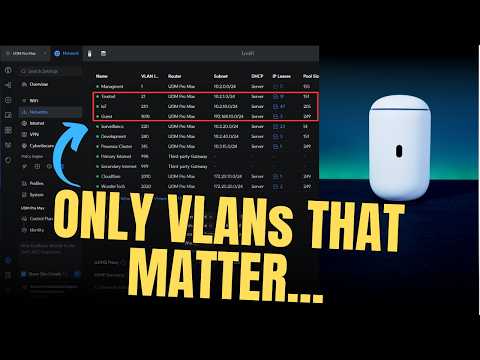
What VLANs Do You Actually Need?

WunderTech
@wundertechtutorialsAbout
Hi! I'm Frank Joseph, the creator of WunderTech. This channel is focused on creating educational tutorials and informational videos on data storage devices (NAS), networking, servers, infrastructure, applications, and home lab equipment. The video content is designed to be as user-friendly as possible, so viewers of all levels can easily understand it and implement the solutions in their own environment. ❗ Hire me: https://www.wundertech.net/wundertech-consulting/ Certain links on this YouTube channel are affiliate links, which means that I earn a percentage of each sale at no cost to you. Thank you for your support. WunderTech is a trade name of WunderTech, LLC. If you're interested in sponsoring a video, please contact me at the email address below.
Latest Posts


Video Description
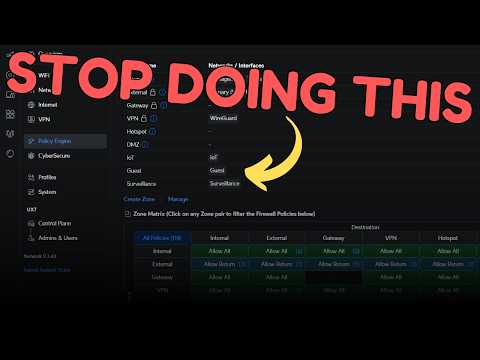
Simplify your network setup — learn which VLANs you actually need at home and how to avoid overcomplicating your network configuration. 🎯 Hire me: https://www.wundertech.net/wundertech-consulting/ 🚀 Tutorials, comparisons, reviews: https://www.wundertech.net/ ⚡Best UniFi Cloud Gateway: ⚡Best Synology NAS Devices: https://www.wundertech.net/which-synology-nas-should-i-buy/ ⚡Product Recommendations: https://link.wundertech.net/rmYt 🔔 Subscribe for more tech-related tutorials and overviews: https://link.wundertech.net/ssYt DISCLAIMER: The information in this video has been self-taught through years of technical tinkering. While we do our best to provide accurate, useful information, we make no guarantee that our viewers will achieve the same level of success. WunderTech does not assume liability nor responsibility to any person or entity with respect to damage caused directly or indirectly from its content or associated media. Use at your own risk. WunderTech is a trade name of WunderTech, LLC. 0:00 Best VLANs to Use 0:46 Why Should You Use VLANs? 1:24 Planning Out VLANs 1:59 Typical Home Network VLANs 2:18 Trusted VLAN 3:16 IoT VLAN 4:30 Guest VLAN 4:56 Subnets to Use 5:42 Adding Additional VLANs 6:13 Surveillance VLAN (Security Cameras) 8:37 VLANs That Add Complexity 9:14 Management VLAN 11:00 External / Isolated VLAN 13:36 Devices That Don't Fall Into a Specific VLAN 14:58 Devices That May Have Communication Issues 16:14 Final Thoughts #vlan #networking







Essential Networking Gear
AI-recommended products based on this video

TP-Link 5 Port Gigabit Ethernet Network Switch (TL-SG1005D) - Plug and Play, Desktop or Wall Mount, Plastic Case, Ethernet Splitter, Fanless, Traffic Optimization, Unmanaged (TL-SG1005D)

TP-Link USB to Ethernet Adapter (UE306) - Foldable USB 3.0 to Gigabit Ethernet LAN Laptop Network Adapter, Supports Nintendo Switch, Windows, Linux, Apple MacBook OS 10.11- OS 12, Surface

SmallRig Z 8 L-Bracket for Nikon Z8 Z 8 Camera, Quick Release L Plate for Arca-Type for Nikon Z 8, Quick Switch Between Horizontal and Vertical Shooting, for Landscape, Animal Photography - 3942

COOWPS Carrying Case for Nintendo Switch 2 (2025), Ultra Slim Premium Felt Material Portable Switch Travel Case with 8 Game Cartridges, Hard Shell Fixed Design, Accessories for Switch 2

KDD Switch Controller Charging Dock Station Compatible with Nintendo Switch & OLED Model Joycons, Switch Controller Charger Dock Station with Upgraded 8 Game Storage for Nintendo Switch Joycon & Games

TP-Link AC750 WiFi Extender (RE220) - Covers Up to 1,200 Sq.ft and 20 Devices, Up to 750Mbps, Dual Band WiFi Range Extender, WiFi Booster to Extend Range of WiFi Internet Connection

TP-Link AC1750 WiFi Extender (RE450) - Up to 1750Mbps, Dual Band WiFi Repeater, Internet Booster, Extend WiFi Range Further

TP-Link AC1200 WiFi Extender (RE300) - Covers Up to 1500 Sq.ft and 25 Devices, Up to 1200Mbps, Supports OneMesh, Dual Band Internet Repeater, Range Booster

TP-Link AC1900 WiFi Extender (RE550), Covers Up to 2800 Sq.ft and 35 Devices, 1900Mbps Dual Band Wireless Repeater, Internet Booster, Gigabit Ethernet Port

NETGEAR AC600 Wi-Fi USB 2.0 Mini Adapter for Desktop PC | Dual Band WiFi Stick for Wireless Internet (A6100-10000S), Black
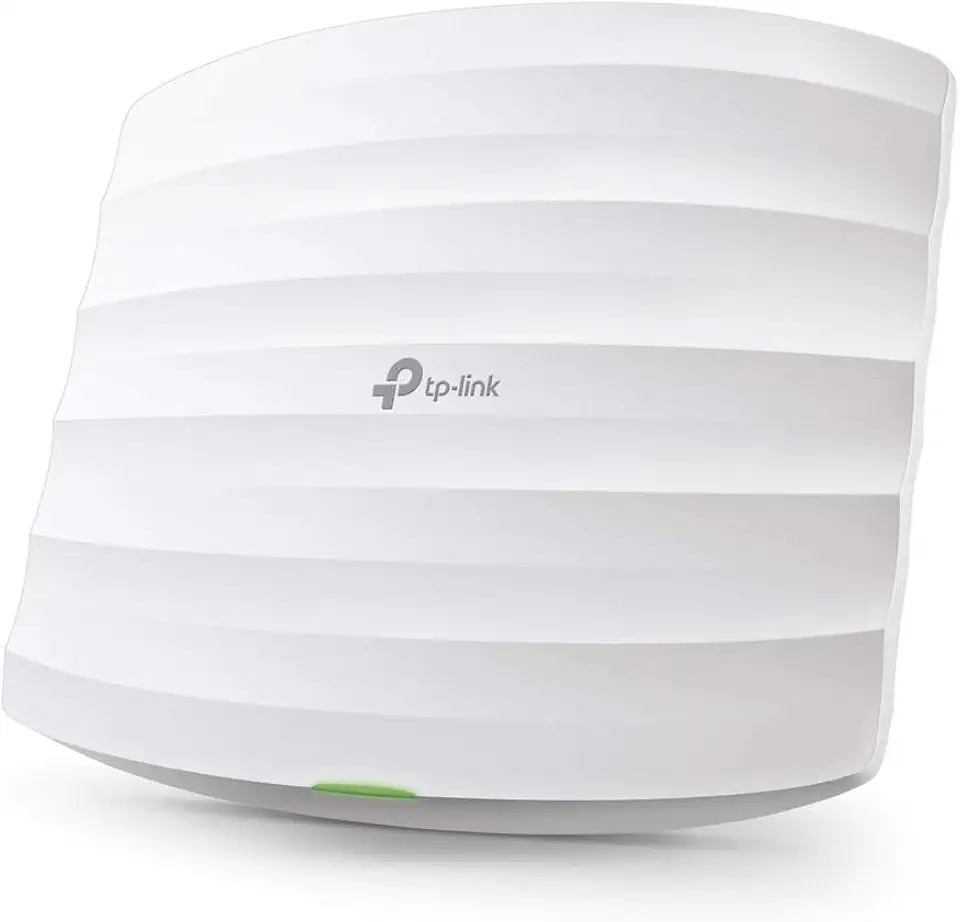
TP-Link Omada AC1750 Gigabit Wireless Access Point (EAP245 V3) - Business WiFi Solution w/Mesh Support, Seamless Roaming & MU-MIMO, PoE Powered, SDN Integrated, Cloud Access & Omada App, White
