ULTIMATE Google Calendar AI Agent using n8n | n8n Tutorial


Lakshit Ukani | AI Automation
@lakshit-ukaniAbout
Welcome to my YouTube channel! Here, you'll find hands-on tutorials on building real-world solutions using AI — from AI agents and automation workflows to vibe coding and agentic coding. I cover it all, using both code and no-code tools like n8n, Claude Code, Codex, Cursor, and more. I also dive deep into social media automation — teaching you how to automate Instagram, Facebook, WhatsApp, and more using Meta APIs, so you can save time and scale your content and engagement on autopilot. Whether you're a vibe coder building your first AI-powered app, a developer integrating agents into your stack, or a creator looking to automate your social media presence—there's something here for you. Every tutorial is practical and implementation-ready, so you can follow along and start building immediately. New videos every week — hope the content adds real value to what you're building! Let's work together! - For brand, sponsorship, and business inquiries: [email protected]


Video Description
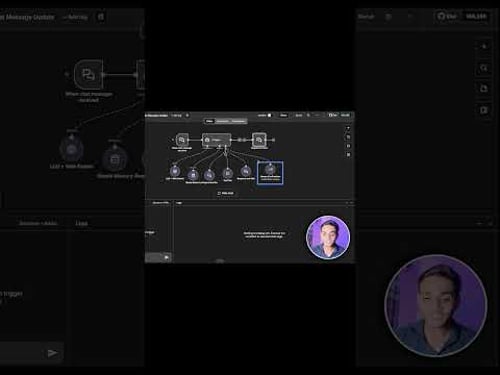
🚀 Join my Skool Community: https://www.skool.com/ai-automation-club-7843 Learn how to create the ultimate n8n Google Calendar AI agent that revolutionizes how you schedule meetings! This step-by-step tutorial shows you exactly how to build an AI agent for Google Calendar that responds to simple text messages through Telegram. Are you looking for ways to build an AI agent with n8n and Google Calendar? Wondering how to create a smart calendar assistant? This comprehensive guide covers everything from setting up Google Calendar credentials to creating a complete AI agent workflow that understands natural language. This video demonstrates how to build a powerful Google Calendar n8n agent using OpenAI's AI capabilities, Notion integration, and Telegram. No coding required! Watch as I show you how to create an intelligent AI agent that can create, update, and delete events automatically. My AI agent for Google Calendar n8n solution saves hours of manual scheduling every week. Need to know how to set up an AI calendar agent with n8n? Looking for agent AI Google Calendar n8n integration? This tutorial has you covered with step-by-step instructions for building your own AI-powered calendar management system that works through simple conversation. 🔗 Links Mentioned in Video 🔗 👉 n8n workflow platform: https://bit.ly/lakshit_n8n 👉 Workflow Template: https://bit.ly/n8n_template ⏱️ Timestamps ⏱️ 00:00 - AI Calendar Agent 00:16 - Creating Events 03:05 - Setting Up Your Workflow 04:27 - AI Agent Integration 08:47 - Google Calendar Connection 12:32 - Notion Database Setup 15:06 - Simple Memory 15:51 - Testing Automation 17:22 - Outro ✨ Connect With Me ✨ 🔹 LinkedIn: https://www.linkedin.com/in/lakshit-ukani/ #️⃣ Hashtags #️⃣ #n8nTutorial #WorkflowAutomation #aiassistants 💡 Don't Forget to Subscribe 💡 Enjoyed this video?🔥 Hit the "LIKE" button and SUBSCRIBE for more such videos! Don’t forget to turn on notifications🔔 so you never miss an update. 👉 Comment below and let me know: What do you want to learn next? Let's build a smarter, more efficient future together! 🚀
Automate Your Calendar Today
AI-recommended products based on this video

Open Office Suite 2024 Professional Edition CD DVD 100% compatible with Microsoft® Word® and Excel® for Windows 10, 8, 7, Vista, XP And Mac OS X
