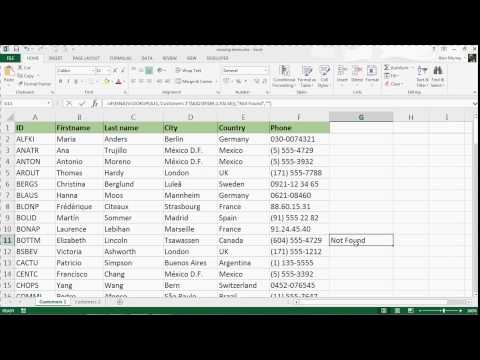
Compare Two Lists Using the VLOOKUP Formula

Computergaga
@computergagaAbout
Welcome to my channel where you can expect videos on Excel tips and formulas to help you in your day to day work. Videos on using the latest Excel features, formulas, advanced Excel tips, VBA and Power BI. If you have a question, please ask. I try to reply to as many comments as I can. My apologies if I do not respond. It is very difficult to respond to everybody. Who am I? My name is Alan, I'm a Microsoft MVP and I have been training people how to get the most from Excel for over 20 years. I am the author of two Excel books "Advanced Excel Success" and "Advanced Excel Formulas". I love working with data and helping people improve their Excel skills and save time. I live in a town called Ipswich in the UK and I'm a father to two wonderful kids.
Latest Posts




Video Description
Compare two lists using the VLOOKUP formula in Excel. Use the VLOOKUP function to check two lists for missing items. Learn it all with the Ultimate Excel course - https://bit.ly/UltimateExcel In this video, the VLOOKUP function is used with the ISNA function and IF to return a value if an item was in one list, but not the other. We then look at using VLOOKUP with Conditional Formatting to highlight the row of the missing item in a different colour. The list can then be filtered to explore the list differences. *** Online Excel Courses *** The Ultimate Excel Course – Learn Everything ► https://bit.ly/UltimateExcel Excel VBA for Beginners ► http://bit.ly/37XSKfZ Advanced Excel Tricks ► https://bit.ly/3CGCm3M Excel Formulas Made Easy ► http://bit.ly/2ujtOAN Creating Sports League Tables and Tournaments in Excel ► http://bit.ly/2Siivkm Visit Computergaga For Lots More Tips https://www.computergaga.com Connect with us! LinkedIn ► https://www.linkedin.com/company/18737946/ Instagram ► https://www.instagram.com/computergaga1/ Twitter ► http://www.twitter.com/computergaga1
You May Also Like



Elevate Excel Skills Today
AI-recommended products based on this video

Open Office Suite 2024 Professional Edition CD DVD 100% compatible with Microsoft® Word® and Excel® for Windows 10, 8, 7, Vista, XP And Mac OS X

ASUS Vivobook Go 12 L210 11.6” Ultra-Thin Laptop, Intel Celeron N4500, 4GB RAM, 64GB eMMC, Windows 11 Home in S Mode Includes 1 Year of Office 365 Personal, L210KA-AS01-CA