How to Use the NEW Microsoft 365 Copilot Notebooks!

Scott Brant
@your365coachAbout
I’ll help you achieve more, with the tools you already have.
Latest Posts


Video Description
👉 Download our FREE Microsoft 365 eBook Collection at https://www.your365coach.co.uk/ebook In this tutorial, you’ll learn how to use Microsoft 365 Copilot Notebooks — the new AI-powered notebook that brings together context, content, and collaboration in one intelligent place. If you've been using Copilot across Microsoft 365, you're about to see how Notebooks takes it to a whole new level. Whether you're managing a project, compiling research, or simply want Copilot to remember everything you're working on, this step-by-step guide will show you how to create, structure, and prompt your way through Copilot Notebooks with ease. 🔍 What You’ll Learn in This Video: ✅ What Copilot Notebooks actually are — and how they’re different from just using Copilot in apps ✅ How to create a Copilot Notebook and add pages, files, notes, and links ✅ How to insert existing content and use it to train Copilot ✅ How to use prompts inside your notebook to get rich, contextual AI responses ✅ How to set custom instructions and get an AI audio summary ✅ Key limitations you need to know before diving into Copilot Notebooks ⭐️ Additional Resources: 🎓 Learn More with Our Microsoft 365 Courses & Coaching 👉 https://www.your365coach.co.uk/ 📘 Download Our Free Microsoft 365 Copilot eBook 👉 https://www.your365coach.co.uk/ebook 📬 Join Our Weekly Microsoft 365 Newsletter (Coach’s Corner) 👉 https://www.your365coach.co.uk/newsletter 📰 Stay Connected: 📸 Instagram: @your365coach 🎵 TikTok: @your365coach 🔗 LinkedIn: https://www.linkedin.com/company/your-365-coach 👍 If you found this video helpful, please give it a LIKE 💬 Drop a comment below: Are you using Copilot Notebooks yet? What’s your first impression? 🔔 Subscribe to Your 365 Coach for weekly Microsoft 365 tutorials and stay ahead with tools you already have ⏱ Video Chapters: 00:00 Introducing Copilot Notebooks 01:07 What are Copilot Notebooks? 02:01 How to Create a Copilot Notebook 02:47 How to Add Content into Copilot Notebooks 04:37 Our FREE Your 365 Coach eBook Collection 05:13 How to Add Existing Content into Copilot Notebooks 05:34 How to Add New Pages into Copilot Notebooks 06:25 Adding Custom Instructions into Copilot Notebooks 07:16 How to Use Copilot Notebooks with Prompts 08:15 Getting an Audio Overview of Copilot Notebooks 09:19 Important Limitations and Considerations of Copilot Notebooks #Microsoft365 #Copilot #Your365Coach #Microsoft365Copilot
You May Also Like








Upgrade Your Note-Taking Today
AI-recommended products based on this video

Lenovo IdeaPad Duet 3i 10.3" Touchscreen Intel Celeron N4020, 2-in-1 Laptop, Windows 11 Home S Mode + Includes 1-Year Microsoft 365 Personal - 82AT00KJCC

LEGO City Fire Rescue Helicopter Toy, Building Set with Firefighter Minifigure Pilot Toy, Fun Gift or Pretend Play Toy for Boys, Girls and Kids Ages 5 and Up, 60411

30 Pack Multicolor Pen in One Easter Party Favors 6-in-1 Fun Pens 6 Colors Cute Pens Easter Classroom Gifts Retractable Ballpoint Pen for Birthday Gifts, Student Rewards, Class Prizes

2 Pieces Prank Squirt Pen, 2 In 1 Waters Ballpoint Pens, Magic Writable Water Spray Toy, Press To Spray Water Prank Toy, Squirt Pens School Supplies Funny Fighting Game
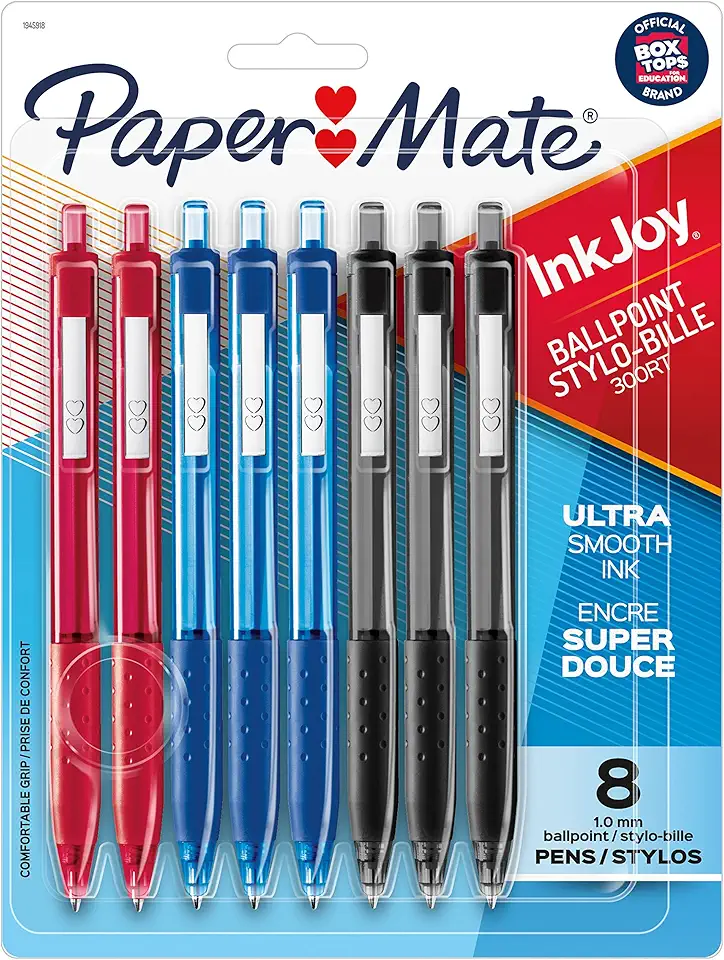
Paper Mate InkJoy 300RT Retractable Ballpoint Pens, Medium Point (1.0 mm), Assorted, 8 Count