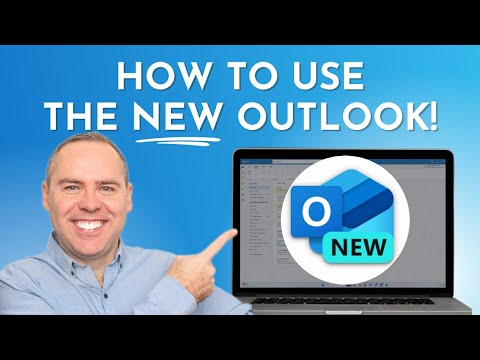
How to use the NEW Microsoft Outlook!

Scott Brant
@your365coachAbout
I’ll help you achieve more, with the tools you already have.
Latest Posts


Video Description
In our latest tutorial, we’re tackling the New Outlook and all its innovative features designed to enhance your productivity and streamline your email management. Whether you're a longtime user or new to Outlook, we’ll guide you through setting it up to feel like home, utilising its new capabilities to manage your inbox more effectively, and integrating it seamlessly with other Microsoft 365 apps. 🔍 What You'll Learn: Introduction to the New Outlook: Understand the user concerns and learn how to customise the interface to work for you. Inbox Management: Discover how to use the enhanced features to manage your emails more efficiently. Calendar and Event Coordination: Learn to leverage the updated calendar features to schedule and manage events like a pro. Integration with Microsoft 365 Apps: See how the New Outlook integrates closely with Microsoft Teams, OneDrive, and more, simplifying how you work and share. New Productivity Features: Explore the time-saving features that have been long awaited in the New Outlook. ⭐️ Additional Resources: 🔗 Enhance your Microsoft 365 skills with our courses: www.your365coach.co.uk/courses 📚 Grab our free Microsoft 365 eBook for more productivity tips: www.your365coach.co.uk/ebook 🔎 Learn more about how Your 365 Coach can boost your professional skills: www.your365coach.co.uk 🔥 Like what you see? Hit that like button, subscribe, and ring the bell to stay updated with the latest productivity tutorials from Your 365 Coach! 📰 Stay Connected: Follow us on Instagram: @your365coach and TikTok: @your365coach for more behind-the-scenes content and updates. 🕒 Video Timings: 00:00 Introduction 01:15 Getting Setup in the New Microsoft Outlook 01:33 Changing the Outlook Ribbon Bar 02:05 Changing the Outlook Conversation View for Emails 02:47 Changing the Density of Outlook 03:23 Turning off Focused Mode in Outlook 04:13 Opening Outlook Email Replies in a New Window 05:14 Improving Email Management in the New Outlook 05:32 How to Pin Emails in the New Outlook 06:11 How to Use the New Categories in the New Outlook 09:19 Improve Calendar and Meeting Management in the New Outlook 09:37 How to Use Drag and Drop for New Meetings in Outlook 10:38 How to Set a Meeting as an In-Person Event 11:08 How to Schedule Meetings Use FindTime and Scheduling Polls 12:28 Integrating other Microsoft 365 Apps in the New Outlook 12:41 How to Share Email to Microsoft Teams in the New Outlook 13:47 How to Manage Tasks with Microsoft To Do in the New Outlook using Microsoft To Do 16:02 How to Access, Create and Edit OneDrive Files in the New Outlook 17:14 Summary & Wrap-Up #NewOutlook #Your365Coach #Microsoft365
You May Also Like








Outlook-Pro Power-ups
AI-recommended products based on this video

Lenovo IdeaPad Duet 3i 10.3" Touchscreen Intel Celeron N4020, 2-in-1 Laptop, Windows 11 Home S Mode + Includes 1-Year Microsoft 365 Personal - 82AT00KJCC

Logitech M185 Wireless Mouse, 2.4GHz with USB Mini Receiver, 12-Month Battery Life, 1000 DPI Optical Tracking, Ambidextrous, Compatible with PC, Mac, Laptop - Black

Logitech G203 Wired Gaming Mouse, 8,000 DPI, Rainbow Optical Effect LIGHTSYNC RGB, 6 Programmable Buttons, On-Board Memory, Screen Mapping, PC/Mac Computer and Laptop Compatible - Black

Logitech G305 Lightspeed Wireless Gaming Mouse, Hero 12K Sensor, 12,000 DPI, Lightweight, 6 Programmable Buttons, 250h Battery Life, On-Board Memory, PC/Mac - Black

Logitech G502 Hero High Performance Wired Gaming Mouse, Hero 25K Sensor, 25,600 DPI, RGB, Adjustable Weights, 11 Programmable Buttons, On-Board Memory, PC/Mac, Black

Dell UltraSharp 24 Monitor - U2424H

Dell UltraSharp U2723QE 27" 4K UHD WLED LCD Monitor - 16:9 - Black, Silver EPEAT
