I Built a 4-Bay NAS with a Raspberry Pi 5 - Swappable Drives & RAID 5

About
No channel description available.




Video Description
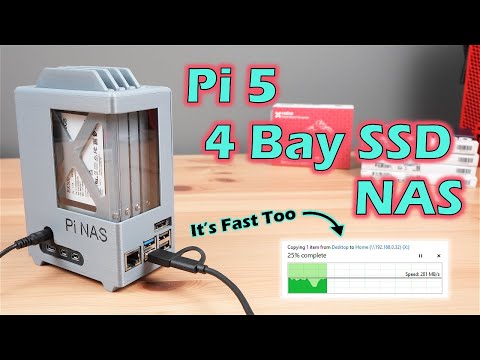
I built a custom 4-bay NAS using a Raspberry Pi 5, full-size 3.5" drives, and a fully 3D-printed enclosure. It features swappable drive trays, RAID 5 with OMV, and surprisingly fast performance, especially with a 2.5G Ethernet adapter. Everything from design to testing is covered! ADDITIONAL INFORMATION --------------------------------------------------- Download the 3D Print Files - https://makerworld.com/en/models/1605027-raspberry-pi-5-based-4-bay-nas Check out the Bambulab P1S - https://shrsl.com/4xazh Visit my blog for the project write-up - https://www.the-diy-life.com/building-a-4-bay-3-5-nas-with-a-raspberry-pi-5-and-3d-printed-enclosure/ PURCHASE LINKS --------------------------------------------------- Raspberry Pi 5 - https://amzn.to/3IlaAAu Radxa Penta SATA Hat - https://amzn.to/3U0LAB8 SATA Cable Extensions - https://amzn.to/4lOGC6A 32GB Sandisk MicroSD Card - https://amzn.to/4kx4iLI 4TB WD Red NAS Drives - https://amzn.to/4nG5YoI 12V Power Supply - https://amzn.to/45hlfE7 Barrel Jack Extension - https://amzn.to/46lceuq 80mm Slim Fan - https://amzn.to/3IRC414 Molex Fan Adaptor - https://amzn.to/4olFSYu M3 Brass Inserts - https://amzn.to/40akkDS Twenty (20) M3x8mm Button Head Screws - https://amzn.to/44Df4K9 Four (4) M3x16mm Button Head Screws - https://amzn.to/44Df4K9 2.5G Network Adaptor (Optional) - https://amzn.to/4lMzcAF Bambulab PLA Basic - https://shrsl.com/4xazi Tools & Equipment Used: Bambulab P1S Combo 3D Printer (USA Store) - https://shrsl.com/4xazh Hakko Soldering Iron - https://amzn.to/4kA9n5U Power Meter - https://amzn.to/44QiKJX USB C Pencil Screwdriver - https://amzn.to/4lWg5Ec Some of the above parts are affiliate links. By purchasing products through the above links, you’ll be supporting this channel, at no additional cost to you. CHAPTERS --------------------------------------------------- 0:00 Intro 1:31 NAS Design 2:33 3D Printing The Components 5:53 Finishing Off The Prints 6:57 Assembling The NAS 10:39 First Boot & OMV Setup 12:27 Testing Gigabit 13:07 Testing 2.5G 13:51 Other Tests 14:41 Final Thoughts If you've got any ideas for Raspberry Pi, Arduino, or other Electronics projects or tutorials you'd like to see, let me know in the comments section.









Transform Your Home Network Today
AI-recommended products based on this video

BrosTrend 650Mbps Linux WiFi Adapter for Ubuntu, Mint, Debian, Kubuntu, Lubuntu, Xubuntu, Zorin, PureOS, Raspberry Pi 2+, Windows 11/10/8/7/XP 5G/2.4G

BrosTrend Linux WiFi Adapter for Ubuntu, Mint, Debian, Lubuntu, Xubuntu, Mate, Zorin, PureOS, Raspberry Pi 2+, Windows 11/10, 1200Mbps, 5GHz/2.4GHz, Long Range 2 X 5dBi External Antennas, USB3.0

BrosTrend Linux USB WiFi Adapter 1200Mbps Supports Ubuntu, Mint, Debian, Kubuntu, Mate, Zorin, PureOS, Raspberry Pi 2+, Windows 11/10, USB3.0 Wireless Dual Band Wi-Fi 5GHz/867Mbps + 2.4GHz/300Mbps