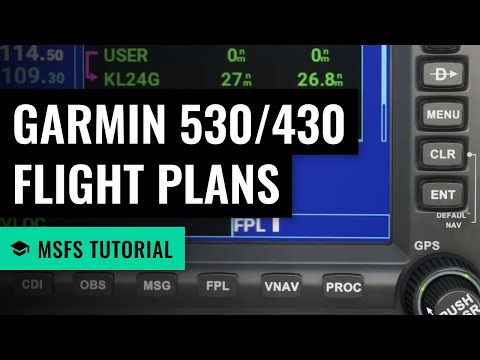
MSFS: GPS Flight Plans with the Garmin 530/430 - Microsoft Flight Simulator
About
No channel description available.



Video Description
Learn to use the Garmin GNS 530 in Microsoft Flight Simulator (version in recording is 1.9.5.0). I cover the basic layout and controls of the 530, how to use direct-to navigation, entering a multi-waypoint flight plan with the help of Skyvector.com, and how to enter a flight plan using the MSFS World Map. === Chapters === 00:00 Introduction 01:30 Changing radio frequencies 02:55 Page Groups and Pages 04:57 Map View 05:21 Nearest Page Group 08:58 Setting a direct course 10:54 Planning a flight using Skyvector.com 14:04 Entering a multi-waypoint flight plan 17:31 Replacing a waypoint 18:24 Making sure you're in GPS mode 19:35 Enabling autopilot in NAV mode 21:08 Changing the flight plan mid-flight 23:39 Flight planning using the World Map === Related === Autopilot basics in the Cessna 172 (530/430): https://youtu.be/W-MLT3vyQWY === Resources === SkyVector: http://www.skyvector.com Garmin GNS 530(A) manual: https://static.garmin.com/pumac/GNS530_PilotsGuide.pdf === Discord Server === If you'd like to chat with me or others in our growing YouTube community here, consider joining the "On the Ground" Discord server here: https://discord.gg/8hcJpsvsd9 === Disclaimer === I am not a flight instructor and this video is not to be used as a resource for real-world flight training. It's only intended as a tutorial for casual use in flight simulators such as Microsoft Flight Simulator. #msfs #microsoftflightsimulator #flightsimulator





Must-Have Woodworking Essentials
AI-recommended products based on this video

DLseego Cartoon Dog Switch Case Set Blue Carrying Case with 12 Slots Cute TPU Protective Case Soft Cover with 4PCS Lovely Puppy & Claw Thumb Grips Caps and 1PCS Kawaii Sticker for Switch 2017

Fourth Wing (Wing and Claw Collection)
