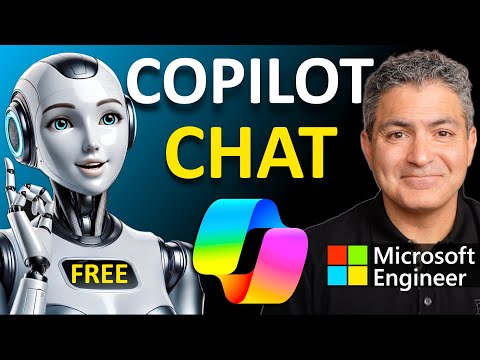
This Copilot Agent ANSWERS Your EMAILS! Build it in Microsoft Copilot Studio By a Microsoft Engineer

Collaboration Simplified
@collaborationsimplifiedAbout
Simple tutorials on AI, Agents, Automation, and Copilot — by Shervin Shaffie, Principal Engineer at Microsoft. I work for Microsoft, but the views shared here are my own and those of my guests. This is an independent channel, not an official Microsoft production.



Video Description
In this beginner tutorial, Shervin Shaffie shows you how to build a no-code autonomous AI email agent for Outlook using Microsoft Copilot Studio. This agent will answer all the questions in your emails and behave any way you instruct it. You can tell it what knowledge sources to use, how to respond to the email, if it should provide reference material, and more. The tutorial starts with gaining access to Copilot Studio itself, and then explains how to build to an autonomous Copilot agent called InBot. InBot monitors your Outlook Inbox and as new emails arrive, uses reference materials you share with it to answers all the questions in the email for you! Saving you hours of tedious emails work everyday - really cool. This video is a follow-up to the original Master Autonomous AI Agents in Microsoft Copilot Studio: https://youtu.be/OZ_NgoFDiHI?si=E9g9gFteVDvG5MS8. Many of you tried to create the autonomous agent in the original video and ran into issues. In this video I cover all those issues and describe how to solve them. Here are all the chapters in this video: 0:00 Intro 0:55 Demo of the Autonomous AI Agent 2:41 Requirements to Build the Autonomous AI Agent 4:06 Building the Autonomous AI Agent 9:20 Adding Knowledge Source to the Agent 14:52 Adding the Action for the Agent 16:06 Adding the Trigger for the Agent 17:27 Fixing Gotcha #1 18:08 Publishing the Agent 18:57 Creating an Outlook Rule (to avoid a loop) 20:05 First Time Running the Agent (and fixing a common issue) 24:49 Second Time Running Agent (Success!) 27:22 Further Testing the Agent 28:21 Fine Tuning the Agent 29:37 Experimenting with Deep Reasoning *WHAT TO WATCH NEXT* ⏩ HR Agent https://youtu.be/488C_3gNlRQ ⏩ Copilot Agent Spectrum https://youtu.be/kThDZAaJuMc *🔔 Subscribe for more AI & Copilot tutorials!* *👍 If you found this useful, give it a like & drop your questions in the comments!* *Become a Member: https://www.youtube.com/channel/UCAeJheOWuUrs00ZPnUaOA0A/join* *❤️ Thank you to everyone who supports me and this channel!* 🚩 Connect with me on LinkedIn: https://www.linkedin.com/in/sherv/ ?For questions about this video or other content on this channel, join our free Community and start a conversation: https://groups.google.com/g/collaborationsimplified This video represents the opinions of Shervin Shaffie and his guests to the video and does not reflect the opinions of Microsoft, affiliates, or the companies with which this video's participants are affiliated with. ——————————————————————— #CopilotStudio #AutonomousAI #NoCode ———————————————————————









AI Assistant Setup Essentials
AI-recommended products based on this video

Lenovo IdeaPad Duet 3i 10.3" Touchscreen Intel Celeron N4020, 2-in-1 Laptop, Windows 11 Home S Mode + Includes 1-Year Microsoft 365 Personal - 82AT00KJCC

Dell 15.6" FHD Touchscreen Student and Business Laptop – AMD Ryzen 7 7730U, Radeon Graphics, 16GB DDR4 RAM, 512GB SSD, USB-C, HDMI, SD Card Reader, Wi-Fi 5, Copilot Ready, Windows 11 Pro

ASUS ExpertBook P5; Copilot+ PC, 14” Business Laptop, Intel® Core™ Ultra 7 Processor 258V, 32GB RAM, 1 TB SSD, WiFi 6E, Windows 11 Home, Misty Grey, P5405CSA-DH71-CA
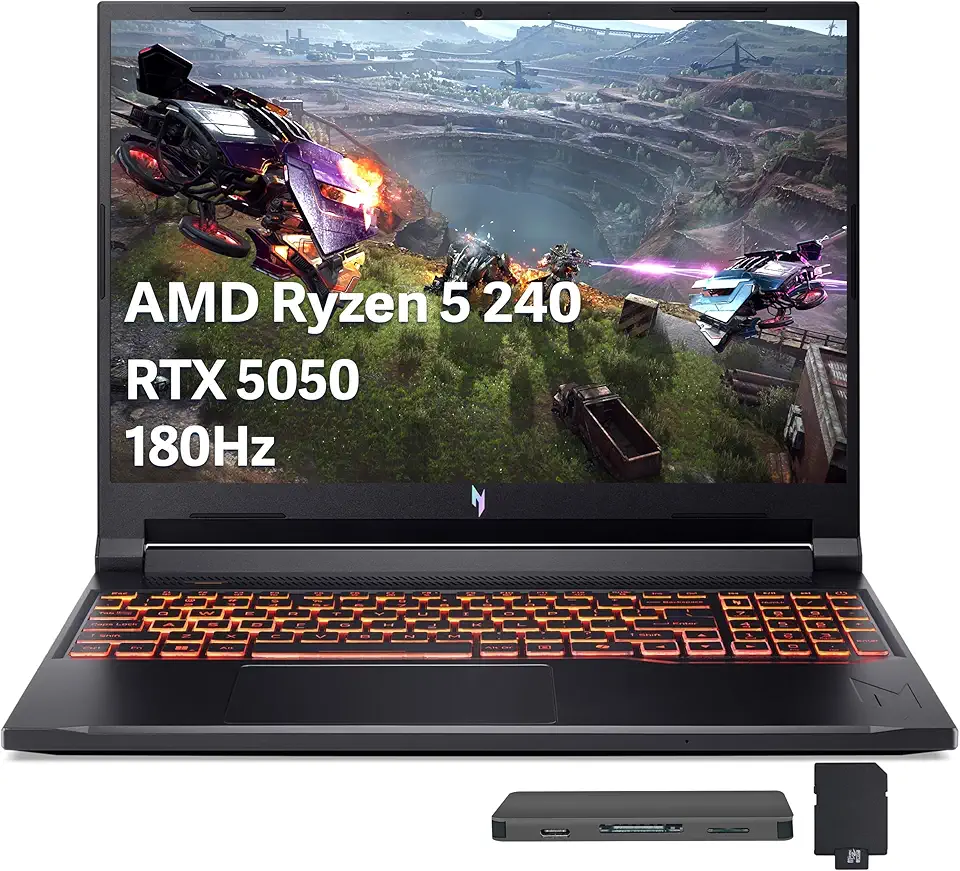
Acer Nitro V 16 AI Gaming Laptop, 16" WUXGA 180Hz Display, AMD Ryzen 5 240, GeForce RTX 5050, 16GB DDR5, 512GB SSD, Backlit Keyboard, Copilot, Wi-Fi 6E, Win 11, Black, 1TB Docking Station Set

Acer Nitro V 15.6" FHD 165Hz Gaming Laptop, Intel i5-13420H, 16GB RAM, 512GB SSD, NVIDIA GeForce RTX 5050 8GB GDDR7, Copilot, Backlit Keyboard, Wi-Fi 6, Win 11, Black, 1TB Docking Station Set
Lenovo IdeaPad Duet 3i 10.3" Touchscreen Intel Celeron N4020, 2-in-1 Laptop, Windows 11 Home S Mode + Includes 1-Year Microsoft 365 Personal - 82AT00KJCC

Logitech M185 Wireless Mouse, 2.4GHz with USB Mini Receiver, 12-Month Battery Life, 1000 DPI Optical Tracking, Ambidextrous, Compatible with PC, Mac, Laptop - Black

Logitech G203 Wired Gaming Mouse, 8,000 DPI, Rainbow Optical Effect LIGHTSYNC RGB, 6 Programmable Buttons, On-Board Memory, Screen Mapping, PC/Mac Computer and Laptop Compatible - Black

Logitech G305 Lightspeed Wireless Gaming Mouse, Hero 12K Sensor, 12,000 DPI, Lightweight, 6 Programmable Buttons, 250h Battery Life, On-Board Memory, PC/Mac - Black

Logitech G502 Hero High Performance Wired Gaming Mouse, Hero 25K Sensor, 25,600 DPI, RGB, Adjustable Weights, 11 Programmable Buttons, On-Board Memory, PC/Mac, Black

Anker 332 USB-C Hub (5-in-1) with 4K HDMI Display, 5Gbps - and 2 5Gbps USB-A Data Ports and for MacBook Pro, MacBook Air, Dell XPS, Lenovo Thinkpad, HP Laptops and More

Microsoft Office Home & Student 2019 | One-time purchase, 1 person | PC/Mac Keycard

Laptop Sleeve Case 11–14 Inch MacBook Air MacBook Pro Surface Laptop Dell XPS 13 HP Envy Pavilion Lenovo Yoga Slim IdeaPad Acer Swift Chromebook Samsung Galaxy Book Shockproof Leather Bag Colour Blue

Gumdrop ProTech Case for Dell New XPS 13 Plus 9320 Laptop- Slim Lightweight Case with Energy Displacement Protection, Non-Skid Rubber Feet and Frosted Exterior for Bumps and Drops (Black)

65W 45W USB C Laptop Charger Compatible with Dell Latitude 5420 5430 5520 5530 7340 7430 Inspiron 14 16 XPS 13 Chromebook 3100 Dell Computer Type C Fast Charging AC Adapter Power Cord
